
The 65-inch TV has become the sweet spot for home entertainment, offering cinematic scale without overwhelming most living rooms. But a screen this size, weighing anywhere from 40 to 60 pounds, demands more than just any wall mount. The wrong choice creates safety risks, limits viewing flexibility, or leaves you frustrated with glare you can’t eliminate.
Choosing the best TV mount for 65 inch TV isn’t about finding the cheapest option that technically fits. It’s about matching capacity, features, and build quality to your specific viewing environment.
Table of Contents
- Why 65-Inch TVs Need Specific Mount Considerations
- What to Look for in a 65-Inch TV Mount
- Best Fixed Mounts for 65-Inch TVs
- Best Tilt Mounts for 65-Inch TVs
- Best Full Motion Mounts for 65-Inch TVs
- Product Feature Comparison Table
- Budget vs Premium Options
- Installation Considerations for 65-Inch TVs
- Real-World Use Cases
- Conclusion
Why 65-Inch TVs Need Specific Mount Considerations
A 65-inch TV sits at the threshold where mount selection becomes more consequential. Most models in this size weigh between 45 and 60 pounds without the stand, with OLED panels typically lighter than LED. That weight, combined with the screen’s 57-inch width and 32-inch height, creates specific requirements.
VESA mounting patterns for 65-inch TVs typically fall into two categories: 400x400mm or 600x400mm. Some budget models use 400×400, while premium panels often require the wider 600×400 spacing. This matters because not all mounts support both patterns.
The safety factor calculation differs at this size too. A 60-pound TV needs a mount rated for at least 90 pounds to maintain the standard 1.5x safety margin. Better mounts offer 100 to 130 pounds of capacity, providing room for future upgrades and accounting for dynamic loads when you adjust the TV’s position.
What to Look for in a 65-Inch TV Mount
When shopping for the best TV mount for 65 inch TV, you’ll need to evaluate four critical factors before comparing specific models.
Weight capacity needs to exceed your TV’s weight by at least 50%. If your 65-inch TV weighs 55 pounds, you’ll want a mount rated for 80 pounds minimum, though 100+ pounds provides better long-term reliability. This buffer accounts for dynamic forces when tilting or extending the mount, plus aging of components over years of use.
VESA compatibility verification is non-negotiable. Check your TV’s manual or the back panel for the mounting hole pattern. The two most common for 65-inch TVs are 400x400mm and 600x400mm, though some use 400x200mm. Universal mounts claiming to fit “all TVs” sometimes struggle with the widest patterns.
Mount type selection depends on your room layout and viewing needs. Fixed mounts keep the TV closest to the wall, typically 1 to 2 inches, and support the highest weight capacities. Tilt mounts add 5 to 15 degrees of downward angle adjustment, useful when the TV sits above eye level. Full-motion mounts provide the most flexibility but extend 12 to 16 inches from the wall when fully extended.
Build quality indicators separate mounts that last from those that fail. Cold-rolled steel construction, powder-coated finish, and certification marks (UL, CE) signal proper engineering. Manufacturers with vertically integrated production, like ThunderTech Pros with their 45,000 square meter facilities, maintain tighter quality control than brands outsourcing to multiple suppliers.
Best Fixed Mounts for 65-Inch TVs
Fixed mounts deliver the highest load capacity and lowest profile, keeping the TV just over an inch from the wall. This creates a clean, integrated look that works particularly well with modern flat-panel designs.
The CF64 stands out in the fixed mount category with 121 pounds of capacity, more than double what most 65-inch TVs require. Its 27mm profile keeps the screen remarkably close to the wall, and the 600x400mm VESA compatibility covers virtually all 65-inch models on the market.
Installation is straightforward with the CF64’s wide mounting plate. The plate spans 16 inches horizontally, making it easier to hit studs even in older construction where spacing isn’t perfectly regular. The mounting hooks feature a bubble level integrated into the design, eliminating guesswork during installation.
The trade-off with any fixed mount is permanence. Once installed, the TV stays at that exact angle and height. If your seating is centered on the TV and at the right height, this isn’t a limitation. It becomes one if you have multiple seating areas or if the TV sits high on the wall.
For rooms with centered seating and the TV at eye level, fixed mounts make sense. They’re also the most budget-friendly option, typically costing 30 to 40% less than comparable tilt or full-motion alternatives.
Best Tilt Mounts for 65-Inch TVs
Tilt mounts add a single axis of adjustment, letting you angle the TV downward by 5 to 15 degrees. This small range of motion solves specific problems that fixed mounts can’t address.
The CT64 matches the CF64’s 121-pound capacity while adding -10 to +10 degrees of tilt adjustment. The 45mm profile is slightly deeper than the fixed mount, but still keeps the TV reasonably close to the wall. The tilt mechanism uses a simple yet effective design with adjustment screws accessible from below, so you can fine-tune the angle after installation.
Tilt mounts excel in two scenarios. First, when the TV is mounted above eye level, such as over a fireplace or in a bedroom where you watch from bed. The downward tilt compensates for the elevated position, reducing neck strain. Second, when windows or lights create glare on the screen at certain times of day. Even a few degrees of tilt can redirect reflections away from your viewing position.
For maximum tilt capacity in this size range, the TTK4 offers 132 pounds of support and handles TVs from 42 to 80 inches. Its 50mm profile is thicker than the CT64, but the extra engineering provides the highest load rating in ThunderTech Pros‘ tilt mount lineup. This makes it a solid choice if you’re mounting a particularly heavy 65-inch panel or want extra safety margin.
The limitation of tilt mounts is the same as fixed mounts in the horizontal plane. You can’t swivel the TV left or right, and you can’t pull it away from the wall. If you need that flexibility, full-motion mounts are the answer.
Best Full Motion Mounts for 65-Inch TVs
Full-motion mounts transform TV positioning from a one-time installation decision to an adjustable element of your space. The 506-64 and 680-64 both deliver 110 pounds of capacity with arm designs optimized for different use cases.
The 506-64 uses a six-arm configuration that extends from 62mm to 357mm (2.4 to 14 inches) from the wall. This design distributes the TV’s weight across more pivot points, reducing stress on any single joint. The mount handles screens from 32 to 70 inches, though at the 70-inch end of the range, you’ll want to verify your specific TV weighs less than the 110-pound limit.
What sets the 506-64 apart is smooth operation across its full range of motion. Gas springs at key joints provide resistance that prevents the TV from swinging freely, but light enough that repositioning doesn’t require two hands. This balance matters with a 60-pound TV extended 14 inches from the wall, where leverage multiplies the effective weight.
The 680-64 adds vertical rotation capability (±3 degrees) and increased tilt range (-6 to +12 degrees) while maintaining 110 pounds of capacity. Its arm extends to 395mm (15.5 inches), giving you slightly more reach than the 506-64. This model works particularly well in corner installations where you need to pull the TV out and swivel it toward different seating areas.
Both mounts use cold-rolled steel construction and include cable management clips to keep HDMI and power cords organized. The mounting plates accommodate VESA patterns from 100x100mm up to 600x400mm, covering the full range of 65-inch TV specifications.
Product Feature Comparison Table
| Feature | CF64 (Fixed) | CT64 (Tilt) | 506-64 (Full Motion) | 680-64 (Full Motion) |
|---|---|---|---|---|
| Capacity | 121 lbs | 121 lbs | 110 lbs | 110 lbs |
| Screen Size | 32″-80″ | 32″-80″ | 32″-70″ | 32″-80″ |
| Profile | 27mm | 45mm | 62-357mm | 62-395mm |
| Tilt | Fixed | -10° to +10° | Standard | -6° to +12° |
| Swivel | No | No | Yes | Yes (with vertical) |
| VESA | 600×400 | 600×400 | 600×400 | 600×400 |
Budget vs Premium Options
The distinction between budget and premium mounts for 65-inch TVs isn’t always about quality. It’s often about matching capacity to your specific TV’s weight.
The FM-53 represents the budget-conscious option with 77 pounds of capacity. For a 65-inch OLED weighing 45 to 50 pounds, this provides a 1.5 to 1.7x safety factor, which meets standard installation guidelines. The three-arm design extends up to 357mm and includes tilt adjustment, offering flexibility at a lower price point than the 110-pound models.
However, if your 65-inch TV approaches 55 to 60 pounds, the safety margin tightens to 1.3x. That’s functional but leaves less room for error in installation or for the natural settling that occurs over time. You’ll also rule out any future upgrade to a larger or heavier model without replacing the mount.
The CF64, CT64, and 506-64 models sit in the premium tier not because of luxury features, but because of engineering margin. A 121-pound or 110-pound capacity mount gives you a 2x safety factor with most 65-inch TVs. This extra capacity absorbs installation variations, accommodates heavier future models, and maintains structural integrity as hardware settles over years.
The cost difference typically runs 30 to 50% between these categories. For a TV that likely cost $800 to $1,500, spending an extra $30 to $50 on a higher-capacity mount is proportionally small insurance.
Installation Considerations for 65-Inch TVs
Installing a 65-inch TV mount requires more attention to detail than smaller sizes, starting with the reality that this is a two-person job. One person holds the TV while the other guides it onto the mounting brackets. Attempting this solo risks damaging the TV or injuring yourself.
Wall type determines your entire mounting strategy. Drywall over wood studs, the most common residential construction, requires hitting at least two studs with lag bolts. For a 65-inch TV, you’ll want to use 5/16-inch or 3/8-inch lag bolts at least 2.5 inches long, ensuring they penetrate the stud by at least 1.5 inches.
Concrete or brick walls require masonry anchors or sleeve anchors rated for the combined weight of TV and mount. Don’t rely on plastic wall anchors or toggle bolts alone for a 60-pound TV. The pull-out force over time will exceed what these fasteners can handle.
Stud spacing matters more with larger TVs. Standard 16-inch on-center spacing works perfectly for most mounts. If you encounter 24-inch spacing or uneven stud placement, you may need to adjust your planned TV position or use a mounting plate that spans wider to catch both studs.
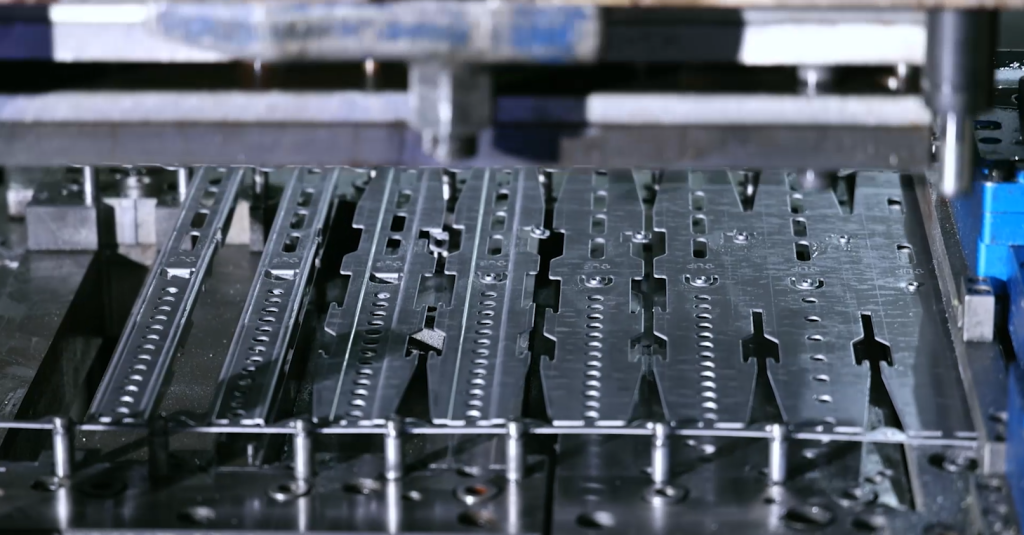
Quality manufacturing affects long-term reliability. ThunderTech Pros operates with 16 years of experience in mount production, using automated welding robots and over 100 stamping machines across their 45,000 square meter facilities. Their ERP system tracks every component from raw steel through powder coating, creating consistency that prevents the variations causing premature failure.
This level of quality control means the mount you install performs like the one tested in the lab, not a variation that happened to pass minimal inspection standards.
Real-World Use Cases
Different viewing environments favor different mount types, and seeing how others use these mounts helps clarify which fits your situation.
Open concept living room: The 506-64 full-motion mount works particularly well in open floor plans where seating areas exist in multiple directions. You can center the TV on the wall for movie watching, then swivel it toward the dining area for background sports during meals, or toward the kitchen for following cooking shows. The 14-inch extension lets you pull the TV away from the wall to access rear ports without dismounting anything.
Primary bedroom above dresser: The CT64 tilt mount handles the common scenario where the TV sits higher than eye level when you’re in bed. The -10 degree tilt brings the screen angle down to match your viewing position, reducing neck strain. The 45mm profile keeps the TV reasonably close to the wall, important when the dresser below limits available space.
Dedicated home theater: The CF64 fixed mount delivers the cleanest aesthetic for a theater room where the TV serves as the focal point. The 27mm profile makes the TV look almost integrated into the wall, and with seating centered on the screen, you don’t need adjustment capability. The 121-pound capacity also future-proofs the installation if you eventually upgrade to a 75-inch or 85-inch model.
Apartment living with multiple renters: The FM-53 offers a budget-friendly solution when you might move or upgrade in a couple years. Its 77-pound capacity handles most 65-inch models, and the full articulation provides flexibility for awkward room layouts common in rental properties. While not suitable for the heaviest panels, it covers the majority of consumer 65-inch TVs currently on the market.
Each scenario shows how mount type selection depends less on the TV’s size and more on how you actually use the space.
Conclusion
Finding the best TV mount for 65 inch TV depends on three factors: your TV’s weight, your room’s layout, and your adjustment needs. For most users, the answer splits between fixed and full-motion categories, with tilt mounts filling specific niches.
If your TV weighs 50 to 60 pounds and sits centered on a wall with fixed seating, the CF64 fixed mount delivers maximum capacity (121 lbs) at the lowest profile (27mm) and typically the lowest cost. You’re trading adjustment flexibility for structural simplicity and clean aesthetics.
For rooms where you need to reposition the TV for different activities or seating areas, the 506-64 or 680-64 full-motion mounts provide the versatility that transforms how you use the space. Their 110-pound capacity handles nearly all 65-inch models with a solid safety margin, and the six-arm design ensures smooth operation even when fully extended.
The CT64 tilt mount targets the specific problem of elevated mounting positions, making it the logical choice for bedroom installations or when the TV must go above a fireplace. Its 121-pound capacity and 20-degree total tilt range solve glare issues that fixed mounts can’t address.
Start by confirming your TV’s exact weight and VESA pattern, both found in the manual or stamped on the TV’s back panel. Verify your wall type and stud location. Then match those specifics to the mount capacity and features you need. The extra 20 minutes of planning prevents the expensive problem of realizing you chose the wrong mount after installation.
Related Products:
ThunderTech Pros Full Product Line
Contact: arya@nbthundertech.com.cn
Phone: +86 17788528189