
Glare ruins the viewing experience. You’re trying to watch your favorite show, but light from windows or overhead fixtures washes out the screen. A tilting TV mount solves this problem by angling your TV downward, directing the screen away from light sources and toward your eyes.
This simple adjustment makes a significant difference. Instead of squinting at a washed-out picture or closing blinds every time you watch TV, a tilt bracket lets you optimize the viewing angle with a quick adjustment. The result is better picture quality and more comfortable viewing, especially in bright rooms or when the TV sits above eye level.
This guide explains how tilting TV mount designs reduce glare, what features matter when choosing one, and which angle adjustable options deliver the best performance.
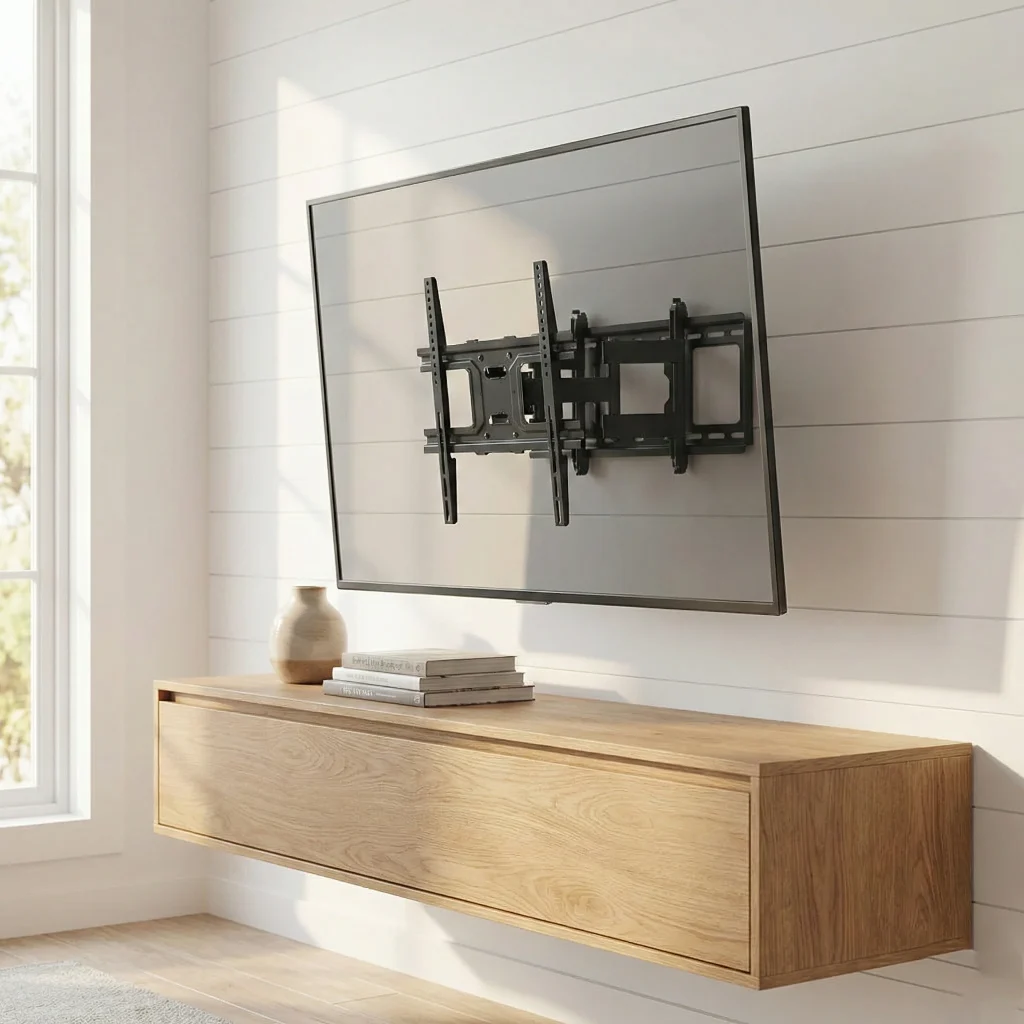
How a Tilting TV Mount Reduces Glare
Screen glare occurs when light reflects off your TV’s surface into your eyes. The angle of incidence equals the angle of reflection, which means overhead lights and windows behind your seating position create the worst glare problems.
A tilting TV mount changes this equation. By angling the screen 5-15 degrees downward, you redirect reflections away from your viewing position. Light that would have bounced directly into your eyes now reflects toward the floor instead.
This works particularly well for TVs mounted above eye level. Fireplace installations, bedroom wall mounts, and any setup where you look up at the screen benefit from a tilt bracket’s downward angle. The adjustment compensates for the unnatural viewing position while simultaneously managing glare.
The physics are straightforward, but the comfort improvement is substantial. Many viewers don’t realize how much glare affects their experience until they eliminate it with an angle adjustable mount.
Benefits Beyond Glare Reduction
Improved Viewing Comfort
Looking up at a screen strains your neck. Over time, this creates discomfort that makes extended viewing sessions unpleasant. A tilt bracket angles the screen toward your natural sightline, reducing neck strain even when the TV sits higher than ideal.
This matters especially for bedrooms where TVs often mount high on walls opposite the bed. The reclined viewing position combined with a high TV creates significant upward gaze angles. A tilt bracket brings the screen into a more comfortable orientation.
Better Picture Quality
Many modern TVs have optimal viewing angles. OLED panels in particular can shift colors or lose contrast when viewed from extreme angles. An angle adjustable mount positions the screen perpendicular to your sightline, ensuring you see the picture as the manufacturer intended.
This becomes critical for TVs mounted above fireplaces or in other elevated positions. Without tilt adjustment, you’re viewing the screen at an angle that may compromise picture quality. An angle adjustable mount corrects this.
Cleaner Installation Than Full Motion
Full motion mounts offer more flexibility, but they extend further from the wall and cost more. A tilt bracket provides the adjustment most viewers actually need while maintaining a slim profile. The TV sits close to the wall for a clean, built-in appearance.
For rooms where you always watch from the same seating position, the extra swivel capability of full motion mounts goes unused. A tilt bracket delivers the essential angle adjustment at lower cost and simpler installation.
Key Features When Choosing a Tilting TV Mount
Tilt Range
Most tilt bracket designs offer 5-15 degrees of downward tilt. For typical installations, 10-12 degrees provides adequate adjustment. Higher mounting positions may benefit from 15 degrees or more.
Consider your specific setup. Measure the angle between your seated eye position and where the TV will mount. This helps determine how much tilt range your tilt bracket needs.
| Mounting Height | Recommended Tilt Range |
| Eye level | 5-8 degrees |
| 1-2 feet above eye level | 8-12 degrees |
| Above fireplace (3+ feet up) | 12-15+ degrees |
Weight Capacity
Even simple tilt bracket designs must support your TV’s full weight at an angled position. The tilted orientation creates different stress patterns than a flat mount. Choose an angle adjustable mount rated for at least 1.3 times your TV’s actual weight.
A 55-inch TV typically weighs 30-45 pounds. A 65-inch runs 40-60 pounds. Larger screens can exceed 80 pounds. Match your tilt bracket to these specifications.
VESA Compatibility
VESA patterns determine whether a mount fits your TV. Common patterns for tilt bracket compatible TVs:
| TV Size | Common VESA Patterns |
| 32-50 inch | 200×200, 400×200 |
| 23-65 inch | 400×400, 600×400 |
| 65-80 inch | 600×400, 800×600 |
Verify your TV’s specific VESA measurement before purchasing any angle adjustable mount.
Wall Clearance
Tilt bracket designs sit closer to the wall than full motion options, typically 1.5-3 inches. This slim profile looks cleaner but requires adequate space for cables and ventilation. Ensure your chosen mount leaves room for power cords and HDMI connections.
Adjustment Mechanism
Some angle adjustable mounts require loosening screws to change the tilt angle. Others feature tool-free adjustment via levers or knobs. If you’ll adjust the angle frequently, choose a tilt bracket with easy, tool-free operation.
Top Tilting TV Mount Recommendations
For tilt applications requiring consistent quality and reliable adjustment mechanisms, manufacturing precision matters. ThunderTech Pros brings 16 years of R&D expertise and 45,000 square meters of production facilities to their tilt bracket designs.
CT Series Tilt Mounts
CT44 and CT64 Tilt TV Wall Mount: These represent ThunderTech Pros’ core tilting TV mount offerings. The CT series provides 12-15 degrees of smooth tilt adjustment with a low-profile design that keeps TVs close to the wall. Steel construction ensures durability while the precision tilt mechanism maintains your chosen angle without drift.
The CT64 handles larger screens with VESA patterns up to 600×400, making it suitable for 65-inch and larger displays. Both models feature tool-free angle adjustment for convenient repositioning.
DT Series Tilt Mounts
DT44, DT-SM, and DT-SL Tilt TV Wall Mount: The DT series offers angle adjustable options across different size ranges and mounting configurations. These tilt bracket designs suit various installation scenarios from compact bedroom TVs to larger living room displays.
The DT-SL variant provides extended VESA compatibility for wider mounting patterns found on some larger TVs. All DT series mounts maintain the slim wall clearance that makes tilting TV mount installations look clean and professional.
Manufacturing Quality Advantages
What separates quality tilt bracket designs from budget options? The adjustment mechanism durability.
Cheap tilt bracket products often develop problems: the tilt angle drifts over time, adjustment becomes stiff or sticky, or the mechanism fails to hold position under the TV’s weight. These issues stem from imprecise manufacturing and inferior materials.
ThunderTech Pros operates over 100 stamping machines and automated welding robots to achieve consistent tolerances. Their angle adjustable mounts feature:
- Precision-machined tilt mechanisms that maintain smooth operation
- Steel construction that doesn’t flex under load
- Powder coating from two advanced lines that resists wear at pivot points
- Hardware matched to actual weight ratings
The dual factory operations in China and Thailand maintain identical quality standards, with full process traceability ensuring every tilt bracket meets specifications.
Installation Tips for Tilting TV Mount Success
Locate Studs First
Like all TV mounts, tilt bracket installations require secure stud attachment. The tilted position creates downward force that drywall anchors alone cannot safely handle. Use a stud finder to locate solid mounting points before purchasing.
Plan Cable Routing
Tilt bracket designs sit close to the wall, which can complicate cable access. Consider your cable routing before installation. Options include recessed outlet boxes behind the TV, in-wall cable conduits, or external raceways painted to match your wall.
Test Tilt Range Before Final Mounting
Before fully tightening all hardware, test the angle adjustable range with your TV attached. Verify the tilt mechanism reaches your desired angle and that the TV clears the wall at maximum tilt. This prevents discovering limitations after installation is complete.
Use a Level
Even small level errors become noticeable on mounted TVs. Use a bubble level or laser level during installation to ensure your tilting TV mount sits perfectly horizontal. Most quality tilt bracket designs include built-in bubble levels to assist with alignment.
When to Choose a Tilting TV Mount Over Other Options
A tilting TV mount makes sense when:
- Your TV sits above eye level (fireplace, bedroom wall, high living room mount)
- Glare from windows or lights affects your viewing
- You want a slim profile without protruding arms
- Your viewing position stays consistent (no need for swivel)
- Budget matters more than maximum flexibility
If you need to redirect your TV toward different seating areas or mount in a corner, a full motion mount provides better flexibility. But for straightforward angle adjustable needs, a tilt bracket delivers the essential functionality at lower cost and simpler installation.
Conclusion
A tilting TV mount solves real problems that affect daily viewing comfort. Glare reduction, improved viewing angles for high-mounted TVs, and better picture quality from optimal screen orientation all contribute to a better experience.
The key factors when selecting an angle adjustable mount: tilt range matched to your mounting height, weight capacity with safety margin, VESA compatibility, and build quality that maintains smooth adjustment over time.
Tilt bracket options from ThunderTech Pros deliver the precision mechanisms and durable construction that reliable tilting TV mount performance requires. With 16 years of manufacturing expertise and facilities producing tens of millions of units annually, they’ve refined the details that keep tilt adjustments working smoothly for years.
Stop fighting glare. The right tilting TV mount eliminates the problem.
Related Products:
For bulk orders or custom tilt bracket solutions, contact ThunderTech Pros directly at arya@nbthundertech.com.cn.