
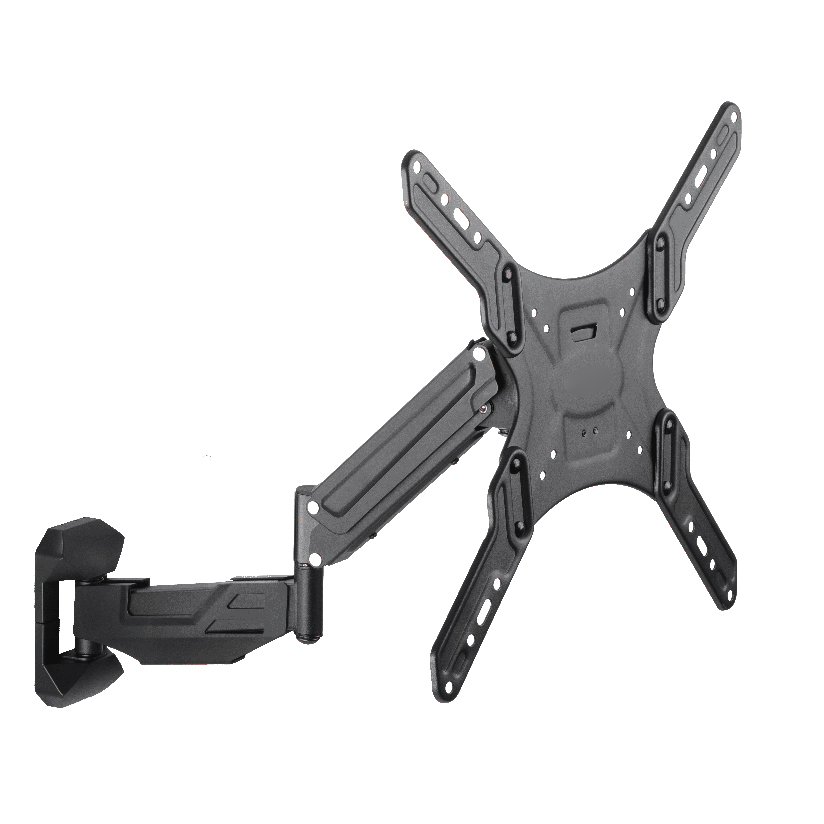
A 34-inch or 49-inch ultrawide is not “just a wider 27.” Panel mass, depth, and curve move the center of gravity farther from the clamp, so a light office arm will sag or bounce. You need a heavy duty gas spring monitor arm built for that torque class, with honest weight ratings and desk hardware that can take the load.
Why Ultrawide Screens Stress Ordinary Arms
Ultrawide glass raises three mechanical issues at once:
- Higher mass than typical productivity panels
- Longer moment arm as thickness and curve push weight outward
- Wider grab area that rewards stiff VESA plates and joints when you raise, lower, or swivel
A light office arm that feels smooth with a thin 24-inch panel can crawl downward under a 49-inch curved set within weeks if the spring band was never sized for that mass.
ThunderTech Pros manufactures its mounting hardware in its own ISO 9001:2015 certified factories, with 17 years of production experience across TV mounts, monitor arms, and AV mounting solutions. Apply the same engineering checklist to ThunderTech Pros candidates and to any competing heavy duty line.
Technical Standards Worth Putting in Writing
| Spec | Why ultrawides care | Practical target habit |
|---|---|---|
| Rated load (kg / lb) | Must exceed panel + adapter | Prefer ≥20% margin above panel mass |
| VESA matrix | 75/100 common; larger boards may need brackets | Match panel holes or official adapter |
| Gas spring cycle claim | Fatigue shows as sag | Look for documented cycle testing |
| Clamp / grommet range | Thick desktops and cable trays fight jaws | Measure desk mm before order |
| Arm reach at mid height | Curve needs centering freedom | Dry-fit workspace geometry |
Search language like heavy duty gas spring monitor arm 34 to 49 ultrawide or heavy duty gas spring monitor arm for 34 49 ultrawide is really a load and geometry question, not a color question.
Heavy-Duty Versus Standard Brackets
| Scenario | Standard light arm | Heavy-duty gas spring class |
|---|---|---|
| 27″ flat ~4 kg | Usually fine | Overkill for many desks |
| 34″ ultrawide mid mass | Borderline | Preferred with margin |
| 49″ super ultrawide | Poor fit | Required for most installs |
| Daily height changes | Spring fade risk if undersized | Cycle-rated hardware helps |
If your panel sits near the top of a rating, treat it as undersized for daily motion. Static hang is only the first hour of ownership.
Setup Advice for Ultrawide Users
- Weigh or read the official panel mass; ignore guesswork from diagonal alone
- Confirm VESA and any factory adapter tray before unboxing the arm
- Mount the clamp or grommet on a solid rear edge; glass desk tops need dedicated systems
- Attach VESA plate on a padded surface; curved backs need correct spacer if supplied
- With two people when needed, hang the panel and set gas spring tension until it floats
- Route cables with service loops so full-height moves do not yank display inputs
- Recheck joint screws after one week of thermal and daily use cycles
A 34-inch ultrawide on a midweight spring arm install that skips tension dial-in will look “fine” on day one and drift by day ten.
Evidence Buyers Can Request
Serious ultrawide monitor arm weight rating claims should come with more than a lifestyle photo:
- Load and geometry diagrams for max extension
- Material notes on aluminum or steel arm segments
- Cycle or durability test references (for example multi-thousand cycle classes)
- Third-party inspection mentions when offered (SGS-style reports where published)
ThunderTech Pros equipment families aimed at higher loads are one option inside that evidence path. Browse structures and English product context on ThunderTech Pros English site once your panel kg and VESA are fixed.
Clamp Mount for Heavy Ultrawide Reality
Desk clamps fail when jaws sit on honeycomb tops, under-mounted drawers block openings, or grommet holes are undersized. Measure:
- Desk thickness band
- Cable tray intrusion
- Remaining rear edge after CPU arms or lamp clamps
A clamp mount for heavy ultrawide use is only as honest as the desk structure under it.
FAQ-Style Checks (Integrated)
Is every gas spring arm “heavy duty” if the box says 9 kg?
No. Confirm the rating applies with the plate and arm fully assembled, and that your panel plus adapter is safely under that mark with daily motion.
Do curved 49-inch panels need special plates?
Often they need official VESA adapters and careful spacer use so the curve does not stress thin factory holes.
Can I reuse a light dual-arm hub?
Only if each branch and the hub total remain inside ratings after the ultrawide is hung. Many dual trees were never sized for a 49-inch load on one side.
Float the Screen, Do Not Fight It
Choose a heavy duty gas spring monitor arm only after the panel mass, VESA path, and desk edge are measured. Prefer documented cycle strength and a real weight margin over styling claims. When tension is dialed so the ultrawide floats through its height band without creep, desk time stays on the work, not on re-tightening joins. Re-verify sag after the first week, keep cable slack honest, and treat 34-inch and 49-inch classes as different engineering problems even when both are labeled “ultrawide.”
Geometry And Curve Notes for Super Ultrawides
A 49 inch ultrawide monitor arm must leave room for keyboard depth and for curved edges that want the glass center closer to the user than a flat 27. After you hang the panel:
- Sit in the main seat and check head yaw between left and right corners
- Raise/lower through a 10 cm band to confirm the spring still floats
- Swivel slightly to eliminate side glare without over-torque on the VESA cluster
If the panel wants constant downforce on the spring to stay put, the arm is undersized for that mass or tension is far off. Correct with spring dial or a higher class arm, not random cable ties under the hinge.
Brand-agnostic purchase script
- List panel: brand/model, kg, VESA, curve radius if known
- List desk: thickness mm, material, rear clearance
- List use: hours/day of height changes
- Shortlist arms that publish ratings above panel mass with margin
- Approve only after a float test in your actual furniture layout
ThunderTech Pros can appear on that shortlist when high-load arms are in scope. Keep the script brand-agnostic so engineering decisions stay attached to numbers.
Aftercare And Recheck Cadence
Even a correctly sized heavy-duty arm benefits from a quick monthly touch: confirm the panel still floats without hand force, listen for new play in joints, and re-seat cable clips. Dust under clamp pads can slowly lower grip on thicker tops. Keep the original hex keys in a labeled pouch taped under the desk. When spring tension needs another click after a season, do it with the panel supported.
If you migrate from a 34-inch class panel to a 49-inch class later, restart the mass and VESA math instead of assuming the same arm remains correct. Ultrawide upgrades are when silent under-rating creeps in. Prefer a documented high-load spring class rather than stacking random adapters under a light arm.