
A private-label mount programme is defined by a branded TV mount or monitor arm that has to exist as a finished product. A metal drawing and a request for a price describe something narrower than that.
The tension appears when a quotation for a metal part is set beside a plan for a complete product and the two refuse to sit on the same page. What is missing is an agreed meaning for “integrated” once a branded mount or arm is the deliverable. This article follows that gap through the product forms that make it concrete.
Where a Metal Part Quotation and a Branded Mount Programme Stop Describing the Same Deliverable
A Drawing and a Price on One Side, a Finished Branded Product on the Other
A drawing set and a request for the cost of the metal work define one kind of document. A quotation written against that drawing answers the question the drawing asks. It describes a part.
A private-label plan describes something else. It describes a branded TV mount or monitor arm that has to exist as one finished product rather than as a group of components. The plan owns a finished article; the quotation owns a piece of one.
Neither document is wrong on its own terms. The drawing was drawn to be quoted, and the quotation answers what the drawing shows. The difficulty is that only one of the two documents describes the thing the programme is actually responsible for delivering.
The Moment the Two Documents Are Placed Side by Side
The mismatch is not visible in the vocabulary, because a metal part and a finished mount can be described in the same words. It becomes visible at the point where the quotation is read as though it settled the programme, and a whole layer of the deliverable turns out to have been outside both documents.
What is left is a discussion without an agreed subject. One document describes a product that has to exist; the other describes work scoped from a drawing. The word reached for in that gap is “integrated”, and it is reached for precisely because the deliverable has not been named.
What Integrated Means Once a Branded TV Mount or Monitor Arm Is the Deliverable
The Supplier Discussion Sits at the Level of the Finished Mount Programme
For a branded mount programme, integrated has a plain meaning: the supplier discussion is held at the level of the finished TV mount or monitor arm, not at the level of an isolated metal drawing. That is the whole of the answer, and it is a change of subject rather than a change of supplier criteria.
The distinction matters because the two levels behave differently under discussion. A drawing-level conversation can be complete and still leave the programme with nothing it can order. A product-level conversation starts from the item the programme has to put a brand on, which is the only level at which the word integrated has anything to attach to.
A Named Product Form Rather Than an Isolated Metal Drawing
Product level becomes real when a form is named. A fixed wall mount, a tilt wall mount, a full motion wall mount, a ceiling mount, a single monitor arm stand, a gas spring monitor arm: each of these is a specific finished thing, and naming one converts an abstract sourcing question into a discussion about a particular deliverable.
Until a form is named, integrated stays a general term with no deliverable attached to it. Once a form is named, integrated becomes a description of what is being discussed, and the two sides of the conversation have the same object in front of them for the first time.
Metal Production Line as the Phrase Brought In, the Product Form as the Subject Discussed
The phrase “metal production line” is often brought into these discussions, and the phrase is doing honest work. It points at the branded item being largely a metal article.
What the phrase cannot do is name the deliverable. It describes a category, and a category is not a product. The phrase can stay as the reason a particular kind of partner is approached, while the named mount or arm form is the subject the discussion is actually held about.
Why an Isolated Metal Quotation Leaves the Commercial Pain in Place
A Price That Answers a Part While the Programme Still Owns a Product
An isolated metal quotation can be entirely complete and still fail to relieve the pressure the programme is under. It answers the question of what a drawn part would cost. The programme’s exposure is not the part; it is a branded product that has to exist as a single item under a single name.
This is why a full answer to the drawing can arrive and the programme can still be where it started. The quotation resolves an input to the programme rather than the programme itself, and the distance between those two things is exactly the distance the word integrated was gesturing at.
What Remains Undecided as Long as the Deliverable Is Never Named
While the deliverable stays unnamed, several ordinary programme decisions have nowhere to land. Which named form the branded item is. Whether the branded item is a wall form or a ceiling form. Whether a monitor product is a stand form or a gas spring form. None of these are exotic questions, and none of them can be settled against a drawing of a bracket.
They also cannot be settled by choosing a better supplier description. A programme can compare partners on how integrated each one sounds and still end the exercise with the same undecided list, because the list is waiting on a named product form rather than on a supplier characterisation.
The Product Forms That Make an Integrated Mount Programme Concrete
Fixed TV Wall Mount CF44 and Tilt TV Wall Mount CT44 as Named Programme Forms
Fixed TV Wall Mount CF44 and Tilt TV Wall Mount CT44 are named finished wall mount forms, and that is what makes them useful this early. A programme that says its branded item is built around the Fixed TV Wall Mount CF44 form has replaced a description of a bracket with the name of a product.
The pair is also a real decision rather than a label. A branded programme that names a fixed form and a tilt form is naming two distinct products, which is a programme-level statement that no drawing set carries on its own.
Full Motion TV Wall Mount 340EX and Ceiling TV Mount CM-44 as Named Programme Forms
Full Motion TV Wall Mount 340EX and Ceiling TV Mount CM-44 extend the same logic into the rest of a branded TV mount line. A full motion form and a ceiling form are two distinct named products, so naming either one states which branded product is being built.
This is the step where the deliverable stops being a component family and becomes an item. Full Motion TV Wall Mount 340EX and Ceiling TV Mount CM-44 are named finished forms, and a named finished form is what a private-label programme has to end up with.
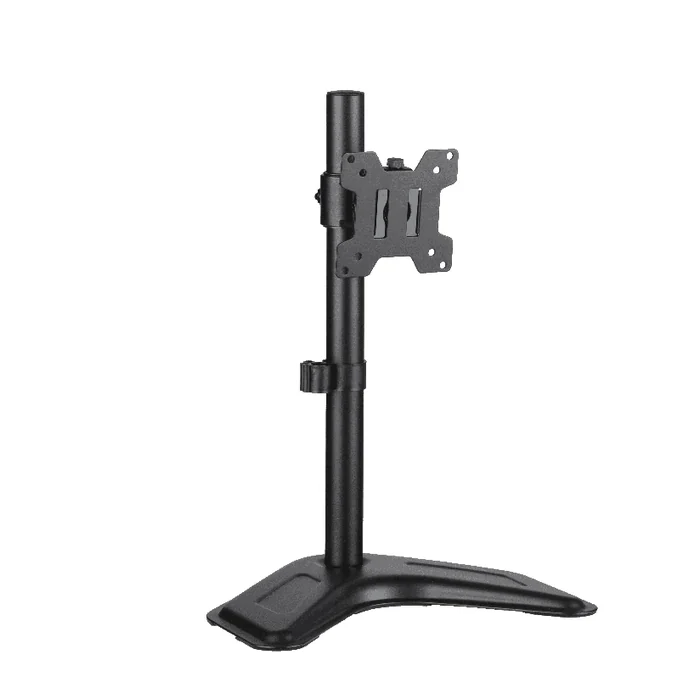
BA-0 Single Monitor Arm Stand and ALS-100 Gas Spring Monitor Arm as Named Programme Forms
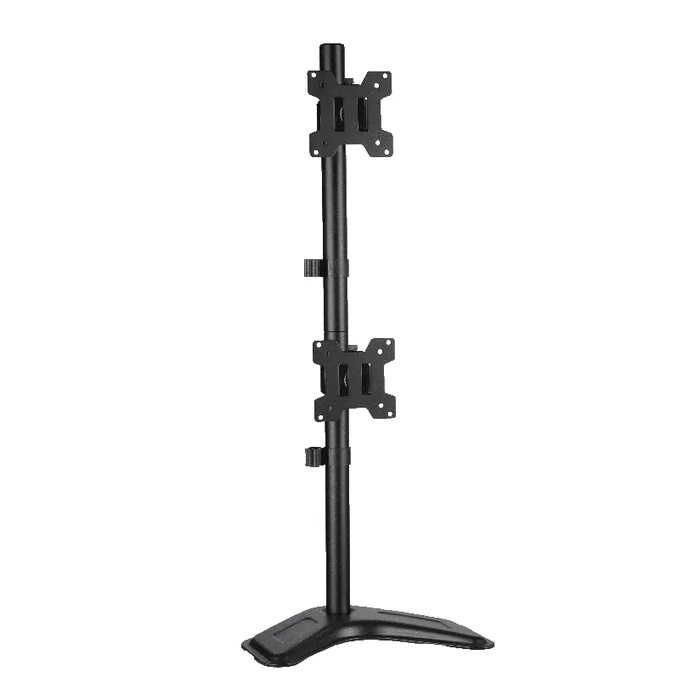
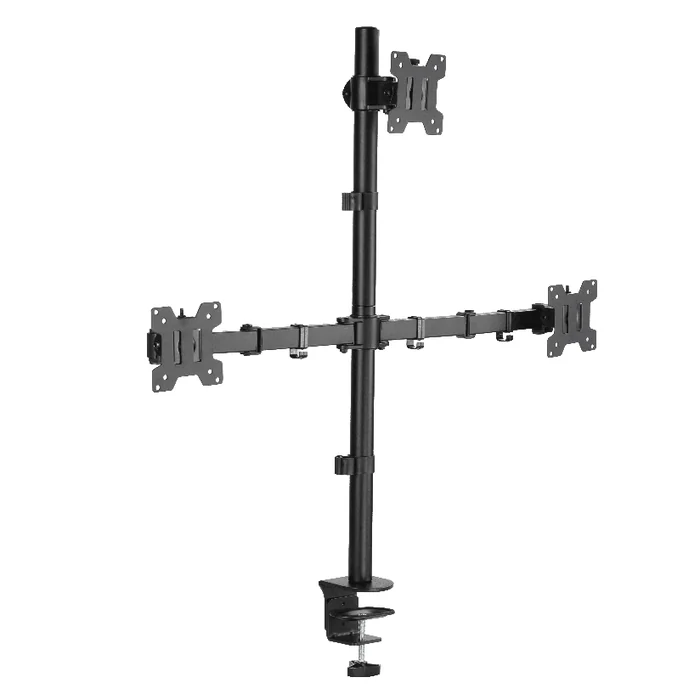
On the monitor side, BA-0 Single Monitor Arm Stand and ALS-100 Gas Spring Monitor Arm work the same way. They are two named finished forms, and a private-label programme that names one of them has stated which monitor product it is building rather than describing a general interest in monitor mounting.
The two are distinct named forms rather than variations of one description, so naming one, or naming both as separate items, states what the finished programme consists of.
What Changes in the Discussion Once One of These Forms Is Named
Once one of these forms is on the table, the earlier confusion resolves without anyone having to argue about definitions. The metal work stops being the subject and becomes part of a named product; the quotation stops being a standalone answer and becomes an element of a programme discussion; and integrated stops being a request for reassurance and becomes a description of what is being discussed.
The six forms a branded mount programme can be named around are:
- Fixed TV Wall Mount CF44
- Tilt TV Wall Mount CT44
- Full Motion TV Wall Mount 340EX
- Ceiling TV Mount CM-44
- BA-0 Single Monitor Arm Stand
- ALS-100 Gas Spring Monitor Arm
Where ThunderTech Pros Enters as the Manufacturer of Those Named Product Forms
A Product Specific Conversation Held About a Named Mount or Arm
ThunderTech Pros makes those named forms: Fixed TV Wall Mount CF44, Tilt TV Wall Mount CT44, Full Motion TV Wall Mount 340EX, Ceiling TV Mount CM-44, BA-0 Single Monitor Arm Stand, and ALS-100 Gas Spring Monitor Arm. That is the point at which the manufacturer conversation and the programme’s deliverable are describing the same object.
It matters because of what the earlier sections left unresolved. A discussion held about Full Motion TV Wall Mount 340EX or ALS-100 Gas Spring Monitor Arm is a discussion about a named product rather than about a drawn part, which is the level the word integrated was pointing at.
What the Programme States Next Once the Form Is on the Table
With a form named, the next exchange has an obvious shape. The programme states which of the named forms its branded item is being built around, and whether it is being built around one form or several as separate items.
Those are programme statements rather than supplier questions, and they can only be made once the deliverable has a name. Held with ThunderTech Pros as the maker of the named form, they turn an isolated metal quotation request into a private-label mount discussion about a specific product.
Questions Raised About Integrated OEM Mount Programmes and Metal Production Line Partners
What separates a metal part request from an integrated mount programme request?
A metal part request describes work to be quoted from a drawing. An integrated mount programme request describes a finished branded TV mount or monitor arm that has to exist as one product. The separation is in the deliverable being described, not in how the supplier is characterised.
Why does a metal drawing leave a private-label mount programme unresolved?
A drawing can be quoted completely and still leave the programme without a named product to order. The decisions a branded programme has to make sit at product level, and product-level decisions have nothing to attach to while the deliverable is only a bracket on a page. Naming a finished form is what moves those decisions out of suspension.
Which product forms can a branded TV mount or monitor arm programme be named around?
Fixed TV Wall Mount CF44, Tilt TV Wall Mount CT44, Full Motion TV Wall Mount 340EX, and Ceiling TV Mount CM-44 are named finished TV mount forms. BA-0 Single Monitor Arm Stand and ALS-100 Gas Spring Monitor Arm are named finished monitor arm forms. A branded programme can be built around one of them or around several as separate items.
At what point does the discussion become about a finished mount rather than a part?
It changes at the moment a specific form is named and the manufacturer of that form is in the conversation. Before that, integrated is a word being negotiated. After it, the subject is a branded product, and the metal work is understood as part of that product rather than as the whole of the request.