
A mount form is not a taste preference. It is the answer to a question the room has already asked: where people sit, how many directions they sit in, how much wall exists, and whether the display has to serve one seat or a moving audience. A living room with a single sofa facing a flat wall and a kitchen where the viewer is standing at a counter three metres to one side are not the same problem, and a product that solves one will underperform in the other while looking identical on a spec sheet.
We manufacture TV mounting hardware, so our contribution here is narrow and we will keep it that way. This article sets out, room by room, what condition triggers each form, what you give up in exchange, and what specific piece of evidence has to be read before the decision is confirmed. The evidence part matters most. Every form below is a category, and a category never proves that a particular product suits a particular display on a particular wall. That is settled by a model number, a drawing and a measurement.
The most common sequence in this topic is backwards. A form gets chosen first, then the room is bent to fit it. The reverse order costs an hour and removes most of the rework, because the room supplies the constraints that eliminate two or three forms outright. Before any of the sections below is useful, four measurements do almost all of the work, and each is taken from the position the room is actually used from.
- Seated or standing eye height at each viewing position. Not from the doorway. A kitchen may be measured standing and a bedroom may be measured reclined, and those are different reference lines.
- The horizontal spread of viewing positions. One chair on axis, a wide sofa with end seats, or a room where people move around are three different problems. The widest off-axis angle is the number that matters.
- Viewing distance from the furthest and nearest position in use.
- Available wall or ceiling surface in the intended position, including what sits above, below and to each side that would limit where a plate can go or how far a display can swing.
Taking these costs time before you have bought anything, and it can produce an answer you did not want, such as a room that needs a full-motion form where you had planned a slim fixed one. That is the point of taking them. Mock the screen size in cardboard at the candidate position and check the sightline from each seat before anything is ordered.
With those numbers in hand, the five forms map onto them as follows.
- Fixed. Holds one position permanently and sits closest to the wall. Trade-off: the installation position is the position you keep, and access behind the display is limited.
- Tilt. Adds downward angle while staying near the wall. Trade-off: it corrects vertical angle only, and does nothing for seats off to one side or for screen height.
- Full-motion. Adds extension and swivel, and tilt where the item documents it. Trade-off: it stands further off the wall when retracted, it places more demand on the fixing and the wall, and the articulation has to be specified for the actual display size and weight.
- Ceiling. Suspends the display from above where wall surface is unavailable or the viewing position is not wall-aligned. Trade-off: it depends entirely on the overhead structure and the drop distance, both of which are site conditions rather than product features.
- Stand and cart forms. Support the display without committing to a surface at all. Trade-off: they occupy floor area and change the room’s layout, and the display sits where the base allows rather than where the wall would allow.
For each form, the individual product’s published specification states its supported mounting pattern, its size and weight range, its distance from the wall retracted and extended, and its adjustment range. Read that for the exact item and revision. A category page describes a category.
Living rooms: decide by seating spread, not by screen size
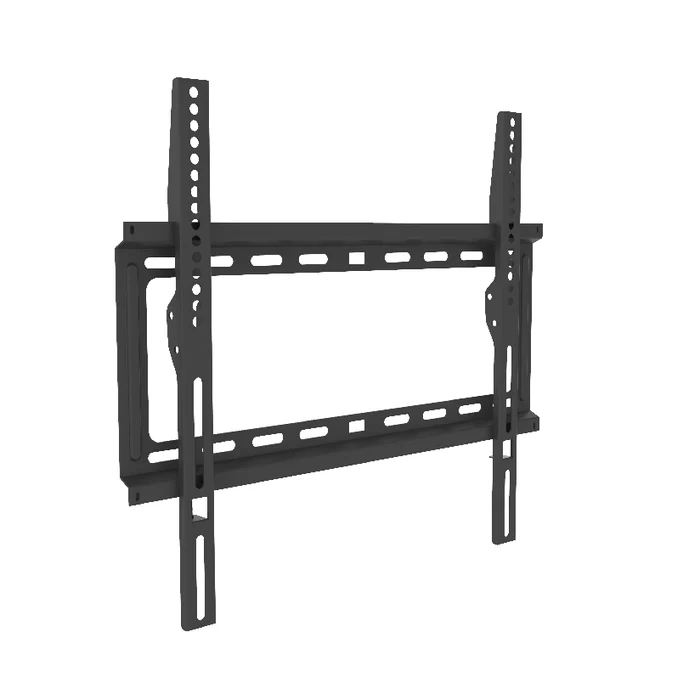
Living rooms are where all five forms are plausible, which is why the decision is so often made on appearance instead of use. The discriminator is how many directions the display has to serve.
Single on-axis seating: where fixed or tilt may be considered
Trigger. Seating is centred on the display, viewing distance is consistent, and the mock-up shows a comfortable sightline from the seat with the screen at a workable height. Nobody watches from an angle.
Under those conditions a fixed mount is one form worth examining, since it gives a shallow wall standoff and there is nothing to adjust if the measured geometry is already right. Whether any particular fixed mount suits your display and wall is settled by the model documentation, not by the room type.
Trade-off. You lose all post-installation correction. If the sofa moves, if a rug changes seat height, or if the display later sits higher than planned, the fix is a reinstallation rather than an adjustment. Tilt buys back the vertical component of that risk at the cost of a slightly deeper profile.
Evidence to confirm. The display’s manual for its mounting hole pattern, weight and dimensions, read alongside the specific mount’s published pattern and weight range. Then the mount’s own drawing for retracted depth, because that dimension is the entire reason you chose fixed over anything else.
Wide or L-shaped seating: where articulation may be considered
Trigger. The widest off-axis seat is far enough round that the picture is being watched at an angle, or the room has two habitual arrangements, or the display sits in an alcove that points it away from part of the seating. Any one of these means a static form is serving some seats worse than others.
A full-motion form is one response to this, because swivel and extension move the screen toward the viewer rather than only angling it in place. Whether a given arm delivers that in your room depends on the display model, the wall structure and the adjustment range published for that item.
Trade-off. Three costs come with it. The mount stands further from the wall retracted than a fixed or tilt form, so the display no longer sits flush. The load path is longer, which puts more demand on the fixing and on the wall behind it. And the arm has to be specified for the actual display, because reach and screen weight interact rather than being independent numbers.
Evidence to confirm. The individual arm’s published extension and swivel range, its retracted depth, and its stated size and weight range against your documented display. Our published product range includes full-motion wall mounts; which item corresponds to a given reach and display is a specification question to confirm in writing against the drawing for that item, not something a range statement settles. Wall construction in the intended position is identified on site by whoever installs.
Bedrooms: check the reference eye line before anything else
Bedrooms can break the assumptions that living room advice is built on, because the reference eye line may be horizontal or near it and the display may sit higher than the viewer. Measure it rather than assume it.
Wall-mounted opposite the bed: where tilt may be considered
Trigger. The display is mounted above dresser height on the wall the bed faces, and the mock-up from a reclined position shows the screen angled away from the viewer. In that case a fixed mount can look fine standing up and read badly from the pillow.
A tilt form addresses that specific condition: it corrects downward angle while keeping the display close to the wall, which can matter where floor and wall space are tight. The tilt actually available comes from the range published for the individual item.
Trade-off. Tilt does nothing about height and nothing about horizontal position. If the bed is off to one side of the wall, or the room is also viewed from a chair in the corner, tilt will not reach that. The alternative is a full-motion form and a deeper retracted profile in a room where the wall is often within reach of the bed.
Evidence to confirm. The specific mount’s published tilt range, read from its drawing rather than from a summary, checked against the angle your mock-up showed you need. Then the display manual for pattern and weight, since an older or smaller unit may have mounting details that differ from the current family.
Corner-of-room or high positions: where articulation or a ceiling form may be considered
Trigger. No wall directly faces the bed, the usable wall is interrupted by a window or a wardrobe, or the display has to sit high enough that angle alone will not recover the sightline.
A full-motion form addresses the case where a wall exists but points the wrong way. A ceiling form addresses the case where the useful position is not wall-aligned, or where the structure being used is overhead. Either only applies if the ceiling or wall structure and the item’s published documentation support it.
Trade-off. A ceiling form moves the entire dependency to the overhead structure and the drop length, both of which have to be established on site. It also puts the display in the middle of the room’s visual field permanently, which suits some bedrooms and not others. A full-motion form in a small bedroom means the retracted display sits further into the room, by the retracted depth published for that item.
Evidence to confirm. For ceiling forms, the item’s published drop range, its supported pattern and weight range, and its rotation and tilt adjustment as documented. What the ceiling is built from, and what fixing that construction requires, is identified on site by the installer rather than inferred from the product.
Kitchens and small spaces: check whether the viewer moves and what wall is left
Kitchens can invert the usual assumption. The viewer may be standing, moving, or off to one side, and the wall may already be occupied by cabinets, splashbacks and appliances.
Under-cabinet, side-wall and mobile viewing: where short-reach articulation may be considered
Trigger. The only free wall or underside is not where the person watching stands, and the viewing position changes between the sink, the hob and a breakfast bar. A fixed display serves the position it is aimed at.
A short-reach full-motion form is one option to examine here, where the extension required is limited by the room and swivel carries most of the correction. The reach and swivel you actually get are the figures published for the individual item.
Trade-off. Anything that folds out into a kitchen is in a circulation path when extended. You are trading a static display nobody can see for an articulated one that occupies space while in use, and that has to be acceptable in the actual layout rather than in principle. Available mounting surface may also be scarce, and where it is, it can constrain the choice more than the viewing analysis does.
Evidence to confirm. The item’s retracted depth and its extended reach from the drawing, checked against the clearance you measured to the nearest circulation path and to any cabinet door swing. Then the mounting surface itself, which in a kitchen may be a cabinet carcass, a tiled surface or a boarded chase rather than the construction a wall-mount specification assumes. That identification is an on-site determination.
Compact rooms where a wall fixing is not available or not wanted: where stand forms may be considered
Trigger. Every candidate surface is occupied, the construction has been assessed on site as unsuitable or is unknown, or the arrangement is temporary and a permanent fixing is not wanted.
A floor stand or a mobile base removes the wall from the problem, which can be worth examining in a rented or small space. The display it accepts is defined by the pattern, weight and height range published for that item.
Trade-off. You are converting a wall problem into a floor problem. The base occupies area, the display sits at whatever height the column allows rather than where you would have placed it, and the footprint has to clear furniture and traffic. In a compact room that is a real cost, not a minor one.
Evidence to confirm. The stand’s published height range, its base footprint dimensions, and its supported pattern and weight range, read against your measured floor area and your documented display. Compare those figures on the drawing for the specific item.
Corners and awkward geometry: reach is the specification that matters
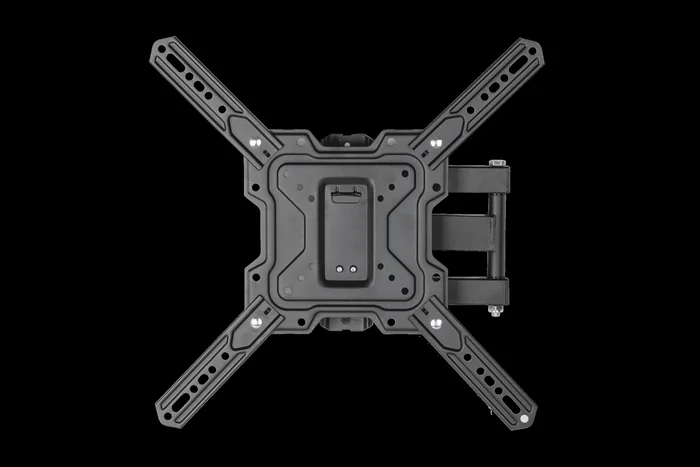
Corner positions are where category shopping fails most visibly, because two products described identically as full-motion can behave completely differently in a corner.
Corner-mounted displays: read the published reach before the label
Trigger. The display has to sit in or near a corner and still face into the room, or the only structurally sensible plate position is offset from where the screen needs to end up. Both cases mean the mount has to carry the display a meaningful distance from its fixing point and hold it at an angle.
Trade-off. Reach and load are not independent. A longer arm places the same display further from the wall plate, which changes what the fixing and the wall are being asked to do. Longer-reach forms tend to be deeper when retracted, and the retracted depth published for the item is what tells you how the corner will look. You are buying position at the cost of profile and of a more demanding installation.
Evidence to confirm. Read three numbers from the specific item’s drawing rather than from any category description: retracted depth, maximum extension, and the swivel range at the extension you will actually use, since swivel on some items reduces as they extend. Confirm those against the size and weight range published for that same item and against your documented display. Our related note on retracted depth and extension in full-motion mounts covers why those two properties pull against each other. Whether the corner construction supports the resulting fixing is decided on site.
Alcoves, chimney breasts and offset positions
Trigger. The display sits in a recess or on a projection where something physically limits how far it can move, or where the plate position and the desired screen position do not coincide.
Trade-off. Every recess narrows the usable adjustment range of whatever you install. A mount with generous published swivel may deliver a fraction of it once a return wall is in the way, so the specification you paid for is not the specification you get. The alternative is accepting a fixed position that suits the recess.
Evidence to confirm. Measure the recess width, depth and any obstruction on each side, then check the mount’s drawing for the arc the display sweeps through at your intended position. That arc, not the headline swivel figure, is what tells you whether the form fits the geometry.
Commercial spaces: multiple positions, repeatable layouts and overhead structure
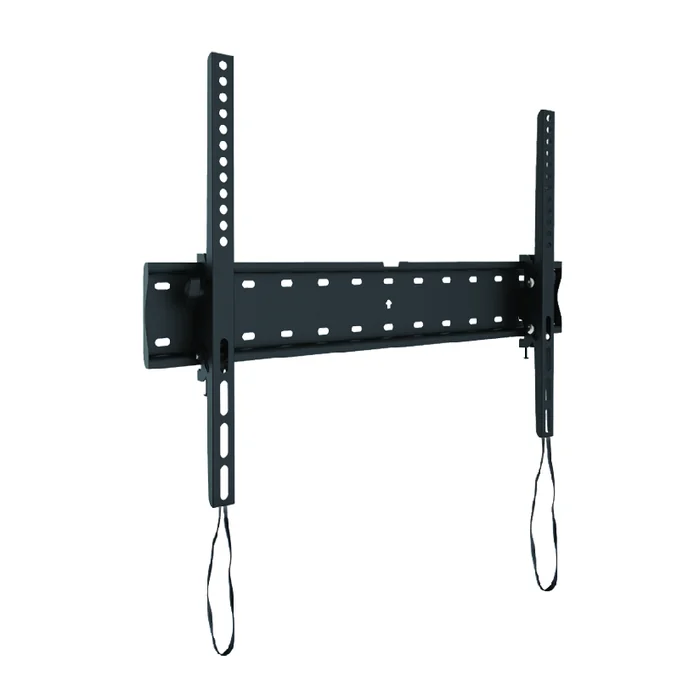
Commercial installations change the question from what suits this room to what suits this layout repeated across a site. That shifts the emphasis from adjustment toward consistency and toward what the building structure allows.
Open floors and non-wall-aligned viewing: where ceiling forms may be considered
Trigger. Viewers are distributed across an open area rather than seated facing a wall, or the useful display position is over a floor area with no wall behind it. Retail floors, waiting areas and hospitality spaces can produce this.
Ceiling forms are one response, since they place the display where the sightlines are rather than where the walls happen to be, and can be repeated at a consistent height across a floor where the overhead structure allows it. Whether that structure allows it is established on site.
Trade-off. The entire installation depends on overhead structure and on drop length, both of which vary by building and neither of which is a product property. A longer drop also introduces movement considerations that a short one does not. You gain position freedom and give up the simplicity of fixing into a wall you can see.
Evidence to confirm. The item’s published drop range and adjustment, its supported pattern and weight range, and its documented dimensions, all from the drawing for the specific item and revision. Our note on ceiling TV mounts in commercial layouts goes through how position is planned before hardware is chosen. What the structure above is and what it will accept is a site assessment.
Large displays and repeated positions
Trigger. The display is larger or heavier than domestic products, or the same arrangement is installed at multiple locations and has to look identical each time.
Trade-off. Alignment and repeatability can push toward fixed or minimally adjustable forms, because every axis of adjustment is an axis that can drift out of alignment between positions. You give up flexibility to gain consistency, which is the correct trade in a layout that is documented once and built many times.
Evidence to confirm. The specific item’s published pattern, size and weight range, its dimensional drawing for spacing between adjacent positions, and its documented adjustment. For repeated builds, confirm in writing which specification and revision is being discussed, because a layout documented against one revision is not automatically valid against another. Our heavy duty commercial mount notes and our company overview are published background rather than a statement about any particular installation.
Turn the room analysis into a specification you can check
Everything above narrows the form. Nothing above proves a product fits. That last step is a documentation exercise and it is the same in every room.
What to have in hand before comparing products
Trigger. You have a form and are ready to shortlist. Every item below removes an assumption that would otherwise be made on your behalf.
- The exact display model, with the mounting hole pattern, weight and dimensions taken from its manual rather than from a retail listing.
- The room measurements, meaning eye height at each position used, the widest off-axis angle, viewing distances, and the available surface in the intended position.
- The mounting surface, described as what it is built from and what sits behind it, established on site rather than inferred from the finish.
- The adjustment requirement stated as a viewing problem, not as a product name. Correcting an upward angle, serving seats to one side, and reaching around a corner are three different requirements that map to three different forms.
- Any obstruction that limits movement, such as a recess wall, a cabinet door swing, a mantel projection or a circulation path.
What the product evidence has to show
Trigger. You have two or more candidate items and need to compare them on something other than description.
Read these from the drawing and published specification for each specific item and revision:
- Supported mounting pattern, and the size and weight range the item is specified for.
- Depth from the mounting surface when retracted, and reach when extended.
- Tilt and swivel range, including how that range behaves at the extension you will actually use.
- Overall dimensions and the hardware supplied with the item.
- What the item’s documentation covers, and what remains for the installer to determine on site.
Trade-off. This is slower than reading a category page and it will sometimes disqualify the product you liked. That is the function. A form chosen from a room analysis and a product chosen from a drawing are both defensible; a product chosen from a category name is neither.
Evidence to confirm. Ask for the drawing and the specification revision in writing for the item under discussion, and check the reply against your own measurements and your display manual. We publish product specifications; we do not assess a wall, a ceiling or a room we have not seen, and identifying the mounting surface and selecting the fixing for it belongs with whoever installs.
Room-by-room TV mount questions
Which TV mount form suits a living room?
It depends on seating spread rather than on screen size. Centred seating with a comfortable measured sightline is the condition under which fixed or tilt forms are worth examining, with retracted depth as the property to compare. Wide, L-shaped or two-arrangement seating is the condition under which a full-motion form is worth examining, since swivel serves off-axis seats that angle alone cannot reach. Confirm the specific item’s pattern, weight range and retracted depth from its drawing against your documented display.
Do bedrooms need a different mount than living rooms?
They can, where the reference eye line is reclined rather than seated upright, since a display that reads well standing can read badly from the pillow. A tilt form addresses that downward angle while staying close to the wall, which can matter where space is tight. Where no wall faces the bed, or the position has to be high, a full-motion or ceiling form is worth examining, subject to the wall or ceiling structure. Check the published tilt or drop range on the item’s drawing against the angle your mock-up showed.
What should I check in a kitchen where the viewing position moves?
A short-reach full-motion form is one option to examine, since swivel carries most of the correction and the extension required is limited by a compact room. The trade-off is that an extended display sits in a circulation path while in use, which has to be acceptable in the actual layout. Where kitchen walls are already occupied, available surface can be the tighter constraint. Confirm retracted depth and reach on the drawing against your measured clearance and cabinet door swing.
How do I choose a mount for a corner?
Treat reach as the governing specification rather than the full-motion label, since two items described the same way behave very differently in a corner. Read retracted depth, maximum extension and the swivel available at the extension you will actually use from the item’s drawing. In alcoves, measure the arc the display sweeps through rather than trusting the headline swivel figure. Whether the corner construction supports the resulting fixing is determined on site.
When are ceiling or stand forms worth considering?
Ceiling forms are worth examining for open floors and positions that are not wall-aligned, and they let a layout be repeated at a consistent height, at the cost of depending entirely on overhead structure and drop length. Stand forms are worth examining where a mounting surface has been assessed as unavailable or unsuitable, or where a permanent fixing is not wanted, converting a wall problem into a floor footprint problem. Read the published drop or height range, adjustment, and supported pattern and weight range for the specific item. What the structure or floor will accept is a site assessment.