
You’ve mounted your TV on the wall. The screen looks great. Then you notice the cables dangling beneath it, ruining the clean aesthetic you wanted. This is where TV mount cable management becomes essential.
Exposed wires turn a sleek wall-mounted display into an eyesore. They collect dust, create tripping hazards, and make your carefully designed room look unfinished. The good news? Multiple solutions exist to hide TV cables effectively, from simple cord covers to mounts with integrated wire concealment features.
This guide covers the best approaches to TV mount cable management, from quick DIY fixes to professional-grade installations that keep every wire completely hidden.
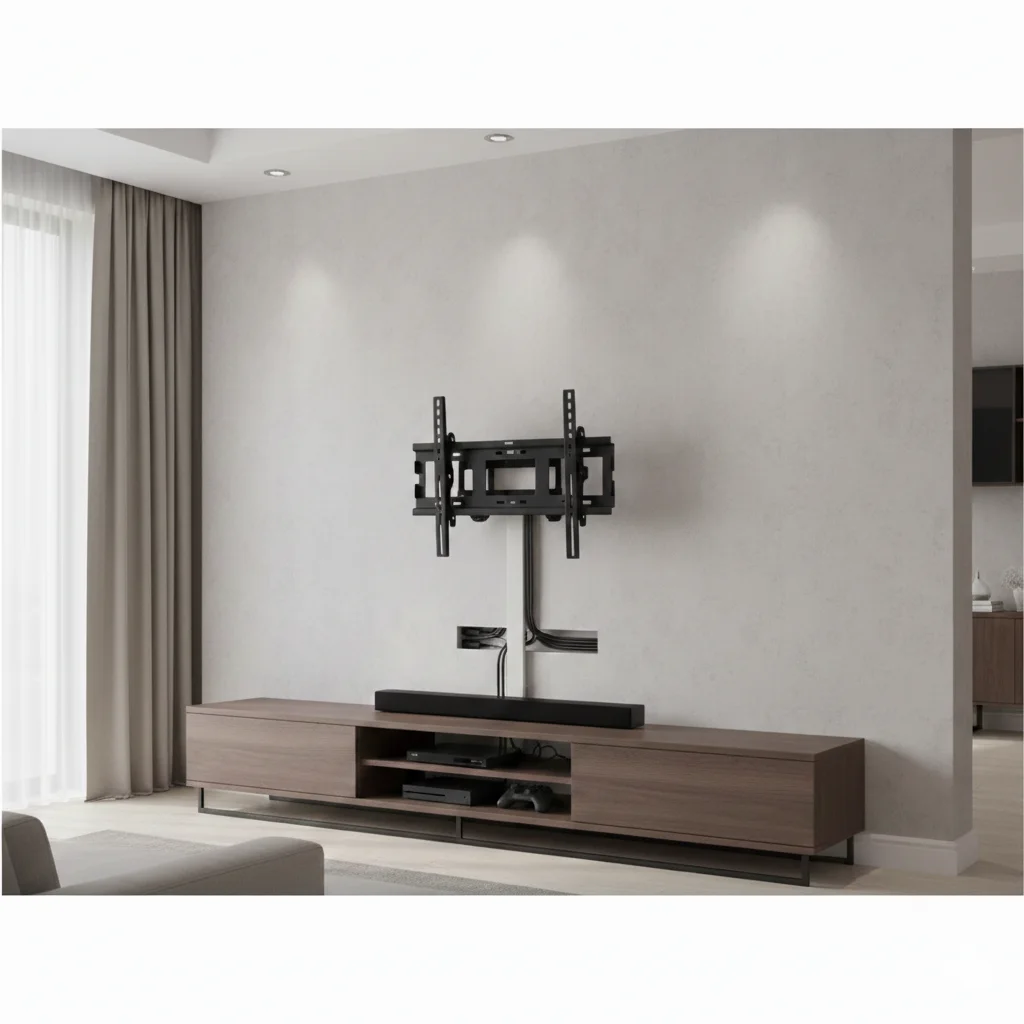
Why Cable Management Matters
Visual Impact
A wall-mounted TV creates a modern, streamlined look. Dangling cables destroy that effect instantly. Studies on interior design consistently show that visible clutter, including exposed wires, makes spaces feel smaller and less organized. Proper wire concealment transforms your entertainment area from cluttered to polished.
Safety Concerns
Loose cables present real hazards. Children and pets can pull on dangling wires, potentially bringing devices crashing down. Exposed cords create tripping risks. Cables that run across floors or hang within reach invite accidents. Effective TV mount cable management addresses these safety issues while improving aesthetics.
Equipment Protection
Organized cables experience less stress and wear. When wires hang freely, their weight pulls on connection points. Movement and foot traffic can damage exposed cords. Proper wire concealment protects your cables from physical damage, extending their lifespan and preventing signal degradation.
TV Mount Cable Management Options
Mounts with Built-In Cable Management
The simplest approach to TV mount cable management starts with choosing the right mount. Many modern TV mounts include integrated cable management channels, clips, or covers that route wires through the mount’s structure.
These built-in systems offer several advantages:
- Cables stay organized from day one
- No additional products to purchase
- Professional appearance without extra installation steps
- Wires protected within the mount’s structure
When shopping for a mount, look for models that specifically mention cable management features. The best designs include channels running through articulating arms and covers that snap over wire pathways.
In-Wall Cable Routing
For the cleanest possible look, running cables inside the wall eliminates visible wires entirely. This wire concealment method requires cutting holes behind the TV and near your outlet, then fishing cables through the wall cavity.
| Pros | Cons |
| Completely hidden wires | Requires wall modification |
| Professional appearance | More complex installation |
| Permanent solution | May need electrician for power |
Important note: Building codes in most areas prohibit running standard power cables inside walls. You’ll need either a recessed outlet box behind the TV or a proper in-wall power extension kit rated for the purpose. Low-voltage cables like HDMI can typically run through walls without special requirements.
Cable Raceways and Cord Covers
Cable raceways provide a practical middle ground for TV mount cable management. These plastic channels attach to your wall surface and hide TV cables without any wall modification.
Most raceways can be painted to match your wall color, making them nearly invisible from normal viewing distances. They come in various sizes to accommodate different cable quantities and install with adhesive strips or screws.
This approach works well for:
- Rental properties where wall modification isn’t allowed
- Quick installations without specialized tools
- Situations where in-wall routing isn’t practical
Furniture Integration
Strategic furniture placement offers another wire concealment option. A media console, floating shelf, or decorative cabinet positioned below your mounted TV can hide cables as they travel from the TV to devices and outlets.
This method combines function with style. Your furniture provides storage for streaming devices, game consoles, and other equipment while concealing the cables connecting everything. Route wires through furniture backs or down behind pieces for the cleanest look.
Choosing a Mount with Superior Cable Management
Not all TV mounts handle cable management equally. Here’s what distinguishes better designs from basic options.
Integrated Channel Systems
Quality mounts route cables through enclosed channels built into the arm structure. These channels protect wires while keeping them completely hidden, even when the mount articulates to different positions.
ThunderTech Pros incorporates thoughtful cable management into their mount designs. With 16 years of R&D expertise, they’ve refined the details that make TV mount cable management effective.
Full Motion Mount Considerations
Full motion mounts present unique TV mount cable management challenges. The arm extends, swivels, and tilts, so cables need slack to accommodate movement without binding or pulling.
340EX Full Motion TV Wall Mount: This model features integrated cable routing that maintains clean wire concealment across the full range of motion. Cables travel through the arm structure, staying organized whether the TV sits flat against the wall or extends outward.
FM-53 and FM-56 Series: These full motion options include cable management channels designed to handle the cable slack that articulating positions require. The routing system prevents wires from tangling or catching during adjustment.
Fixed and Tilt Mount Options
Fixed and tilt mounts simplify cable management since they don’t move once installed. The challenge is routing cables from the TV down the wall in an organized manner.
CT64 and DT44 Tilt TV Wall Mount: These models include cable management features that complement their slim profiles. Wires route through designated pathways, supporting the clean aesthetic that tilt mount users typically want.
Manufacturing Quality Impact
Cable management features only work well when manufactured precisely. Channels that don’t align properly, covers that won’t snap closed, or clips that break during installation all undermine the purpose.
ThunderTech Pros operates over 100 stamping machines and automated welding robots to achieve consistent tolerances. Their 45,000 square meters of production facilities and dual factory operations in China and Thailand maintain the quality standards that reliable cable management requires.
Installation Tips for Effective Wire Concealment
Plan Before You Mount
Successful TV mount cable management starts before installation. Consider:
- How many cables need routing (power, HDMI, ethernet, optical audio)
- Where your source devices will be located
- Distance from TV position to nearest outlet
- Whether you’ll add devices later
Measure cable lengths needed and add extra for flexibility. Running short during installation creates frustrating delays.
Route Cables During Mount Installation
The easiest time to manage cables is while installing the mount. Thread wires through TV mount cable management channels before the TV goes up. Trying to route cables after mounting is significantly more difficult, especially with the TV blocking access.
Leave Service Loops
Don’t pull cables tight. Leave small loops at connection points to allow for future adjustments or equipment changes. This slack also prevents stress on connectors when the mount moves.
Bundle and Label
Group cables together using velcro straps rather than zip ties. Velcro allows easy reconfiguration when you add or remove devices. Label each cable at both ends so you can identify connections without tracing the entire length.
Test Before Finalizing
Connect all devices and verify everything works before securing cables in their final positions. Discovering a faulty cable after completing your wire concealment setup means redoing the work.
Common Cable Management Mistakes
Ignoring Power Cable Requirements
Standard extension cords and power strips shouldn’t run inside walls. This violates building codes and creates fire hazards. Use proper in-wall rated power solutions or keep power cables external with appropriate concealment methods.
Insufficient Cable Length
Cables that barely reach create stress on connections and limit future flexibility. When routing through TV mount cable management systems, the path is often longer than a straight line. Account for this extra distance.
Overtightening Cable Ties
Tight zip ties can damage cable insulation over time, potentially causing signal problems or shorts. Use velcro straps instead, or if using zip ties, leave them slightly loose.
Forgetting Future Access
You’ll eventually need to add devices, replace cables, or troubleshoot connections. Design your wire concealment approach with future access in mind. Completely permanent solutions that prevent any modification create problems down the road.
Conclusion
Effective TV mount cable management transforms a wall-mounted display from cluttered to clean. The right approach depends on your situation: mounts with built-in cable routing for simplicity, in-wall installation for invisible results, or raceways for rental-friendly solutions.
The key factors: choose a mount with integrated cable management features, plan your cable routing before installation, use proper methods for power cables, and leave room for future modifications.
Full motion mounts from ThunderTech Pros combine articulating flexibility with thoughtful wire concealment design. Their 16 years of manufacturing expertise shows in details like cable channels that work across the full range of motion and covers that actually stay closed.
Don’t let visible cables undermine your wall-mounted setup. The right TV mount cable management approach keeps wires hidden and your room looking its best.
Related Products:
For bulk orders or custom cable management solutions, contact ThunderTech Pros directly at arya@nbthundertech.com.cn.