
The most common advice for mounting a TV is “screw into the studs.” True, but the studs aren’t always where you want the TV. This guide to drywall tv mount installation covers both scenarios: when you can find studs, and when you can’t.
What Kind of Wall Do You Have
Before anything else, confirm your wall is actually drywall, because a wall mount on drywall behaves very differently from one anchored into concrete or brick.
Most US homes have interior walls made of drywall: a thin layer of gypsum sandwiched between two sheets of paper, framed by wooden studs behind it. The drywall itself doesn’t bear weight. The studs do.
If your wall is solid concrete or brick, the drywall issue doesn’t apply. Use concrete anchors and drill straight in. Everything below is specific to drywall walls.
Many homeowners hesitate when it comes time to mount a TV on drywall because the wall itself feels fragile compared to solid masonry. The reality is that drywall can support a television safely, but only when you use the right anchors and respect the weight limits discussed above. The key is understanding that the drywall is never the load-bearing element; the hardware behind it is what holds the weight. If you follow the stud-first approach and only fall back on heavy-duty toggle anchors when absolutely necessary, you can safely mount tv on drywall with confidence and avoid the most common installation mistakes. Whether you think of it as mounting tv to drywall, a sheetrock tv wall mount, or simply a tv wall mount on drywall, the principle is the same: choose properly rated drywall anchors for tv mount hardware and stay well within the weight limits.
Tools and Materials
Get these ready before starting:
- Stud finder: Locates the wooden framing behind the wall. The most critical tool in this process. Without it, you’re guessing.
- Drill + bits: Standard wood bit for studs, 1/2-inch bit for drywall anchor holes.
- Level: Keeps the mount straight.
- Pencil: For marking positions.
- Hardware: Lag bolts for studs. For drywall-only installs, heavy-duty hollow wall anchors like snap toggles or molly bolts.
- Socket wrench: Tighter hold with less effort than a screwdriver.
Step 1: Use a Stud Finder to Locate Framing
Place the stud finder flat against the wall and move it horizontally. It signals (light or beep) when passing over a stud. Standard US residential framing spaces studs 16 inches (about 40 cm) apart, sometimes 24 inches. One pass tells you which.
Mark both edges of each stud with a pencil. The center point between the marks is the stud’s core. Locate at least two studs so both sides of the mount have support.
Found Studs
Best-case scenario. Skip ahead to Step 2 and follow the stud-mounting path.
No Studs, or Studs in the Wrong Place
Two common situations: the stud finder picks up nothing (could be metal framing or unusual wall construction), or the studs are there but not where you want the TV.
Two options:
Option A: Move the TV position to match the studs. Not always ideal placement, but the safest approach by far.
Option B: Use a drywall anchor to mount directly into the drywall. This works, but with strict limitations covered below.
Step 2: Mount the Wall Plate
This is where TV mount drywall installation splits into two paths depending on whether you found studs.
Path 1: Into Studs (Recommended)
Hold the wall plate against the wall at your marked position. Check level. Drill pilot holes at the stud centers to prevent the wood from splitting, then drive lag bolts through the plate into the studs. Use a socket wrench for a tighter hold. Every bolt fully tight, no exceptions.
Push the plate hard from multiple angles after mounting. Any movement means a bolt missed the stud or isn’t fully driven.
Path 2: Drywall Only (No Studs)
One hard rule first: do not mount a full-motion arm on drywall alone. Full-motion mounts have extending arms. When the TV is pulled out, the leverage creates significant lateral force that a drywall anchor cannot sustain long-term. It will eventually pull through the wall.
Drywall-only mounting is suitable for fixed mounts or low-angle tilt mounts, and only with moderate TV weight.
Here’s how:
- Drill 1/2-inch holes at your marked positions.
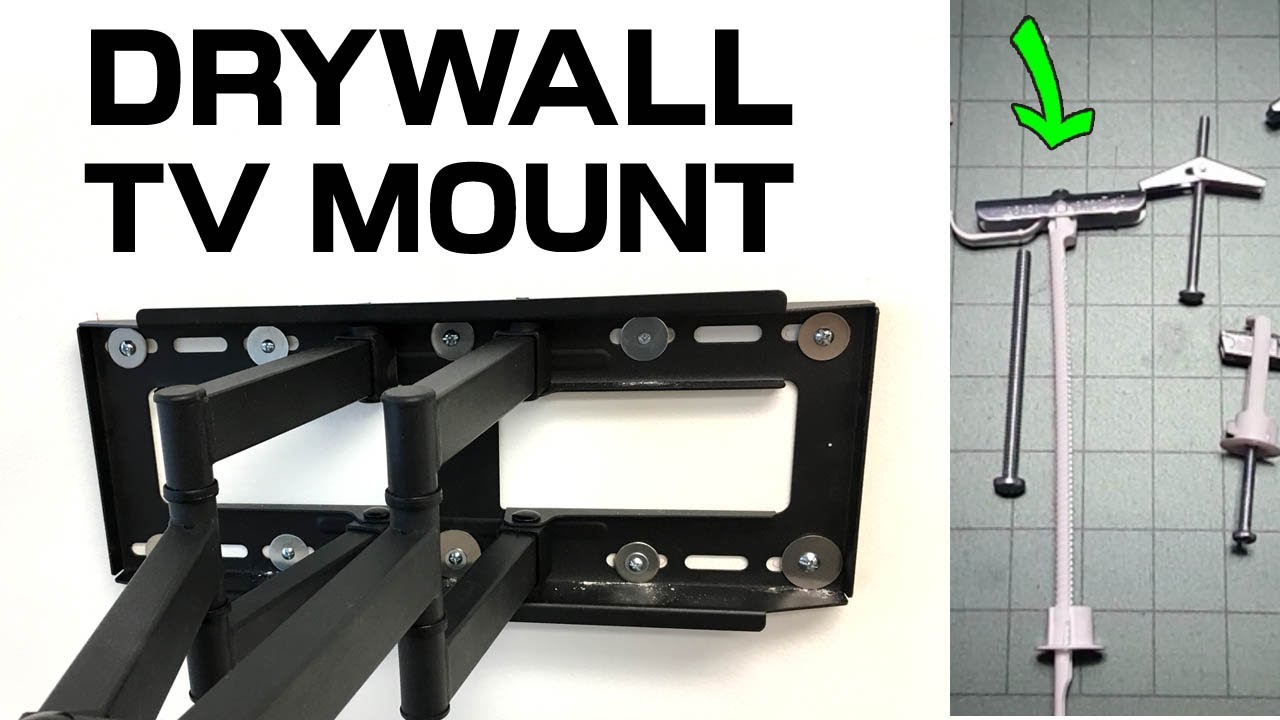
- Fold the snap toggle’s metal wings and push them through the hole.
- The wings spring open behind the wall. Pull the toggle tight from the front so it seats flush.
- Snap off the plastic positioning straps and drive the machine bolts through the wall plate.
Individual snap toggles are rated for 50 to 75 pounds of static load. But real-world conditions include the TV’s center of gravity, daily bumps, and thermal expansion. The actual safety margin is smaller than the numbers suggest.
Conservative guideline: Drywall-only mounting suits TVs under 40 inches and under 15 kg. Anything larger or heavier, find the studs.
Choosing the right drywall wall mount means matching the mount type to what your wall can actually support. Fixed and tilt mounts distribute weight close to the wall surface, keeping leverage forces low and making them well suited for anchor-based installations. Full-motion arms, by contrast, extend outward and multiply the lateral force on every anchor point, which is why they should never be used on drywall alone. When you pair a low-profile mount with properly rated snap toggles or molly bolts, a drywall wall mount becomes a stable, long-term solution for smaller televisions.
Step 3: Attach the Brackets to the TV
Lay the TV face-down on a blanket or towel. Locate the four mounting holes on the back. Align the mount’s brackets or hooks and fasten with the included screws.
Use the screws and spacers from the mount kit, not your own. Pick the length that matches your TV’s hole depth. Too long hits internal components. Too short won’t hold. Tighten until firm, then stop. Overtightening can crack the back panel.
Step 4: Hang the TV
Two people for this step. One holds the TV, the other guides the brackets onto the wall plate. Most mounts hook from the top down. Align, lower, and it clicks in.
After hanging:
- Check for a locking screw or latch at the bottom. If it’s there, engage it to prevent the TV from lifting off accidentally.
- If it’s a tilt mount, adjust the angle down 5 to 10 degrees to reduce overhead glare.
- Plug in HDMI and power cables. Route them along the wall using zip ties or a cable raceway.
Safety Reminders
Check drywall anchors regularly. If you used the drywall anchor path, inspect every two weeks for the first three months. Look for anchor loosening or hairline cracks around the holes. After that, check every three months. Any sign of movement, take the TV down immediately and reassess.
Don’t overload drywall. For TVs 50 inches and above, the drywall-only approach is not recommended unless you can verify both the anchor quality and installation with full confidence. TV mount drywall installation has real weight limits.
Earthquake zones need extra caution. In California or other seismic areas, drywall-only mounting carries higher risk. Repeated vibration loosens anchors gradually. Stud mounting is strongly preferred.
Scan for pipes and wiring first. Before drilling, run the stud finder in wire-detection mode (most models have one) to confirm no water pipes or electrical wiring sit behind your drill point. Hitting those is a bigger problem than a fallen TV.
Need a Mount? Start Here
If you’re still choosing a mount,ThunderTech Pros covers fixed, tilt, and full-motion types. For drywall walls, fixed and tilt mounts are the safer starting point:
- CF64 Fixed TV Wall Mount: Flat against the wall, single-direction load, best fit for drywall anchor setups.
- CT64 Tilt TV Wall Mount: Small-angle tilt adjustment, leverage stays within safe range.
If your wall has studs in the right place, full-motion is also an option:
- 340EX Full Motion TV Wall Mount
- FM-53 Full Motion TV Wall Mount
For installation questions about your drywall tv mount, contact ThunderTech Pros support.
Frequently Asked Questions (FAQ)
Can you mount a TV on drywall?
Yes—can you mount a tv on drywall is mostly a load-path question. Drywall paper does not hold the set by itself. If studs align with the plate, lag into studs; if they do not, use a rated toggle/anchor system sized for the TV weight plus a safety margin.
Can you hang a TV on drywall without hitting a stud?
You can, but only with hardware designed for hollow wall loads. People also ask can you hang a tv on drywall or can i hang tv on drywall when the stud finder is between framing members. In that case, skip ordinary plastic plugs and use heavy-duty toggles or a full-width French cleat style plate rated above the TV weight.
Can you wall mount a TV on drywall safely?
Safe installs treat studs as first choice and anchors as a controlled backup. If you are wondering whether can you wall mount a tv on drywall for a large panel, verify weight, VESA pattern, and whether the plate can span two studs before you drill a single pilot hole.
How to install a TV wall mount on drywall?
The short sequence for how to install tv wall mount on drywall is: confirm wall type, mark height, find studs, level the plate, pre-drill, then hang the TV brackets last. Do not hang the display until every lag or toggle is fully seated and re-checked with a level.
What are the best drywall anchors for a TV mount?
The best drywall anchors for tv mount jobs are metal toggles or snap-style hollow-wall anchors with published shear ratings for your TV weight—not corkscrews meant for picture frames. Match the kit to both drywall thickness and the mount’s lag/bolt diameter, then keep the safety factor above 1.5×.