
A workstation program usually reaches the mounting question late. The desk is already specified, often with a glass surface chosen for the look of the space, the display model is fixed or narrowed to two candidates, and the layout of the station is drawn. What is still open is the form of the monitor mount: a clamp-mounted arm, a stand or riser that sits on the surface, or an existing grommet configuration that the brand has already approved somewhere else in its range. That decision is frequently written as a search for the safest clamp for a glass desk, which is not a question a mount manufacturer can answer on its own. The attachment condition belongs to the desk and to the desk maker’s written accessory guidance. What a monitor-mount manufacturer can contribute is a clear account of which documents and project inputs make the form decision answerable, what each route changes in the program, and what has to be reviewed and confirmed for a nominated configuration before anything is quoted or built.
Why the desk documentation leads the form decision

Selecting between a clamp, a stand and a grommet mount looks like a product comparison, but at the start of a program it is really a question about the interface the desk offers and what the desk maker permits. Three things sit outside a mount supplier’s knowledge. The first is whether attachment to the surface or the edge is addressed at all in the desk maker’s accessory guidance. The second is where a usable mounting zone exists on the actual desk, including what surrounds it, since a station drawing and a photograph of the real mounting point often disagree. The third is whether the desk already arrives with a prepared opening intended for accessory mounting, which changes the question entirely.
Until those are documented in writing, any ranking of forms is a guess presented as engineering, and the risk of that guess lands on the brand rather than on the mount supplier. If the desk documentation is silent about attaching accessories, the correct output of the review is an open item addressed to the desk maker, not a specification invented to close the gap. Programs that skip this step tend to discover the problem after artwork, cartons and a bill of materials have already been fixed around a form, and at that point a change is not a drawing edit. It is a new component set, new packing, new labeling and a new approval cycle.
The project inputs that make the decision answerable
Once the desk side is documented, the display and use side decides which product family is even relevant. The display model and its weight without the original stand, taken from the display maker’s own published data rather than estimated, sets the class of product being discussed. The mounting interface on the back of the display, and whether it is obstructed by the housing or by connectors, decides whether an adapter is part of the conversation. Intended movement matters more than most RFQs admit: a display that is set once and left alone, a display that is raised and lowered through the day, and a pair of displays that are repositioned between users are three different mechanical problems, and they point toward different arm and stand forms rather than toward one universally better answer.
Station geometry then constrains what remains. The number of displays served from one mounting point, the depth available behind the display, the cable routing the brand wants, and the finish expected in that interior all narrow the candidate forms further. Commercial inputs are part of the same decision, not a separate stage. A trial batch for one office and a repeating annual release for a rollout are different questions even when the specification is identical, because the volume and timing decide whether a program can consider modifications to a form at all or should be selecting from forms that already exist. Where these inputs are still estimates, they should be labeled as estimates so the review does not treat them as fixed.
- The desk maker’s written accessory guidance, and drawings or photographs of the actual mounting zone
- Display model, weight without stand as published by the display maker, and the mounting interface
- Intended movement, number of displays per station, and available depth and surface area
- Finish reference, cable-management expectation, and any brand-specific appearance requirement
- Packing, labeling and artwork requirements, plus quantity, forecast and rollout timing
Reading the three candidate forms as program choices
A clamp-mounted arm
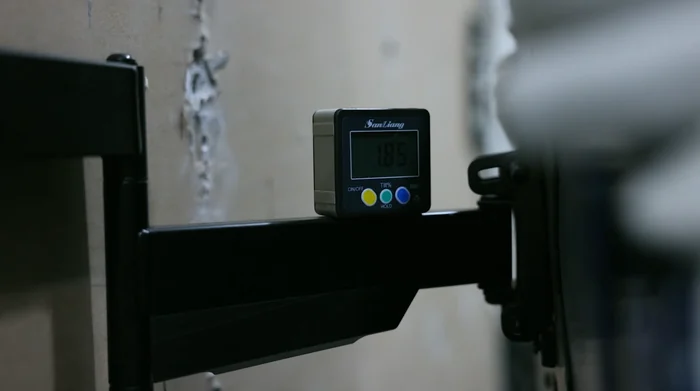
A clamp route makes the mount depend on a defined mounting zone and on what the desk maker says about attaching to it. The practical work is therefore documentary before it is mechanical. The brand needs the desk maker’s written position on accessory attachment at that location, a description of the zone including what is above and below it, and confirmation that the zone is present on every desk variant in the program rather than only on the sample in the showroom. Where the accessory guidance does not address clamping, that silence is the finding, and it belongs back with the desk maker as a question. Carrying an undocumented clamp assumption into a program is the expensive version of this decision, because the correction arrives after components, packing and approvals are already committed. When the documentation does exist and is specific, the clamp route becomes a normal configuration review of the nominated model’s clamp components, its adjustment range as drawn, and the finish and packing that travel with it.
A stand or riser on the surface
A stand-based arm or a riser removes the attachment question and replaces it with a footprint question. The decision then turns on how much surface area the station can give up, how much depth sits behind the display, and whether the adjustment available in the chosen form matches the movement the brand described earlier. That is a layout confirmation against station drawings rather than a claim about the desk. This route also changes the commercial shape of the program: a base or riser generally occupies different carton volume than a clamp assembly, so per-station packing, artwork and freight assumptions should be revisited rather than inherited from a previous configuration. Where several displays are served from one base, the geometry and component set change again, and the review has to be done on the nominated multi-display configuration rather than on the single-display version of the same family.
A grommet configuration that already carries approval
If the brand already has a grommet-mount configuration approved for its workstation range, and the desk provides a prepared opening, the question narrows usefully. It is no longer which form to choose but whether the existing approval actually covers this desk and this display set, or whether it was written for a different surface, a different opening, or a different display class. Reusing an approval granted under other conditions is a documentation problem rather than a saving, and it is worth checking the wording of that approval before treating it as settled. When the approval genuinely covers the current condition, the advantage is real and mostly commercial: a known component list, a known packing and artwork set, and a configuration that has already been through the brand’s own internal review. When it does not, the honest position is that the grommet route needs re-confirmation with the desk maker and with the brand’s engineering owner before it is nominated.
How the ThunderTech team reviews a nominated configuration
Once the desk documentation and the actual mounting point are known and one form has been nominated, the discussion becomes a product and manufacturing discussion, and that is where our side of the work starts. ThunderTech manufactures the monitor-mount forms shown on our products page, including mechanical monitor arms, gas-spring monitor arms, stand-based monitor arms and monitor risers, for OEM and private-label programs. For a nominated configuration our team can review the model you have selected, the clamp or base components in that model as drawn, the display-interface parts, the drawing inputs and revision you supply, the finish reference, the inspection characteristics you want recorded, and your packing and labeling requirements. That review is a review, not an approval of the desk: whether a configuration belongs on a particular glass surface stays with the desk maker’s documentation and your own engineering sign-off.
As company background, our about page describes a 45,000-square-metre facility with laser cutting, punching presses, automated welding robots, powder-coating lines and packaging lines, supported by ERP, AGV material handling and traceability systems, with facilities in China and Thailand. Those are company-level facts. They describe the environment a program would be reviewed and planned in, and they do not by themselves settle a clamp range, an adjustment range, a finish match, a component specification or a route for your program. Those items are confirmed for the nominated model in the quotation and in the documents that accompany it.
Holding the configuration once a form is chosen
The value of the documentation work above disappears if the configuration is allowed to drift after nomination. A controlled program keeps the drawing and its revision as the reference for what was reviewed, keeps the component list explicit including the clamp or base parts and the display-interface parts, and states which characteristics are measured and what records are retained rather than leaving inspection content to be assumed. Packaging, labeling and artwork approval belong in the same controlled set, because they are the parts most often changed late and most often changed without telling engineering. Change control then matters in a specific way for this topic: any change to the base or clamp components, the mounting interface, or the display in the program sends the decision back to the desk documentation question that started the process. Treating that as a normal loop rather than a setback is what keeps a workstation rollout consistent across sites.
What to send so the review can begin
Send the desk maker’s written accessory guidance and the drawings or photographs of the real mounting zone, the display model with its published weight without stand and its mounting interface, the movement and station layout you need to support, the finish and cable-management expectation, your packing, labeling and artwork requirements, and your quantity, forecast and rollout timing. Tell us which form you are nominating and whether an existing grommet configuration is already approved on your side, so the review starts from your actual position rather than from a generic comparison. Our team can then work through the configuration with you, raise the questions that are still open, and confirm in the quotation what would apply to your program.
OEM questions about monitor mounts for glass-desk workstation programs
Can ThunderTech tell us whether a clamp-mounted arm belongs on the glass desks in our program?
That question is answered by the desk maker’s written accessory guidance and by your own engineering sign-off, not by the mount supplier. Our team does not issue a position on a desk we did not make and cannot review as a product. What we can do is review the arm you nominate: the clamp or base components in that model as drawn, the display-interface parts, the finish reference and the packing set. If the desk documentation is silent on attaching accessories at the point you have in mind, the useful output of our review is that open item written back to the desk maker.
What do you need from us before a nominated configuration can be reviewed and quoted?
Send the desk maker’s written accessory guidance together with drawings or photographs of the actual mounting zone on the desk variants in the program, not only the showroom sample. On the display side, send the model and the interface data published by the display maker, plus the movement the station has to support and the number of displays served from one mounting point. On the program side, send your drawing and revision, the finish reference, the inspection characteristics you want recorded, your packing, labeling and artwork requirements, and your quantity, forecast and rollout timing. Where an input is still an estimate, label it as one so the review does not treat it as fixed.
We already have a grommet configuration approved elsewhere in our range. Can we carry it into this program?
That depends on what the existing approval was actually written against, so the first step is to read its wording rather than its conclusion. If it was granted for a different desk, a different prepared opening or a different display class, it does not transfer on its own, and re-confirmation with the desk maker and your engineering owner comes before nomination. Where the approval does cover the current condition, the benefit is largely commercial: a known component list and a known packing and artwork set that has already passed your internal review. Our team can then review that configuration as nominated and confirm in the quotation what applies to your program.