
A private-label TV mount idea usually exists as an intention long before it exists as a document. An importer knows the branded item is meant to appear in a range, knows roughly what kind of mount it is, and opens the first supplier conversation without having settled what that conversation is starting from.
Two starting points are available in that first exchange, and they are easy to confuse because both are described with the same three-letter vocabulary. The difference that matters commercially is not a definition. It is what the programme actually carries into the room, and whether that thing is a description the importer wrote or a mount direction that already exists and can be looked at.
Where a Private-Label TV Mount Idea Arrives Before Its Starting Point Is Settled
The idea tends to arrive fully formed as a commercial intention and almost empty as a reference. There is a brand that needs a mount in its range, a rough sense of whether the item is a wall product or a ceiling product, and a plan to approach manufacturers. What has not happened yet is the moment where the idea is attached to a specific document or a specific existing product direction.
That absence is invisible while the idea stays internal. It becomes visible the instant an outside party has to respond to it, because a reply has to be a reply to something, and an intention on its own gives a reply nothing to sit against.
What the Programme Carries Into the First Manufacturer Discussion
An OEM-oriented programme carries a defined private-label product brief. The branded item has already been described by the importer before any manufacturer sees it: what kind of mount it is, where it sits in the range, what the range needs it to do commercially. The brief is the object the discussion keeps returning to, and the brief is also the thing that has to survive being carried from one conversation to the next without drifting.
An ODM-oriented programme carries a chosen mount direction instead. The importer has picked a form that already exists, and the range decision stops being abstract because there is a product to look at, position against the rest of the range, and put a brand on. Nothing has been described in advance because the direction itself supplies the description.
Why the Difference Is Felt in Range Planning Rather Than in Vocabulary
A brief-first programme defines the range slot before a product exists to fill it. That gives the branded item a purpose from the beginning, and it puts the burden on the brief being complete enough to be handed over intact.
A direction-first programme defines the range slot with something already tangible. The commercial question shifts from describing an item to evaluating one, which is a faster place to reach when the intention was only ever rough. Most private-label mount ideas start rough, which is why the direction-first route often gets a programme moving sooner than a brief the importer has not finished writing.
Where One Programme Holds Both
A single range can contain more than one branded mount, so a programme frequently ends up holding a brief for one item and a chosen direction for another. The two routes are not rival philosophies. They are two different things a first conversation can be anchored to, and a range decision usually needs whichever one is available for that particular item.
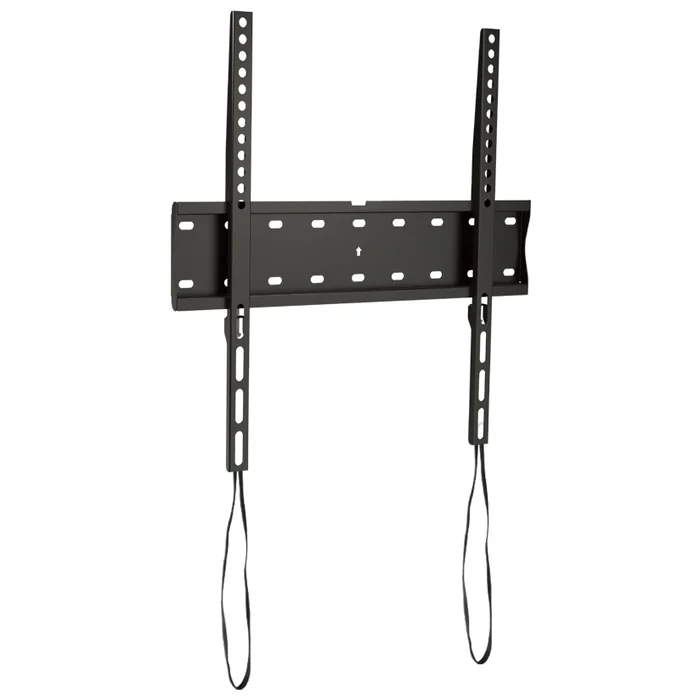
The Named Mounting Forms a Private-Label Direction Can Point At
A direction-first route only becomes concrete once the direction has a name. Until a name is attached, the programme is still carrying an intention, and an intention is the thing a first manufacturer exchange has the most trouble replying to.
Four mounting forms carry names that can be stated in that exchange. Fixed TV Wall Mount CF44 is the fixed form. Tilt TV Wall Mount CT44 is the tilt form. Full Motion TV Wall Mount 340EX is the full-motion form. Ceiling TV Mount CM-44 is the ceiling form.
Naming one of them is what turns a broad private-label intention into a specific product direction. The commercial intention does not change, but the discussion now has a stated form standing beside whatever brief the programme is also carrying, instead of a description the other side has to reconstruct.
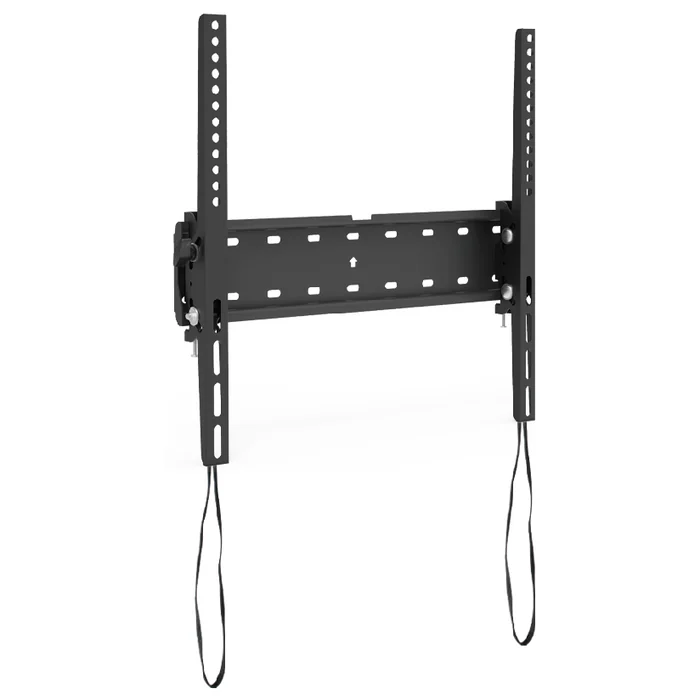
Where ThunderTech Pros Enters as the Maker of Those Mount Directions
ThunderTech Pros makes the fixed, tilt, full-motion and ceiling mounting forms named above. That matters to a private-label programme for a practical reason: the discussion can be anchored to a particular mount direction alongside whatever brief the programme already has, rather than opening with an intention and asking the other side to guess at the shape of it.
An importer arriving with CF44, CT44, 340EX or CM-44 named has already converted the intention into a stated direction. The first exchange then starts from a shared object rather than an empty request, and a brief that does exist has something specific standing next to it.
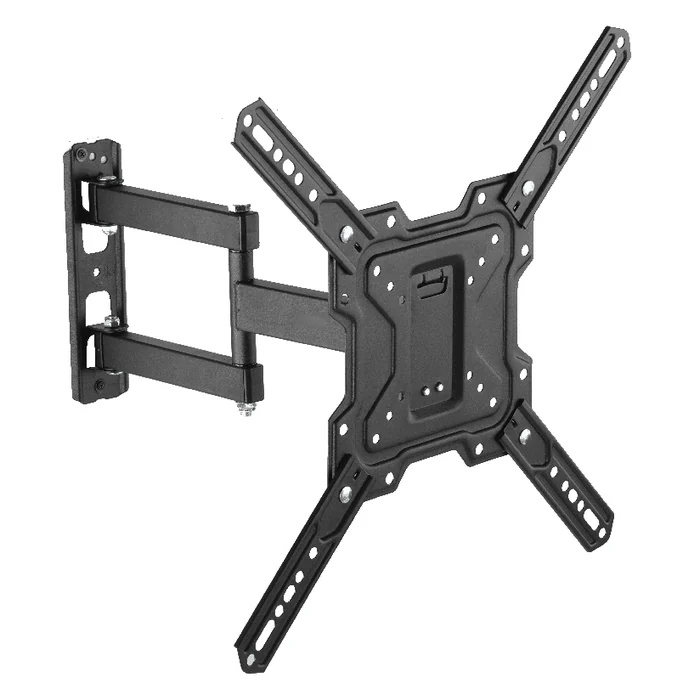
Questions Raised About OEM and ODM Starting Points in a Private-Label Mount Programme
What does an OEM-oriented programme carry into a first manufacturer discussion?
A defined private-label product brief written by the importer, which becomes the object every later exchange refers back to.
What does an ODM-oriented programme carry instead?
A chosen existing mount direction, which makes the range decision concrete because there is a form available to evaluate and brand.
Which mount directions can a private-label programme name?
Fixed TV Wall Mount CF44, Tilt TV Wall Mount CT44, Full Motion TV Wall Mount 340EX and Ceiling TV Mount CM-44, which are the fixed, tilt, full-motion and ceiling mounting forms.
What does naming one of those forms do to the programme?
It turns a broad private-label intention into a specific product direction that can sit beside whatever brief the programme is already carrying.