Abstract
The determination of an appropriate TV mount and its subsequent installation represents a complex interaction between material science, physics, and structural engineering. A common oversimplification reduces this decision to a single metric: the manufacturer’s stated weight capacity.
This perspective, however, fails to account for the nuanced interplay of forces and environmental factors that define a secure installation. This analysis explores the critical distinction between static weight and dynamic load, particularly in the context of articulating mounts, where principles of leverage can amplify stress exponentially.
Furthermore, it examines the structural integrity of the mounting surface—the wall itself—as an integral component of the load-bearing system, whose capacity is independent of the mount’s rating. The VESA standard’s role in ensuring compatibility is also considered, clarifying its relationship to, yet distinction from, weight tolerance.
A thorough understanding of these interconnected variables is indispensable for mitigating the risk of catastrophic failure, thereby safeguarding both the technological investment and the physical safety of the environment.
Key Takeaways
- The wall’s structure is as important as the mount’s strength.
- Extendable mounts create leverage, increasing force on the wall.
- Dynamic forces from adjustments and bumps add significant stress.
- Always verify your TV’s exact weight and VESA pattern.
- A proper TV mount weight capacity assessment prevents costly accidents.
- Use fasteners appropriate for your wall type, not just those included.
- Screen size is a guideline; the television’s weight is the rule.
Table of Contents
- Myth 1: The Weight Capacity on the Box is the Only Number That Matters
- Myth 2: Any Wall Can Handle Any Mount, As Long as the Mount is Strong Enough
- Myth 3: A Mount Rated for “Up To 85 Inches” Works for All 85-Inch TVs
- Myth 4: “Over-Engineering” by Doubling the Weight Capacity is a Foolproof Strategy
- Myth 5: A Fixed Mount and a Full-Motion Mount with the Same Weight Rating are Equally Strong
- ThunderTech Pros: The Engineering Behind Every Weight Rating
- Frequently Asked Questions
- Conclusion
Myth 1: The Weight Capacity on the Box is the Only Number That Matters
A trip down the electronics aisle presents a comforting illusion of simplicity. Packaged TV mounts display bold numbers: 70 lbs, 132 lbs, sometimes even exceeding 200 lbs. It feels like a simple equation: my TV weighs 65 pounds, so I will buy the mount rated for 70 pounds or more.
This seems logical, responsible even. Yet, this line of reasoning harbors a profound and potentially costly misunderstanding. The number printed on the box is not an absolute guarantee of safety in all conditions; it is a starting point in a much larger conversation about the physics of force.
That single number represents a specific, idealized scenario that may not reflect the reality of how you use your television in your home.
Deconstructing the Manufacturer’s Rating
To begin to appreciate the nuance here, we must first put ourselves in the shoes of the engineers who design and test these mounts. Manufacturers like ThunderTech Pros, with their 16 years of in-house manufacturing experience and 45,000 m² of vertically integrated facilities, do not arrive at these numbers arbitrarily.
They engage in rigorous testing protocols. Often, these tests adhere to standards set by third-party organizations like Underwriters Laboratories (UL).
A common UL testing practice, for instance, requires a mount to withstand a static load of up to four times its advertised weight capacity without failure. So, a mount rated for 100 pounds has likely been tested in a laboratory to hold 400 pounds without collapsing.
This provides a significant safety factor, which is certainly reassuring. The key, however, lies in the term “static load.”
In these tests, a dead weight is carefully hung from the mount in a fixed position and left undisturbed. The test measures the mount’s ability to resist the simple, constant, downward pull of gravity.
It does not, and cannot, fully account for the dynamic, shifting, and leveraged forces that occur in a real-world home environment.
| Force Type | Description | Real-World Example | Impact on Mount |
|---|---|---|---|
| Static Load | The constant, unchanging weight of the TV pulling straight down due to gravity. | The TV is installed and remains untouched in a fixed position against the wall. | This is the baseline force the mount is designed to handle and what the primary weight capacity refers to. |
| Dynamic Load | Temporary, shifting forces created by movement, adjustment, or external contact. | Swiveling the TV, tilting it down, a child bumping into it, or even vibrations from a sound system. | These forces can briefly multiply the stress on the mount and wall anchors far beyond the TV’s actual weight. |
| Leveraged Load | A type of dynamic load specific to articulating mounts, where the force is amplified by distance. | Extending a full-motion mount arm to its maximum reach. | The “effective weight” on the wall anchors increases dramatically, creating a powerful prying force. |
Static Load vs. Dynamic Load: A Physics Primer
Let’s perform a small thought experiment. Imagine holding a 20-pound dumbbell. If you hold it perfectly still, close to your chest, your muscles feel the steady strain of 20 pounds. This is a static load.
Now, imagine swinging that same dumbbell back and forth. The force you feel is no longer just 20 pounds. As you change its direction, you have to exert extra force to decelerate and accelerate it.
You are now dealing with a dynamic load. The object’s weight has not changed, but the forces acting upon your arm have increased significantly.
This same principle applies directly to your TV mount. The 65-pound television hanging motionless on the wall exerts 65 pounds of static force.
But what happens when you pull it away from the wall and swivel it to face the dining area? Or when you tilt it down to reduce glare? Every time you move the television, you introduce dynamic loads.
The mount’s joints, the bolts holding it together, and crucially, the fasteners anchoring it to the wall experience a momentary spike in stress. While a single adjustment is unlikely to cause failure, thousands of such adjustments over the years, combined with other factors, contribute to material fatigue.
A mount is not just holding weight; it is managing energy and movement.
The Hidden Factor of Leverage
The concept of dynamic load becomes even more dramatic when we consider the principle of leverage, particularly with full-motion or articulating mounts. Think of a wrench loosening a stubborn bolt.
A short wrench requires immense effort. A long wrench makes the job easy. Why? Because the longer handle allows you to apply the same amount of force over a greater distance, multiplying the effective turning force, or torque.
Your full-motion TV mount is a powerful lever. When the TV is flat against the wall, the load is directly on the fasteners, pulling mostly downward (a shear force).
But when you extend the arm, the entire dynamic changes. Let’s say you extend your 65-pound TV two feet from the wall. That 65 pounds of weight is now acting at the end of a two-foot lever arm.
This creates a tremendous rotational force, or torque, that tries to rip the top fasteners straight out of the wall (a tensile force) while pushing the bottom of the mount into the wall.
The downward force on the fasteners might still be 65 pounds, but the prying force trying to pull the mount off the wall can be many times greater. The further you extend the arm, the greater the leverage, and the more intense this prying force becomes.
Therefore, the weight capacity on the box is merely the beginning. It certifies the mount’s strength under ideal, static conditions. It does not fully capture the complex, amplified forces your mount will endure through years of swiveling, tilting, and extension.
Myth 2: Any Wall Can Handle Any Mount, As Long as the Mount is Strong Enough
We can become so focused on the specifications of the television and the mount that we forget the third, equally vital, element in the equation: the wall itself.
You could purchase a heavy-duty mount forged from solid steel, one rated for very high static loads like the Fixed TV Wall Mount [F86], but if you anchor it improperly into a weak surface, you have built a system destined for failure.
The mount is not levitating; it is part of a structural system, and any system is only as strong as its weakest link. In many installations, that weakest link is the connection between the mount and the wall.
The Unsung Hero: Your Wall’s Integrity
Homes in the United States are constructed with a variety of wall types, and they are not created equal in their load-bearing capabilities. The most common interior wall construction is drywall (also known as gypsum board or Sheetrock) fastened to a wooden or metal stud frame.
Drywall itself is a relatively soft, brittle material. It is excellent for creating smooth surfaces but has very poor structural strength.
Driving a screw directly into drywall is sufficient for hanging a small picture frame, but it is wholly inadequate for supporting the weight and leverage of a modern television.
Other wall types present different challenges and opportunities. Plaster walls, common in older homes, are often harder and more brittle than drywall, making them prone to cracking if not handled carefully.
Masonry walls, such as brick or concrete blocks, offer immense strength but require specialized fasteners and tools, like a hammer drill, for a secure installation. Understanding the material you are working with is the first and most fundamental step toward a safe installation.
Locating Studs – The Foundation of a Secure Installation
For the vast majority of homes with drywall, the single most important task is to locate the vertical framing members, or studs, behind the drywall.
These studs, typically 2×4 or 2×6 pieces of lumber, are the structural backbone of the wall. Anchoring the TV mount’s lag bolts directly into the center of these studs is the only way to ensure a secure installation.
The drywall simply acts as a spacer; the real work of holding the weight is done by the wood stud.
How do you find these hidden supports? The most reliable method is to use a quality electronic stud finder. These devices detect changes in density behind the wall to locate the edges and centers of studs.
For a more traditional approach, one can use the “tap test,” knocking gently along the wall and listening for the sound to change from a hollow echo (between studs) to a solid thud (over a stud).
Studs in modern construction are typically spaced 16 inches or 24 inches apart on-center, so once you find one, you can often measure from it to find the next. Taking the time to locate and mark at least two studs accurately is not just a suggestion; it is a prerequisite for a safe installation.
Anchors and Fasteners – The Critical Connection
The hardware used to attach the mount to the wall is just as important as the mount itself. A high-quality mount will come with a variety of fasteners. However, it is your responsibility to choose the correct one for your specific wall type.
For wood studs, the standard is heavy-gauge lag bolts. These bolts must be long enough to pass through the drywall and penetrate at least 1.5 to 2 inches into the solid wood of the stud.
This deep anchoring ensures the threads have a firm grip and can resist both shear and tensile forces.
For masonry walls, the situation is different. You will need concrete sleeve anchors or lag shields. These work by expanding within the hole you drill into the brick or concrete, creating an incredibly strong friction fit.
What about a situation where you cannot position the mount over studs? There are specialized drywall anchors, like toggle bolts or strap toggles, that can be used.
These work by inserting a metal bar through a hole in the drywall, which then flips open horizontally to brace against the back of the board. While these can be effective for lighter applications, using them for a large, and especially an articulating, TV mount is a high-risk proposition.
The inherent weakness of the drywall itself becomes the limiting factor, not the strength of the anchor. The weight and leverage of the TV can simply tear a chunk of drywall out of the wall over time.
| Fastener Type | Best Use Case | How It Works | Common Mistake |
|---|---|---|---|
| Lag Bolts | Anchoring into wood studs. | The coarse threads screw directly into the wood, providing a strong, direct connection to the wall frame. | Not pre-drilling a pilot hole, which can split the stud and compromise its strength. |
| Toggle Bolts | Mounting lighter items in hollow walls (drywall/plaster) where there are no studs. | A spring-loaded “wing” is inserted through a hole and opens up behind the wall, providing a broad clamping surface. | Using them for heavy or articulating TV mounts, which can pull the bolt right through the drywall. |
| Sleeve Anchors | Anchoring into solid masonry like concrete or brick. | The bolt is surrounded by a metal sleeve. As the bolt is tightened, it expands the sleeve, creating a powerful friction fit. | Not cleaning the drilled hole of dust, which reduces the anchor’s gripping power. |
| Plastic Anchors | Hanging very light objects (under 10 lbs) in drywall. | A plastic sleeve is pushed into a hole. A screw then expands the plastic to create a friction hold. | Using the small plastic anchors often included with mounts for the primary installation. They are not strong enough. |
Ultimately, the strength of the mount is irrelevant if the wall and fasteners are not up to the task. A secure installation is a holistic process that treats the wall as an active and essential part of the mounting system.
Myth 3: A Mount Rated for “Up To 85 Inches” Works for All 85-Inch TVs
Manufacturers often use screen size as a shorthand in their marketing. You will see mounts advertised as fitting TVs from “42 to 90 inches.” This is a helpful starting point for consumers, a way to quickly narrow down the options.
The problem arises when this guideline is treated as a hard-and-fast rule. Believing that any mount rated for an 85-inch screen will automatically work with your specific 85-inch television overlooks two critical, non-negotiable specifications: the VESA mounting pattern and the television’s actual weight.
The VESA Standard: More Than Just Screw Holes
If you look at the back of any modern flat-panel television, you will see four screw holes arranged in a square or rectangular pattern. This is not a random design choice by the manufacturer.
It is a standardized interface established by the Video Electronics Standards Association (VESA). This standard, sometimes called the Flat Display Mounting Interface (FDMI), dictates the precise distance between these mounting holes, both horizontally and vertically, measured in millimeters.
Common VESA patterns include 200 x 200 mm, 400 x 400 mm, and 600 x 400 mm. The TV mount you purchase will have a corresponding set of brackets and holes designed to align with specific VESA patterns.
If your 85-inch TV has a 600 x 400 mm VESA pattern, but the mount you bought only supports patterns up to 400 x 400 mm, it simply will not fit. The mounting arms will not align with the holes on your television, making the mount completely useless for your application, regardless of its weight capacity.
Before purchasing a mount, you must identify your TV’s specific VESA pattern. This information is always listed in the television’s user manual or on the manufacturer’s specification sheet online.
Weight vs. Screen Size: A Common Confusion
The correlation between screen size and weight is not as direct as it once was. A decade ago, an 85-inch television, likely a plasma or an early LCD with bulky CCFL backlighting, would have been monstrously heavy.
Today, an 85-inch television using OLED or edge-lit LED technology can be surprisingly lightweight for its size. Conversely, a smaller, older 55-inch plasma TV could easily outweigh a brand new 65-inch LED TV.
This is why you must ignore the screen size guideline as anything other than a preliminary filter. The definitive specification is the TV’s weight. Again, this is found in the user manual or online specs.
Do not guess or estimate. You need the precise number. If your TV weighs 95 pounds, you need a mount with a TV mount weight capacity of at least 95 pounds, preferably with a comfortable margin.
A mount rated for “up to 85 inches” but with a maximum weight limit of 80 pounds is the wrong mount for your 95-pound TV, even if the screen size seems to match. The weight is the specification that dictates the necessary structural strength of the mount and the installation.
Center of Gravity and TV Design
Another subtle factor is the television’s design and weight distribution. Two 75-inch TVs that both weigh 80 pounds might behave differently on a mount if their center of gravity is not the same.
Many modern, ultra-thin TVs concentrate the weight of their electronics, power supplies, and speakers in a thicker section along the bottom half of the chassis. This lower center of gravity can be beneficial for stability on a fixed or tilt mount.
However, on a full-motion articulating mount, it can slightly alter the way forces are distributed through the arm and joints when the screen is tilted or swiveled. While mount manufacturers design for a range of scenarios, it is a reminder that a television is not just a uniform slab of weight.
Its internal architecture affects the forces it exerts. A high-quality mount engineered with reinforced pivot joints—like the Full Motion TV Wall Mount [860-64]—is designed to handle these variations, which underscores the importance of choosing a well-designed product rather than an inexpensive, generic alternative.
The screen size rating on the box is a marketing convenience; the VESA pattern and the TV’s actual weight are the engineering realities you must respect.
Myth 4: “Over-Engineering” by Doubling the Weight Capacity is a Foolproof Strategy
Upon learning about the complexities of dynamic loads and safety factors, a common reaction is to overcompensate. The thinking goes, “If my TV weighs 70 pounds, I won’t just get a mount rated for 100 pounds. I’ll get the heavy-duty one rated for 200 pounds to be extra safe.”
On the surface, this approach seems to embody prudence and caution. Building in an enormous safety margin feels like the ultimate insurance policy against failure.
However, this strategy of “over-engineering” is not a foolproof solution and, in some cases, can introduce new, unforeseen complications.
The Law of Diminishing Returns
While a reasonable safety margin is always recommended—choosing a 100-pound capacity mount for a 70-pound TV is wise—the benefits of massively oversizing the mount diminish quickly. A mount is a piece of mechanical equipment.
A mount designed to handle a 200-pound, 100-inch television is going to be physically larger, heavier, and more robust than one designed for a 70-pound screen. This can lead to practical installation problems.
The wall plate of the oversized mount might be too wide to fit on the section of wall where you want to place the TV, or its mounting holes might be spaced so far apart that they do not align with standard 16-inch stud spacing.
Furthermore, the mounting arms themselves might be too large for your television. You could find that the arms, when attached to your TV’s VESA holes, extend beyond the edges of the screen, creating an unsightly and potentially problematic installation.
You gain theoretical strength, but you lose practicality and compatibility.
The Weakest Link Principle
Let us revisit the idea that a mounting system is a chain of interconnected components. The links in this chain are the television, the mount itself, the fasteners connecting the mount to the wall, and the structural wall material.
The entire system will fail at its weakest point. By installing a 200-pound capacity mount to hold a 70-pound TV, you have made one link in the chain incredibly strong.
But you have done nothing to strengthen the other links. If the mount is improperly anchored into drywall instead of studs, its 200-pound rating is meaningless. The drywall will fail long before the mount does.
If you use low-quality fasteners that shear under the load, the mount’s strength is irrelevant. The fasteners will fail. If the wood stud you anchor into is old and rotted, it will fail.
Doubling down on the strength of one component does not magically upgrade the entire system. Your focus should be on ensuring every link in the chain is sufficiently strong and properly installed, rather than making one link disproportionately so.
Choosing the Right Mount, Not Just the Strongest
The goal is not to find the mount with the highest possible TV mount weight capacity. The goal is to find the mount that is best suited for your specific combination of television, wall structure, and intended use. This is a process of balancing multiple factors.
First, confirm the TV’s weight and VESA pattern. This gives you your baseline specifications. Next, consider how you will use the TV.
Will it remain in a fixed position? A simple, high-quality fixed or tilt mount provides the most secure option with the fewest points of failure.
Do you need the flexibility to swivel the screen to different viewing areas? Then you need a full-motion mount, and you should pay extra attention to the quality of its construction and the integrity of your wall installation to handle the added leverage.
ThunderTech Pros offers a wide range of solutions, from the compact Full Motion TV Wall Mount [340EX] for smaller screens to heavy-duty articulating arms like the Full Motion TV Wall Mount [120-84].
The existence of this range is evidence that there is no one-size-fits-all solution. The optimal choice is the one that meets your TV’s specifications, fits your usage needs, and can be installed securely onto your specific wall, creating a balanced and reliable system.
Myth 5: A Fixed Mount and a Full-Motion Mount with the Same Weight Rating are Equally Strong
This is perhaps the most subtle, yet one of the most significant, misconceptions. It is easy to look at two mounts—one fixed, one full-motion—both advertised with a 132-pound weight capacity, and assume they offer an equivalent level of security at that weight.
This comparison, however, ignores the fundamental differences in their mechanical design and the types of forces they are engineered to withstand. While both may be safe when used correctly, their strength and stability profiles are vastly different.
The Physics of Movement and Stress Points
A fixed TV mount is the epitome of simple, effective design. It consists of a wall plate and two brackets that attach to the TV. When installed, it holds the television nearly flush against the wall.
The forces at play are straightforward: the entire weight of the TV is distributed across the wall plate, exerting a downward force (shear stress) on the fasteners.
Because the TV is so close to the wall, there is virtually no leverage and therefore minimal force trying to pull the fasteners out of the wall (tensile stress). This simple, direct load path makes fixed mounts inherently stable. Models like the Fixed TV Wall Mount [CF44] exemplify this clean, low-stress design philosophy.
A tilt mount is a slight variation, introducing a simple pivot point to allow for vertical angle adjustments. This pivot adds a small degree of mechanical complexity and can slightly reduce the maximum weight limit compared to a fixed mount of identical construction.
Slim tilt designs like the Tilt TV Wall Mount [CT64] minimize this trade-off with controlled tilt geometry and a 45mm wall profile.
Articulation and Its Mechanical Cost
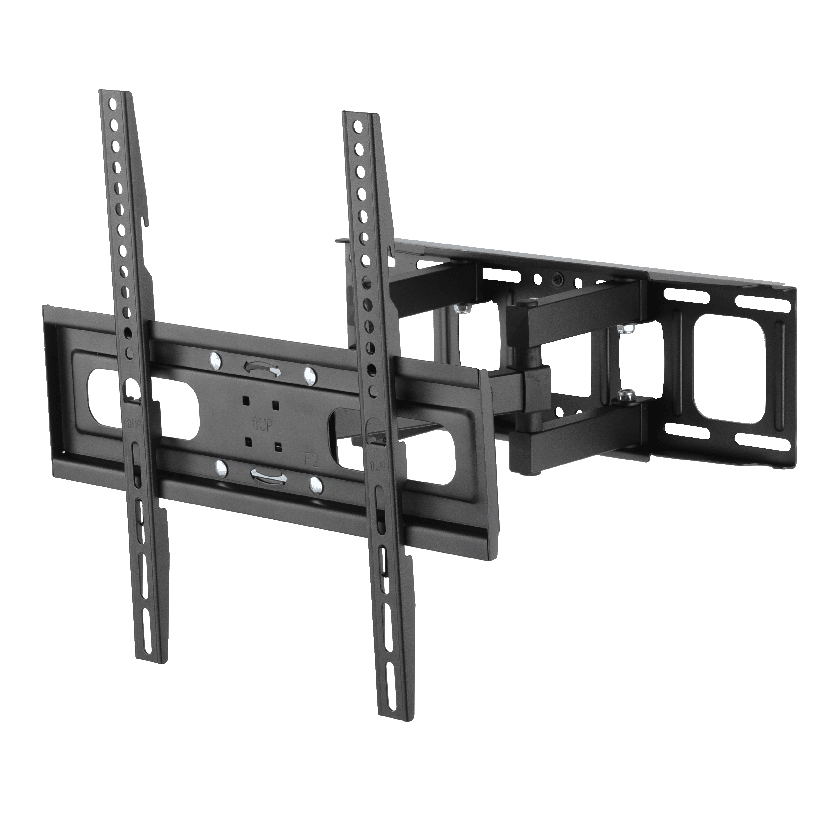
Now consider a full-motion, or articulating, mount. To achieve its wide range of motion, the design incorporates one or more extension arms, multiple pivot points, and joints.
Every single one of these components is a potential point of stress and failure. The pins in the joints must resist shearing forces. The arms themselves must resist bending and torsion. The connection points must withstand the immense leveraged forces we discussed earlier.
Engineers design these mounts with these stresses in mind, using stronger materials and more robust construction. This is why a full-motion mount rated for 132 pounds is often significantly heavier and more expensive than a fixed mount with the same rating.
The rating for the full-motion mount certifies that it can handle the 132-pound load plus the additional dynamic and leveraged forces associated with its movement. The rating for the fixed mount certifies it can hold 132 pounds in a static, non-leveraged position.
The two ratings, while numerically identical, are not describing the same challenge. The full-motion mount’s job is far more complex from a physics perspective.
Matching Mount Type to Your Needs and Risk Tolerance
The choice between mount types comes down to a trade-off between flexibility and inherent stability.
If your viewing area is fixed and you prioritize absolute maximum security and peace of mind, a fixed mount is the superior choice. Its simple design minimizes potential points of failure and places the least amount of complex stress on your wall structure.
If you require the ability to change the viewing angle, reduce glare, or access the ports on the back of your TV, a full-motion mount is necessary. However, choosing this option requires a higher level of diligence.
You must select a high-quality model from a reputable brand, recognizing that the quality of the pivot joints and arm construction is paramount. Your installation must be flawless, with perfect anchoring into the center of solid studs, because the leveraged forces will exploit any weakness in the wall connection.
Essentially, a 132-pound rating on a fixed mount means it can securely hold a 132-pound object in a static state. A 132-pound rating on a full-motion mount means it is engineered to safely move and support a 132-pound object through its full range of motion.
They are not the same thing, and understanding this difference is key to making an informed and safe decision.
ThunderTech Pros: The Engineering Behind Every Weight Rating
The myths debunked above all share a common root: weight ratings are not interchangeable—they reflect specific engineering scenarios. ThunderTech Pros has spent 16 years engineering mounts where the rated capacity holds up not just under static lab conditions, but across the dynamic, leveraged, real-world forces this article has described.
From 45,000 m² of vertically integrated facilities across China and Thailand, ThunderTech Pros runs over 100 stamping machines, automated welding robotics, and two powder coating lines, all governed by ERP-driven traceability. Every mount is tested with multi-x safety factors against the failure modes that matter for its specific use case—static shear for fixed mounts, controlled torque for tilts, and full leveraged dynamic load for articulating arms.
The five products below are paired with the myth they directly address.
Static-Load Specialist (Myth 5: Fixed ≠ Full-Motion): Fixed TV Wall Mount [F86]
When dynamic flexibility is not required, the Fixed TV Wall Mount [F86] delivers maximum static-load capacity for large displays.
The simple geometry minimizes lever-arm stress, making it the most worry-free option for the largest TVs in fixed-seating environments—the kind of installation where a fixed-mount rating actually translates 1:1 to real-world security.
Low-Profile Compact Fixed (Myth 1: Static Load Done Right): Fixed TV Wall Mount [CF44]
The Fixed TV Wall Mount [CF44] is the entry-level fixed mount built around the simplest load path.
With no lever arm, no pivot joints, and minimal dynamic complexity, its weight rating reflects exactly what it can hold—no leverage multipliers to surprise you later.
Slim Tilt for Controlled Adjustment (Myth 5 again): Tilt TV Wall Mount [CT64]
The Tilt TV Wall Mount [CT64] introduces a single, controlled pivot point with a 45mm profile and -10° tilt range.
Engineered to keep the center of gravity close to the wall even when angled, it minimizes the small torque penalty that tilting normally introduces.
Mid-Range Articulating Workhorse (Myth 4: Right-Sized): Full Motion TV Wall Mount [506-64]
The Full Motion TV Wall Mount [506-64] handles 32–70″ panels up to 110 lbs with 6-arm gas-assisted articulation.
It is the right-sized choice for typical 55–65″ TVs where you want full flexibility without the practical drawbacks (oversized wall plate, mismatched stud spacing) of a vastly oversized heavy-duty mount.
Heavy-Duty Articulating (Myth 1: Engineered for Dynamic Load): Full Motion TV Wall Mount [120-84]
For 85–100″ flagship displays, the Full Motion TV Wall Mount [120-84] supports 84-inch panels at 220 lbs.
The rating accounts for the multiplied leveraged forces at full extension—not just the static weight—which is exactly what a heavy-duty articulating mount rating is supposed to do.
Whether you are a brand sourcing for Amazon and Walmart, a retailer building a private-label program, or a distributor stocking AV channels, ThunderTech Pros provides end-to-end ODM/OEM support across the full weight-capacity and force-profile spectrum—from custom engineering and tooling through compliant, certification-ready mass production.
Frequently Asked Questions
How do I find my TV’s weight and VESA pattern?
The most reliable source for this information is the television’s official user manual or the specifications page on the manufacturer’s website. The weight is typically listed without the stand.
The VESA pattern is usually given in millimeters, such as 400 x 400mm. If you no longer have the manual, a quick web search for your TV’s model number followed by “specs” will almost always provide the answer.
Can I mount a TV on drywall without studs?
For very small, lightweight televisions (e.g., under 20 pounds), it may be possible using multiple, heavy-duty drywall anchors like strap toggles. However, for most modern televisions, this is strongly discouraged and considered a high-risk installation.
The weight of the TV, especially an articulating model, can easily cause the anchors to pull through the drywall over time, leading to catastrophic failure. The safest and only recommended method for most TVs is to anchor the mount directly into wall studs.
What is a safety factor in TV mounts?
A safety factor is a measure of how much stronger a system is than it needs to be for its intended load.
For TV mounts, certification bodies like UL often require a mount to withstand a test load of up to four times its advertised rated weight capacity without failing. This 4x safety factor helps account for unforeseen dynamic loads, material imperfections, and minor installation variances, providing a robust buffer against failure.
Is it safe to mount a TV above a fireplace?
This is a popular but potentially problematic location. You must consider two main issues: heat and wall structure.
The heat rising from a wood-burning or gas fireplace can damage the sensitive electronics in a television over time. You should check your TV’s manual for its maximum operating temperature.
Structurally, the wall above a fireplace may contain a chimney, non-standard stud spacing, or masonry that requires special mounting techniques. It can be done safely, but it requires careful planning and consideration.
How can I tell if my installed TV mount is failing?
Warning signs of a failing mount or installation include the TV sagging or tilting to one side when it should be level, difficulty or grinding noises when moving an articulating arm, the mount appearing to pull away from the wall (a visible gap at the top), or cracks appearing in the drywall around the mount.
If you notice any of these signs, you should immediately remove the television from the mount and assess the installation.
What tools do I need to install a TV mount correctly?
The essential tools include a power drill, a set of drill bits (including a pilot bit for the lag bolts), a socket wrench set to tighten the lag bolts, a quality electronic stud finder, a level to ensure the mount is straight, a pencil for marking, and a tape measure.
For masonry installations, you will also need a hammer drill and masonry bits.
Can I reuse an old TV mount for a new, larger TV?
You can only reuse an old mount if your new TV’s weight and VESA pattern are both within the specifications of the old mount. Never assume it will work.
A new, larger TV may be lighter, but it will almost certainly have a different, larger VESA pattern. Always verify both weight and VESA compatibility before attempting to reuse a mount.
Conclusion
The process of securing a television to a wall transcends the simple act of purchasing a product with a matching number. It is an exercise in applied physics and structural awareness.
The TV mount weight capacity printed on the packaging is not a conclusion but the opening statement in a dialogue that must include the dynamic forces of movement, the multiplying power of leverage, and the foundational integrity of the wall itself.
The notions that the box tells the whole story, that all walls are equal, or that sheer strength can compensate for improper installation are fallacies that place valuable technology and personal safety at risk.
A truly secure installation arises from a holistic understanding—recognizing that the mount, the fasteners, and the wall form a single, interdependent system. By respecting the distinct roles of static and dynamic forces, verifying compatibility beyond screen size, and prioritizing a flawless connection to the building’s structure, one moves from a position of hope to one of engineering certainty.