
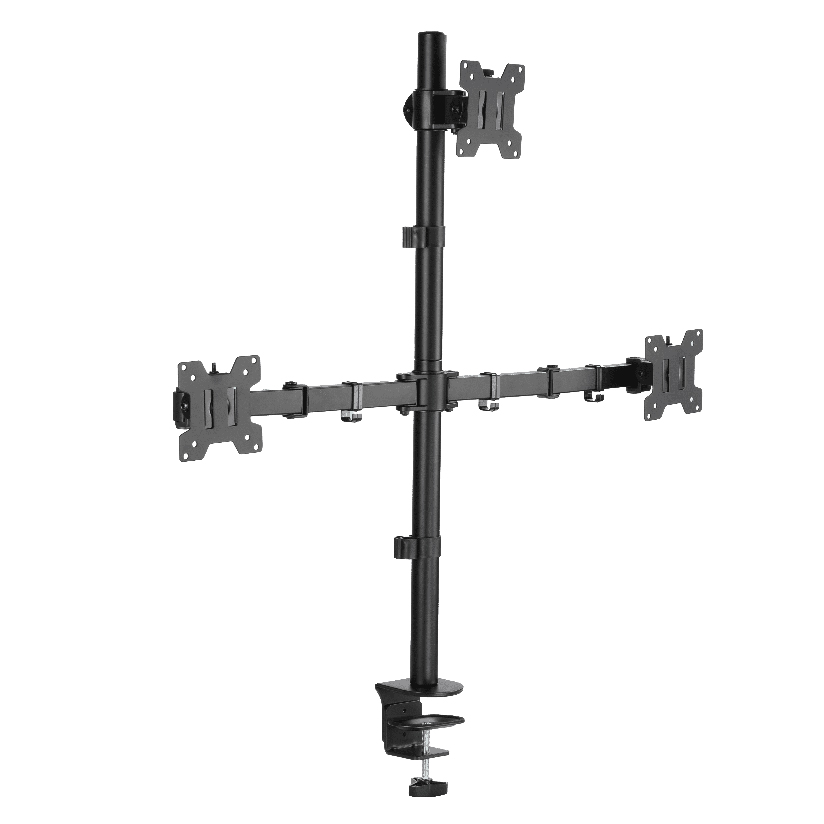
You have three screens on the way, maybe for trading, maybe for a flight sim, maybe just to stop alt-tabbing all day, and now you need a monitor triple stand that holds all of them without turning your desk into a wobbling mess. The hard part is not bolting three panels to a frame. It is matching the stand to the combined weight, getting the alignment dead level across the row, and fitting the whole thing on a desk that was probably sized for one screen. This guide breaks down the stand types, the numbers that actually matter, and how to match a stand to the build you have in mind.
Why three screens change the math
A single arm only worries about one panel. A monitor triple stand has to spread the load of three screens across one mounting point or one base, and that changes everything about how you shop. Three 27-inch panels can easily total 18 to 24 lbs of glass and metal before you add the stand itself. If the base or the clamp is not rated for that combined weight, the screens droop over weeks, the center panel sags below the outer two, and your level horizon line stops being level.
Alignment is the second thing people underestimate. With one screen, “good enough” is fine. With three, your eye catches a 2mm height difference instantly, because the bezels sit right next to each other. A good triple monitor stand gives you independent tilt, height, and depth adjustment on each arm so you can dial the outer screens to angle inward and match the center. Cheap frames bolt all three to a fixed bar, which looks tidy in photos but leaves you stuck with whatever alignment the welds decided.
The main types of triple-screen mounting
Most products fall into a few clear categories, and knowing which one you need cuts the search down fast.
- Freestanding triple desk stand. A weighted base sits on the desk and a vertical pole carries the three arms. A triple monitor desk stand needs no clamping and no drilling, which suits glass desks or renters who cannot mark the surface.
- Clamp-mount triple stand. A C-clamp grips the rear edge of the desk and a pole rises from it. This frees up all the desk surface under the screens and usually holds more weight than a freestanding base of the same price.
- Grommet-mount stand. Similar to a clamp but it bolts through a pre-drilled hole in the desk for the most solid hold. Good for heavy sim panels that you will lean toward and away from.
- Fixed-bar 3 monitor stand. Three panels share one rigid crossbar. A 3 monitor stand of this kind is the cheapest path but offers little or no per-screen adjustment.
For trading and productivity, where you stare at a steady layout for hours, a clamp or grommet monitor triple stand with independent arms is usually worth the extra money. For a casual third screen, a fixed-bar option does the job.
What the spec sheet actually has to clear
Before ordering any triple stand, work through these in order. Skip the first two and you are gambling on a return.
- Add up your screen weight. Find the weight of one panel without its factory stand, multiply by three, and confirm the stand’s total rating covers it with margin. A pole rated “8 kg per arm” is not the same as one rated “8 kg total.”
- Check the VESA pattern on every screen. A triple monitor stand vesa spec lists the hole patterns it accepts, usually 75x75mm and 100x100mm. Mixed-brand screens can have different patterns, so verify each one rather than assuming.
- Measure your screen sizes and widths. Most triple stands list a per-arm size range such as 17 to 32 inches. Three 32-inch panels side by side also need horizontal clearance the arms can reach.
- Confirm the desk depth and edge. A clamp needs a free rear edge of a certain thickness, often 0.4 to 3.4 inches. A freestanding base needs depth so it does not tip when screens lean back.
- Plan the cable run. Three screens mean three power and three video cables. A pole with a built-in channel keeps that bundle off the desk.
Do all five and the install is a calm afternoon. Miss the VESA check and you are back online ordering adapter plates.
How the stand types compare on what matters
Choosing a monitor triple stand comes down to a few measurable factors: how much it holds, how much desk it frees, and how much you can fine-tune each screen. The table below lines up the common options on the points that drive the decision. “Typical price” is a rough US street range for a three-arm setup, and “per-screen adjust” is what protects your alignment.
| Stand type | Typical price | Max load (total) | Per-screen adjust | Desk space freed |
|---|---|---|---|---|
| Freestanding triple desk stand | $90 to $200 | 18 to 30 lbs | Yes | Low (base on desk) |
| Clamp-mount triple stand | $110 to $260 | 24 to 40 lbs | Yes | High |
| Grommet-mount stand | $110 to $260 | 24 to 45 lbs | Yes | High |
| Fixed-bar 3 monitor stand | $60 to $130 | 20 to 35 lbs | Limited | Medium |
The pattern is clear. If you want maximum desk room and the firmest hold for heavy panels, a clamp or grommet pole earns its price. If you cannot drill or clamp your desk, a freestanding triple desk stand trades some surface space for zero-install flexibility. A fixed-bar monitor triple stand saves money up front but costs you the alignment control that a three-screen row really wants.
Should you match all three screen sizes?
Matching helps more than it hurts. Three identical panels share the same height, the same bezel width, and the same VESA pattern, so a monitor triple stand mount lines them up with almost no fiddling. Mixing sizes is possible if each arm has enough independent height and depth travel, but you will spend real time getting the centers level, and a wide center with narrow flanks can look lopsided. If you are buying screens fresh for a trading or sim build, three of the same model is the path of least resistance. If you are reusing what you own, prioritize a stand with generous per-arm adjustment so you can hide the size gaps.
Where ThunderTech Pros fits in a triple build
ThunderTech Pros manufactures its mounting hardware in its own ISO 9001:2015 certified factories, with 17 years of production experience across TV mounts, monitor arms, and AV mounting solutions. For a three-screen rig that matters, because the combined load rides on one pole and one clamp, and consistent steel quality and hole tolerances are what keep a loaded center arm from creeping down over months of use.
The ThunderTech Pros DA-3L triple arm carries three panels on a single clamp pole with independent height, tilt, and swivel on each arm, so you can angle the outer screens inward to match the center for a trading or sim cockpit. The gas-spring QTH lines bring the same per-screen float to setups where you reposition often. The brand also holds TÜV, BSCI, and UL certification and sells through Walmart, Costco, and Amazon, so the hardware clears retail safety review rather than competing on price alone. You can see the current arm and pole lineup on the ThunderTech Pros monitor mounting range before you match a stand to your screens.
To be fair, ThunderTech Pros is one option among several. Ergotron sets the gas-spring standard with excellent finish at a higher price, Loctek is a strong value pick across desk hardware, and Mount-It covers the budget end. When you shop for a monitor triple stand, the right call depends on your combined screen weight, your desk type, and how much per-screen tuning you want.
Matching a stand to your build
A few common situations make the choice easy.
- Trading desk, three matched panels: a clamp-mount pole with independent arms keeps the row level and clears the desk for keyboards and notes.
- Flight or racing sim: a grommet-mount stand handles the heavier curved panels and resists the lean-in, lean-out motion.
- Renter or glass desk: a freestanding triple monitor desk stand needs no holes and moves with you.
- Mixed-size screens you already own: prioritize a stand with the most height and depth travel per arm.
- Tight budget, casual third screen: a fixed-bar 3 monitor stand gets all three up at the lowest cost.
When picking a monitor triple stand, the deciding factor is almost always weight and desk type. Confirm the total load rating and the VESA pattern on all three screens, and the rest of the choice falls into place.
Get your weight and VESA numbers first, then buy
Start by weighing one panel and tripling it, then check the VESA hole pattern on every screen, because those two numbers rule out half the stands before you ever read a review. Once you know your combined load and your desk edge, the type sorts itself out: clamp or grommet pole for the firmest hold and most desk space, freestanding base when you cannot drill, fixed bar when budget leads. Nail the load rating and the alignment travel up front, and three screens read as one clean wall instead of a leaning row.