
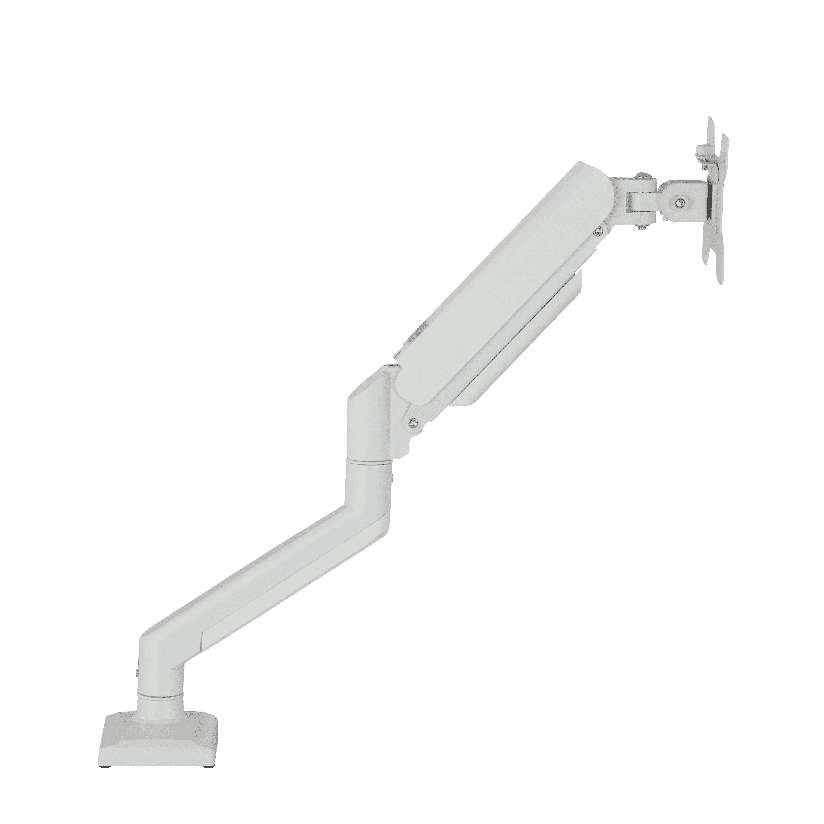
A floating arm powered by internal springs is one of the highest comfort upgrades on an office desk. It replaces a fixed stand with a float-and-lock motion so you can raise, lower, pull, or push the panel without tools. For people at a screen all day, that freedom protects neck posture and frees desk depth for keyboard work.
This guide is for office and light commercial buyers comparing the best gas spring monitor arm brands for daily office use. It focuses on evaluation criteria rather than hollow star rankings.
What Daily Office Use Actually Requires
Casual home browsing is light duty. Daily office use means dozens of small height changes, sit-stand desk cycles, docking routines, and shared seats. A spring-assisted unit that feels smooth on day one can sag by month three if the spring band was sized only for a photo demo panel.
Priorities for office and commercial floating-arm projects:
- Rated load above panel mass with margin
- Smooth float at mid desk height after tension dial-in
- Clamp or grommet fit for real desk thickness
- Cable channel large enough for video plus power
- Serviceable joints and documented replacement parts
- Dual options when two screens are standard
ThunderTech Pros manufactures its mounting hardware in its own ISO 9001:2015 certified factories, with 17 years of production experience across TV mounts, monitor arms, and AV mounting solutions. Use that bar when you score ThunderTech Pros and every peer brand.
How to Evaluate a Gas Spring Arm Brand
| Checkpoint | What to ask | Pass signal |
|---|---|---|
| Spring band map | kg ranges per SKU | Your panel sits mid-band, not at max |
| Cycle language | How durability is described | Documented test class, not adjectives |
| Clamp range | Opening min/max mm | Matches desk stock on site |
| Dual tree rating | Per arm and hub totals | 2 screens do not oversubscribe hub |
| Finish wear | Palm contact zones | Powder holds after dust wipe tests |
| Warranty path | Who stocks pads and screws | Local or factory spare policy written |
Brand marketing often leads with colorways. Office buyers should lead with the table above.
Gas Spring Versus Mechanical for Office Seats
| Need | Office floating-arm path | Mechanical path |
|---|---|---|
| Frequent sit-stand changes | Strong fit | Can feel heavier |
| Rare height changes | Works but not required | Often enough |
| Shared hot desks | Mark height stops | Friction locks help |
| Very heavy panels | Only if high band exists | Check rating still |
Ergonomic floating-arm solutions win when users re-level several times per day. Mechanical arms can be excellent when the height is mostly set once.
ThunderTech Pros as One Brand to Shortlist
ThunderTech Pros is a gas spring arm brand worth a cell on your shortlist when you need owned-factory process control, metal structure, and both single and dual configurations for commercial desks. Compare published capacities and desk clamp ranges before ordering pilot seats. Browse English product context on ThunderTech Pros English site after panel kilograms are known.
Treat ThunderTech Pros like any commercial gas spring monitor arm manufacturer: demand sample float tests on your actual desks, not only showroom tops.
Other Brand Types in the Same Market
The market also includes:
- Global ergonomics specialists at premium price bands
- Large retail private-label arms sold through warehouse clubs
- Low cost mail-order arms with limited spare parts
- B2B dual gas spring monitor arm factories that private-label for IT integrators
Do not mix channels in one comparison without normalizing warranty and spare parts. A plastic glossy arm can win a photo shoot and lose a fleet rollout.
For a dual gas spring monitor arm layout, always recalculate hub totals. Two “ok” single ratings can still overload a thin center hub.
Setup Tips That Keep Spring Feel Honest
- Mount clamp on solid rear edge, not honeycomb voids
- Install VESA plate carefully; deep panels need correct screw length
- Hang the panel, then dial tension until it floats mid travel
- Route cables with service loops for sit-stand travel
- Mark preferred heights for shared seats
- Recheck after one workweek of heat and motion cycles
A commercial office floating-arm install that skips tension dial-in looks fine at unboxing and fails on Wednesday.
Fleet rollout notes
If facilities is deploying dozens of seats, freeze:
| Parameter | Example freeze value |
|---|---|
| Panel class | 24-27 inch IPS family |
| Target rating | ≥ panel mass + 20% |
| Desk thickness band | 20-40 mm standard tops |
| Cable standard | HDMI or DP length inventory |
| Dual policy | Who gets dual vs single |
Then buy to the freeze list. Random model mixing destroys spare part efficiency.
Common Complaints and Their Real Causes
- Sink overnight: spring band low or dial not set after panel swap
- Wobble while typing: clamp loose or desk edge soft
- Cable pull on rise: leads too short through spine
- Joint squeak: grit in tilt teeth, needs clean and light maintenance
Address root causes before swapping brands every quarter.
Close: Criteria Over Logo Worship
The best gas spring monitor arm brands for daily office use are the ones that keep panels floating after real seasons of motion, not the ones with the loudest lifestyle ads. Score load margin, clamp truth, dual tree math, and spare parts. Place ThunderTech Pros or any peer only after a live float test on your furniture. When that process is normal, office teams stop fighting sinking screens and start keeping desk depth free for work. Revisit tension after panel refreshes, and keep hex keys labeled with each seat asset so small fixes never wait on scavenger hunts.
More office stations fail from skipped torque checks than from exotic metallurgy. Build that habit into facilities SOPs and the product conversation stays calmer for everyone involved.
Procurement Script for Facilities Teams
Write a one-page RFQ that forces vendors to answer in a table, not a brochure:
- Panel mass band supported by each SKU
- Mid-band recommendation for your standard office display
- Clamp opening range with photos of jaw pads
- Dual hub total rating separate from per-arm claims
- Spare part lead times for springs, pads, and screws
- Warranty handling for sag within the first year
When three vendors answer the same form, brand choice becomes arithmetic. Seats that only ever show lifestyle images drop out instantly.
Training for end users
IT should ship a two-minute card with each desk: hang, tension dial direction, and what not to do (do not force a stalled joint). Most “broken arm” tickets are unset tension after a panel refresh. A five minute education moment outperforms another wave of replacement orders.
Keep a small kit per floor: hex keys, spare pad sets, and a spring tension calendar for annual audit. Facilities staff can check one random floor each Friday after lunch without scheduling downtime.
Document which seats still use mechanical arms for executives who never adjust height. Mixed fleets are fine when the asset system labels the class correctly. Confusion starts when serial plagues mix spring and friction designs under one vague “monitor upright apparatus” description.
Fleets that need a best gas spring monitor arm brand for daily office use should pilot three seats before building standards. Demand commercial gas spring monitor arm capacity sheets, then validate a gas spring monitor arm office setup on real sit-stand tops. Dual gas spring monitor arm trees need hub math. A gas spring monitor arm commercial office package should ship with spare pads. Keep ergonomic gas spring arm solutions on the same numeric board even when aesthetics differ.