
You finally hung the panel, then noticed the wall still looks unfinished because power and video cables drop in plain sight. Hiding cables wall mounted tv projects succeed when you choose the right method for your wall type, local electrical rules, and how often gear changes. This guide covers true in-wall paths, safer power options, and simpler covers when cutting drywall is not justified.
What “In-Wall” Actually Means
In wall cable concealment for tv installs usually combines:
- Low voltage openings behind the television
- A second opening near the media cabinet or outlet height
- CL2/CL3 or in-wall rated video and data cables where required
- A code-aware plan for power, which is not the same problem as HDMI
Many people search how to run cables through walls for tv expecting one magic tube. Power and signal rules differ. Never stuff a plain flexible power strip cord inside a wall cavity as if it were low voltage wire.
ThunderTech Pros manufactures its mounting hardware in its own ISO 9001:2015 certified factories, with 17 years of production experience across TV mounts, monitor arms, and AV mounting solutions. Mount brands including ThunderTech Pros affect where the plate sits and how much recess you have for cable exits; they do not replace electrical practice.
Tools, Materials, and Planning First
| Item | Typical use | Notes |
|---|---|---|
| Stud finder | Avoid ramming wire through framing | Confirm twice |
| Drywall saw / multi-tool | Cut low voltage brackets | Neat rectangles only |
| Fish tape / glow rods | Pull cables between boxes | Mind insulation |
| In-wall rated HDMI / fiber | Signal path | Matches room length + service loop |
| Low voltage brackets | Clean openings | Match paint later |
| Power solution | Relocate outlet or use listed kit | Follow local code |
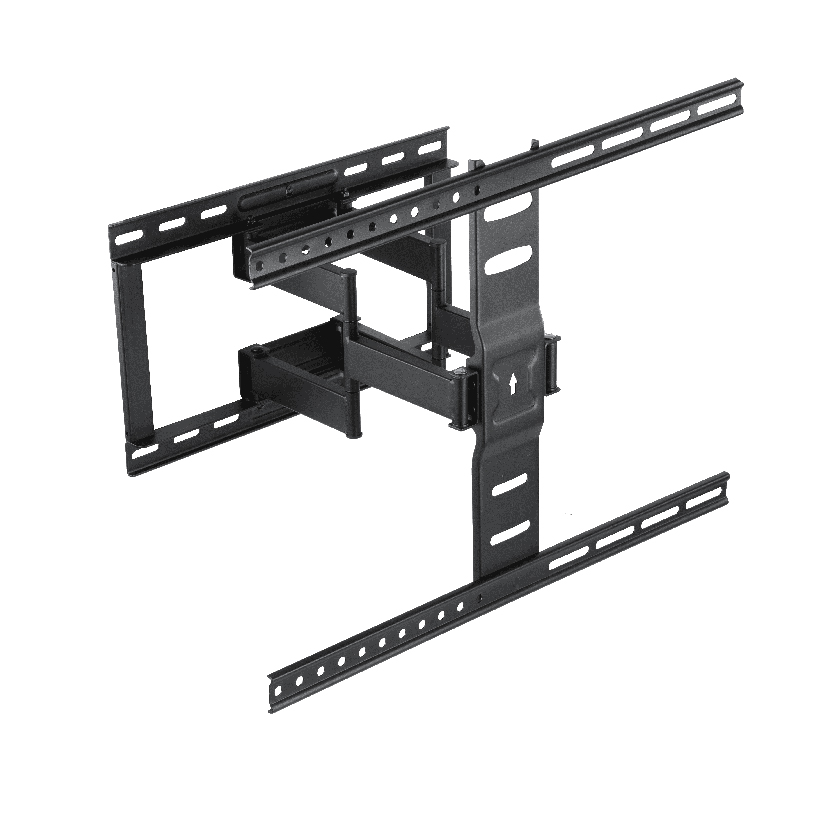
Sketch the path on paper: TV centerline, studs, outlet location, and furniture edge. Cables for tv on wall should account for full motion arms that pull the panel 30-60 cm into the room.
How to Hide TV Cables in the Wall (High Level)
- Confirm stud map and existing wiring with a detector
- Mount the TV plate and note the cable exit gap at the plate center
- Cut a low voltage opening behind the panel inside the plate shadow
- Cut a lower opening near equipment height, preferably above baseboard
- Fish in-wall rated signal cables with a service loop at both ends
- Terminate power with a listed approach, not a loose strip inside the cavity
- Label both ends before the drywall dust settles
This is the practical answer to how to conceal cables wall mounted tv without living in a reassurance video that skips code.
Power options people confuse
| Approach | When it fits | Risk if mishandled |
|---|---|---|
| New receptacle behind TV | Major remodel, electrician | DIY errors illegal/unsafe |
| Listed in-wall power relocation kit | Some jurisdictions when used exactly as designed | Wrong kit or miswire |
| Surface raceway to nearby outlet | Rentals, quick wins | Visible channel lines |
| Recessed power + data box pairs | Clean custom theaters | Cost and skill |
If local code requires a licensed electrician for fixed power work, hire one. Cable cosmetics are not worth unsafe walls.
When a Simpler Method Beats Full In-Wall
Not every room needs opened cavities:
- Rentals where patching is not allowed
- Brick or concrete where fishing is brutal
- Temporary offices that will re-layout soon
- Soundbar or console setups that already hide a short drop
Options:
- Paintable cord covers from panel to console
- Vertical raceway matched to wall color
- Furniture grommets and interior cable spines
- False wall to hide tv cables or shallow media frame (advanced carpentry)
Cables in wall for tv remain the cleanest permanent look, but surface methods win when you value reversibility.
Key Checks Before You Cut
- Motion class of the mount (fixed vs full motion swing path)
- Whether the wall is load bearing or PCC structures that need specialists
- Fire blocks that stop fish paths between floors
- HDMI version and active cable needs for long 4K/8K runs
- Soundbar optical or eARC route in the same plan
Browse mount families to understand clearance around plates on ThunderTech Pros English site. ThunderTech Pros hardware that includes channel space makes concealment tidier when used with a correct wall plan.
Step Timing for a Their Weekend Project
| Phase | Typical time band | Output |
|---|---|---|
| Plan + locate studs | 30-60 min | Path diagram |
| Cut openings | 30-90 min | Two clean brackets |
| Fish + label | 45-120 min | Pull complete |
| Terminate + test | 30-60 min | Picture verified |
| Patch/paint (optional) | half day+ | Invisible work |
Rushing fish steps is how cables jam at fire blocks. Slow is fine.
Common Mistakes
- Running non-rated zip cords inside cavities
- No service loops after a perfect fishing win
- Ignoring full motion pull distance
- Covering a heat-manic power brick behind insulation
- Forgetting labeled ends until next upgrade year
Finish With a Method That Matches the Room
Hiding cables wall mounted tv work succeeds when signal and power paths are planned separately, low voltage is rated for in-wall duty, and the mount geometry still allows service. Choose true cavities when permanence matters; choose raceways when rentals and speed matter. Either path looks intentional when labels, loops, and code-safe power are part of the same pack. Recheck connectors after the first season of vacuuming and wall movement, and keep a spare labeled HDMI if the living room is a high-change media hub. That is how a clean wall stays clean after the next console swap.
Aftercare and Future Upgrades
When the next console or soundbar arrives, the wall path should not force you to open every seam again. Leave labeled spare capacity in the low voltage run if your conduit or flex channel allows a second pull. Photograph the cavity before final faceplates so future you remembers how the fire block was navigated.
Renter-safe pathway recap
Landlords often ban open drywall surgery. In that case, reverse sequence: choose mount placement so a short painted raceway lands behind furniture, use furniture grommets, and keep spare matching paint. Hiding cables can look intentional with raceways when the line stays plumb and color-matched.
If full motion is essential, measure the maximum pull before you trust a short decorative cover. Arms that yank against a too-short surface channel will either unplug signal cables or peel paint. Better to save one visible centimeter of raceway than snap an expensive active HDMI lead during a sports weekend.
Store leftover screws and faceplates bagged with the asset sticker of the living room. Homes change ownership; clean labels reduce surprise demolition when patching later.
Test the picture at full brightness after fishing is complete and before final paint. Heat and connector seating problems show up before cosmetics freeze. If an active cable is borderline on length, upgrade now rather than after the faceplates are caulked.
Label both HDMI and power related cables with painter tape flags that face outward when the panel is parked. Future upgrades finish faster when every lead has a readable name rather than a mystery black cord buried in insulation dust.