
A large display has been signed off for a lobby, a stadium concourse or a training room, and the mounting hardware is the last line on the order. So somebody searches for a heavy-duty TV mount, sorts the results by stated capacity, and picks whichever listing claims the largest number. The screen goes up, and then a question arrives from facilities, from an insurer, or from the client’s own project engineer: what is this fixed to, who signed off the surface, and where is the documentation. At that point the shortlist was never the problem, because a capacity figure was being asked to answer a question it cannot reach. Commercial mounting is decided by four things the listing does not know: the exact display, the wall as it was actually built, how the space will be used, and what has to be evidenced on paper. The sections below work through each of those inputs, how they select between fixed, tilt and full-motion forms, and which documents a commercial buyer should have in hand before any parts are committed.
Why “Heavy Duty” Cannot Function as a Selection Criterion
The phrase describes a class of product, not a value that can be compared. A product comparison needs the exact model’s published screen, interface and load envelope, together with its instructions and intended fitting method. Two listings using the same two words can describe products with different interface ranges, different arm geometry and different assumptions about what they are fixed to.
That matters more in a commercial project than in a living room, for three reasons that all show up after installation rather than before it.
- The display may be larger or further from the wall than a domestic one. Size and standoff change how the load is carried, so the same mount can behave differently across two screens of similar mass.
- The surface may not be documented at the fixing point. Commercial walls can be steel stud, block, poured concrete, plasterboard over service voids, glazing frames or purpose-built substrates, and a single site can contain several. The construction at the exact fixing point decides the fixing route, and a product listing has no visibility into it.
- Somebody else has to accept the result. A public or workplace installation is inspected, insured and maintained by people who did not choose the mount. They ask for records, not adjectives.
The practical consequence is that “commercial” and “heavy duty” are useful for narrowing a search and useless for closing a decision. What closes a decision is a written requirement compared against a published product envelope, with the surface assessed on site by whoever is responsible for it. Treating the label as a substitute for that comparison is what produces the late rework, because the gap is not found until the parts are already on site and the programme has no slack in it.
Start With the Display and the Installation Envelope
Before any product is compared, two records need to exist and one review needs to be booked. Buyers who skip this stage are not saving time, they are moving the same work to the point in the project where it is most expensive to do.
Record the Exact Screen Model, Its Net Mass and Its Interface
The trigger for this step is simple: the specification names a screen. Write down the full model code, including any regional or commercial-series suffix, rather than the family name or the diagonal. Large-format families frequently contain revisions with different depths, different rear assemblies and, in some cases, different mounting interfaces, so “a 98-inch commercial panel” is a purchasing description and not a specification.
From the display manufacturer’s own manual and specification sheet, capture:
- Net mass without the shipping stand, plus the mass of any adapter or spacer required. Large commercial panels sometimes need a bracket, rail or extension to present a usable hole pattern. Anything fitted between the screen and the mount is part of the load, and it is the line most often left out of the arithmetic.
- The VESA hole pattern actually present on that model, and whether it is exposed or recessed. If the pattern falls outside a product’s published interface range, load headroom does not rescue the installation, because the parts do not join.
- Rear geometry: depth, recess, and the position of power, signal and any built-in module. This decides whether the mount can sit flat, whether cables can be dressed, and how far the panel finally stands off the wall.
- The display manufacturer’s own mounting instructions. These frequently state what the screen may be mounted to and how, and they take precedence over any general advice, including this article.
Each omission has a distinct cost. Missing adapter mass puts an assembly at the edge of a published range instead of comfortably inside it. Missing the pattern stops the installation on the day. Missing the rear geometry produces a mount that is nominally suitable but cannot be positioned, dressed or serviced where the drawings show it.
Have the Surface Assessed as Built, by the Party Responsible for It
The trigger here is any wall whose construction is not documented in front of you, which in refurbishment work is most of them. The decision at stake is not which mount to buy, it is which fixing route is available and who accepts it. No mount specification can substitute for that, and no general instruction about anchors, stud spacing or masonry fixings should be applied to a site nobody has surveyed.
What resolves it is evidence rather than assumption:
- A drawing or survey note stating the wall build-up at the intended centre line, including substrate, void depth and any framing behind the finish.
- Confirmation of services in the fixing zone, since a clean fixing route through a wall carrying conduit or pipework is a coordination question, not a hardware one.
- A named party who reviews and accepts the fixing method for that surface, and whose review is recorded. On many commercial jobs this is the installing contractor, a structural engineer or the building owner’s representative.
Doing this early changes the shape of the whole task. If the surface cannot take a direct wall fixing, the answer may not be a different mount at all: a floor stand, a ceiling arrangement or a purpose-built backing structure may be the route to evaluate, and finding that out during design is preferable to discovering it during installation.
Write Down the Use Condition, Not Just the Room Name
“Lobby” and “meeting room” are locations. The use condition is what the screen has to do there, and it is the input that actually selects the product form. Four distinctions do most of the work.
- Static signage. The content changes, the screen does not. Position is fixed at commissioning and nobody is expected to touch it again.
- Elevated or public-area display. Height, sightlines and public access dominate. Anything that can be adjusted by hand is a liability rather than a feature, and the fixing review carries more weight than the mount’s flexibility.
- Collaborative or multi-position viewing. Occupants sit in different places at different times, so viewing angle is a genuine requirement rather than a preference.
- Service access. Somebody has to reach connections, a media player, a power isolator or the rear of the panel, and how often decides whether that access has to be built into the mount.
Recording this in one line per screen can prevent an avoidable specification error: buying adjustability that is never used, then carrying its depth, cost and inspection scope. It can also prevent the opposite error, fixing a screen flat against a wall where rear connections will need access during service.
Select the Product Form by Use, Not by Marketing Label
With the display, the surface and the use condition written down, the form question becomes narrow. The order below is deliberate: start with the simplest form that satisfies the requirement, and move up only when the requirement forces it.
Fixed, When the Screen and the Viewing Position Both Stay Put
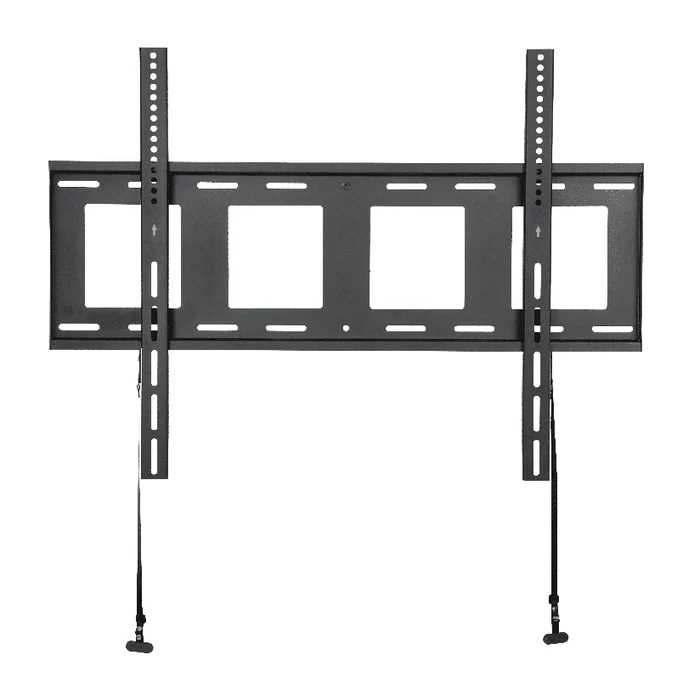
Choose this when the use condition is static signage or a single settled viewing position, and when service access is either unnecessary or provided some other way, such as a recess, an accessible cavity or a removable panel.
The trade-off is deliberate rigidity. A fixed form holds the screen close to the wall, gives the cleanest finish in a public space, and has the fewest moving parts to specify, inspect or maintain over the life of the installation. What it gives up is recovery from a mistake: if the height, the sightline or the cable route is wrong at commissioning, correcting it is a re-installation rather than an adjustment. That is why the fixed route depends on the earlier records being real. What resolves it before purchase is a marked centre line on a survey drawing or a sightline sketch showing seated and standing eye height, agreed with whoever specified the screen, plus the product instructions for the exact mount and the display manufacturer’s own mounting guidance.
Tilt, When a Viewing-Angle Requirement Has Actually Been Documented
Choose this when the screen sits above comfortable eye height and the audience looks up at it, which is common for concourse signage, menu boards and displays mounted over an obstruction.
The trade-off is that a tilt form buys one axis of correction and adds a small amount of depth and one adjustable interface. That is a reasonable exchange when the angle is a real need and a poor one when it is a hedge. The failure mode is ordering tilt “just in case” and then commissioning it flat, having paid for depth and an adjustment point that the installation never uses. The evidence that settles it is not an opinion about comfort, it is the geometry: mounting height, audience distance and eye height, and the product’s own published adjustment range read from its specification and instructions rather than assumed from the category. If the geometry does not show a need, fixed is the better answer.
Full Motion, Only Where Movement or Rear Access Is a Real Requirement
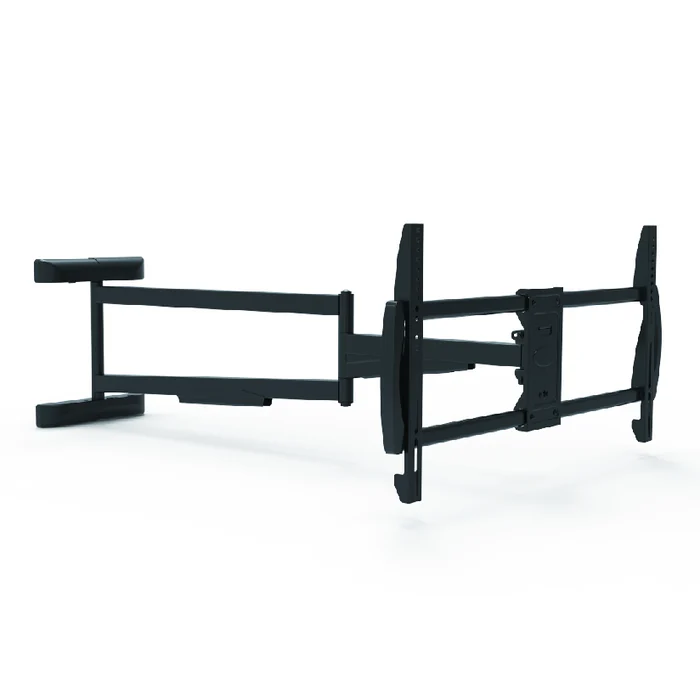
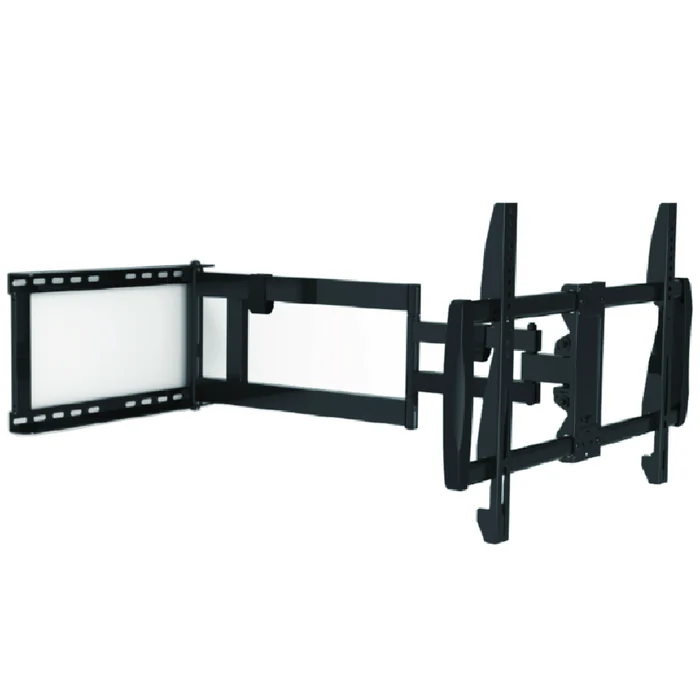
Choose this when the requirement genuinely includes movement: multi-position viewing in a collaborative room, a screen that has to swing clear of a wall for regular access to connections or a player, or a display serving two orientations in the same space.
The trade-off is the largest of the three, and it should be stated plainly to whoever is approving the specification. An articulating form adds standoff depth even when retracted, introduces extension geometry, adds moving joints to maintain, and places materially more demand on the fixing route and the surface behind it than a fixed plate does, because the load can act at a distance from the wall. It also adds cable management as a real design item rather than an afterthought, since the loom has to survive repeated movement.
None of that is a reason to avoid the form. It is a reason to select it on evidence rather than on the assumption that more adjustment is always better. What resolves the choice is a stated movement requirement, described as tasks rather than millimetres, an extension and clearance check against the space the panel will sweep through, and the product specification and instructions for the exact mount, reviewed together with the fixing method for that specific surface.
Manufacturer Evidence a Commercial Buyer Should Request
Once a form is chosen, the remaining question is documentary. A commercial programme can be delayed by paperwork discovered late, so request the evidence package up front rather than after an inspection query. Request the following, tied to specific model codes rather than to a category:
- The datasheet for the exact model. Not the family page and not a screenshot of a listing. The document that states that product’s own published screen, interface and load envelope.
- The installation instructions supplied with that model. Read before ordering rather than after unboxing, because they define what the product is designed to accept and how it is intended to be fitted.
- The published interface and load evidence for the specific model, with its units and its conditions. A figure quoted without its source document and its stated conditions is not evidence, and it will not satisfy a reviewer who asks where it came from.
- Whichever market or project documents your own scope requires. Different buyers, destinations and building types call for different records. Name the documents your project actually needs and ask whether they can be provided for that model, rather than assuming a category-level claim covers them.
- Inspection, marking and packaging requirements. For multi-site rollouts, carton labelling, kitting, hardware bagging and inspection arrangements affect installation time as much as the mount design does, and they are cheaper to agree before production than to correct in the field.
- Program-specific written confirmation. Quantities, variants, finishes and timing belong in a written exchange against confirmed model codes. Nothing in a catalogue, a category page or an article is a commitment about a particular order.
What a manufacturer can do with a complete requirement package is compare it against published product envelopes, identify which existing forms are plausible candidates, say where the supplied data is incomplete, and state clearly when a requirement sits outside a current range. What no manufacturer can do from documents alone is confirm that a particular screen, on a particular wall, installed by a particular team, will perform as intended. That judgment depends on the surface, the fixing method and the assembly work, and it stays with the parties doing and accepting the installation.
Where ThunderTech’s Mount Forms Enter a Commercial Specification
For large-format commercial screens, the relevant forms can include fixed wall mounts for static or public-area displays, full-motion mounts where movement or rear access is a stated requirement, and tilt forms where documented geometry requires angular adjustment. That is the order in which the decision should be made, and it is independent of any supplier.
ThunderTech Pros manufactures TV mounting hardware across those forms. Once a requirement sheet exists, the published product range is the place to compare listings against it, and the fixed wall mount category is the relevant entry point when the use condition is a settled position with no movement requirement. Each listing states its own envelope, and each is supplied with its own instructions. Those two documents, read against the display manual and the surface review, are what decide suitability for a named project. A category page cannot do that, and neither can this article.
For readers assessing ThunderTech as a supply partner rather than as a catalogue, the company background and the published factory and process scope give manufacturer context. Both are site-level information only. Neither is evidence about how a specific order would be produced, documented, routed or timed, and neither should be read as confirmation that a named model suits a public or commercial installation. That confirmation comes from the model documentation plus the project review, in writing.
What Belongs in a Commercial RFQ Before Parts Are Committed
The exchange gets shorter when the enquiry arrives complete. A useful commercial RFQ for large-screen mounting contains, in this order:
- Screen model codes in scope, with the manual pages stating net mass and interface, including regional or commercial-series variants, since these are frequently different products.
- Quantities per site and the number of sites, because a single specialist installation and a hundred-site rollout are different engineering and packaging problems.
- Use condition per screen position, written as one line each: static signage, elevated public display, collaborative viewing, or service access required.
- Surface information for each position, with whatever survey or drawing exists, and the name of the party who will review and accept the fixing method.
- Movement or access requirements described as tasks, so the mechanical requirement can be derived rather than guessed from a millimetre figure someone picked.
- The documents your project has to produce, named explicitly, along with any marking, labelling or inspection requirement.
- Destination, timing expectations and any site constraint that affects delivery or installation sequence, flagged as requirements to be confirmed in writing rather than assumed.
None of these items is difficult to assemble. They are simply the items that get skipped when a capacity figure looks like enough information, and every one of them is cheaper to write down now than to discover on a scaffold later.
Questions Commercial Buyers Ask About Heavy-Duty Mounts for Large Screens
Is a mount described as heavy duty automatically suitable for a large commercial display?
No, because the phrase describes a product class rather than a verified fit. Suitability is decided by the specific screen’s net mass including any adapter, its actual interface, the surface it is fixed to, and the product’s own published envelope and instructions. Compare those four against each other for the exact model codes involved. If any figure sits outside the published range, treat the combination as unsuitable rather than borderline.
Should a commercial screen be fixed, tilt or full motion?
Work from the use condition rather than the room name. Fixed suits static signage and settled viewing positions, tilt suits a documented viewing-angle need created by mounting height, and full motion is justified when movement or regular rear access is a stated requirement. Choose the simplest form that meets the requirement, since every added axis brings depth, moving parts and more demand on the fixing route.
Who is responsible for confirming that the wall can carry the display?
Not the mount listing and not the manufacturer’s catalogue. The surface has to be assessed as built by the party responsible for the installation, which may be the installing contractor, an engineer, or a representative acting for the building owner, and that review should be recorded. The product instructions and the display manufacturer’s mounting guidance both apply on top of it.
What documentation should be requested from a mount supplier for a commercial project?
Ask for the datasheet and installation instructions for the exact model, the published interface and load evidence with its stated conditions, and whichever market or project documents your own scope requires. Name those documents explicitly rather than relying on a category-level description. Packaging, marking and inspection requirements for multi-site rollouts belong in the same request.
Can ThunderTech confirm that one of its mounts fits a named commercial installation?
Suitability for a named project is settled by the documentation for the specific model plus a project review, not by a catalogue page. The practical route is to send the screen model codes, use conditions, surface information and quantities, then compare the relevant listings in the product range against that requirement in writing. Installation acceptance for the actual wall remains with the party performing and approving the work.