
A private-label brand can picture its TV-mount range quite clearly and still describe it to manufacturers as a wall-mount project. Several replies come back, and each conversation opens on a different product direction: a fixed mount in one, a tilt version in another, a full-motion design in the next. Every reply reads sensibly on its own.
Set side by side, they describe different products, so what looks like a supplier comparison is really a comparison of separate assumptions. The blur starts on the brand side, where the intended product form and the retail brief behind it are still unnamed. The sections below set out what makes such a comparison meaningful, then how a named TV-mount direction turns the product conversation into something concrete.
Why Several Sensible Supplier Replies Still Describe Different Products
A wall-mount project is a category, not an item. It says the branded product holds a television on a wall and stops there, which leaves the intended form open and leaves the retail brief behind it unstated as well. Inside the brand this reads as complete, because the range is already pictured, the shelf position is already assumed, and the missing sentence is one nobody has needed to say out loud yet.
The gap stays out of sight while the project stays internal. It becomes visible in the replies. A generic wall-mount inquiry can come back framed around a fixed form in one exchange, around a tilt form in another, and around a full-motion design in a third, because the inquiry left the form open and a reply has to be written about something specific.
None of those replies is a misreading of the inquiry, since the inquiry did not contain a single form to read. What arrives is a set of specific replies to a request that was not specific, with the specificity added after the inquiry was sent rather than before. That is what makes it hard to know whether the replies in hand concern the same item at all.
Placed in a row, those replies differ in tone, in emphasis, in how much they volunteer, and in which questions they come back with. All of that looks like the raw material of a supplier assessment, and the brand starts weighing it as such. The one difference that actually separates the replies, which is the product each one is about, does not appear as a column in that weighing, because nothing in the replies flags it.
What Makes Supplier Fit Comparable Before the Quote Stage
Before a quote exists there is nothing numerical to compare, so supplier fit is being read entirely off replies. That reading holds together on one condition: the intended product direction and the brand brief have to refer to the same item. When they do, every reply is a reply about that item, and differences between replies are differences between manufacturers. When they do not, the replies vary because the products vary, and no amount of careful reading recovers the distinction.
This is a narrower condition than a complete specification and a stricter one than a category. It does not require the branded product to be settled in detail, and it is not met by knowing that the item is a television mount. It requires one item to be identifiable across the brief and the intended direction, so that the same subject sits under every conversation in the set.
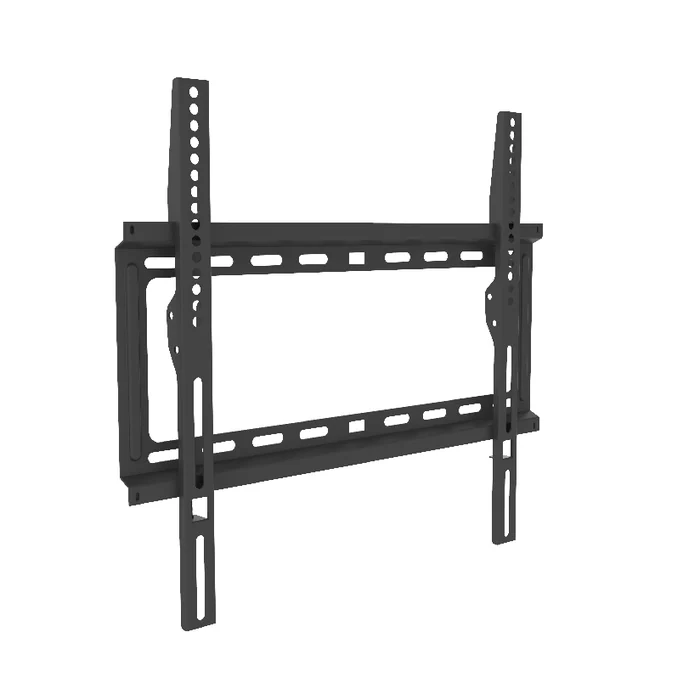
The TV Mount Forms That Give an Intended Direction a Name
A direction stops being generic once it carries a name that can be stated in the inquiry itself, before any reply supplies one. Named TV-mount forms are what a private-label range can point at for that purpose.
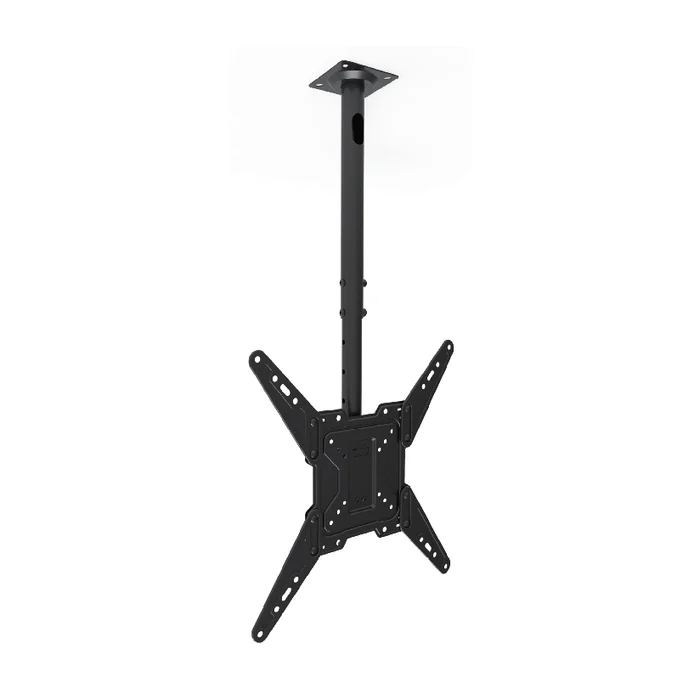
Fixed TV Wall Mount CF44 is a named fixed direction. Tilt TV Wall Mount CT44 is a named tilt direction. Full Motion TV Wall Mount 340EX is a named full-motion direction. Ceiling TV Mount CM-44 is a named ceiling direction.
Naming one of them turns a broad private-label intention into a specific product direction that can sit beside the brand brief. The commercial intention does not change. What changes is that the inquiry now carries a stated form, so a reply about CT44 and a reply about 340EX stop being two answers to the same open sentence.
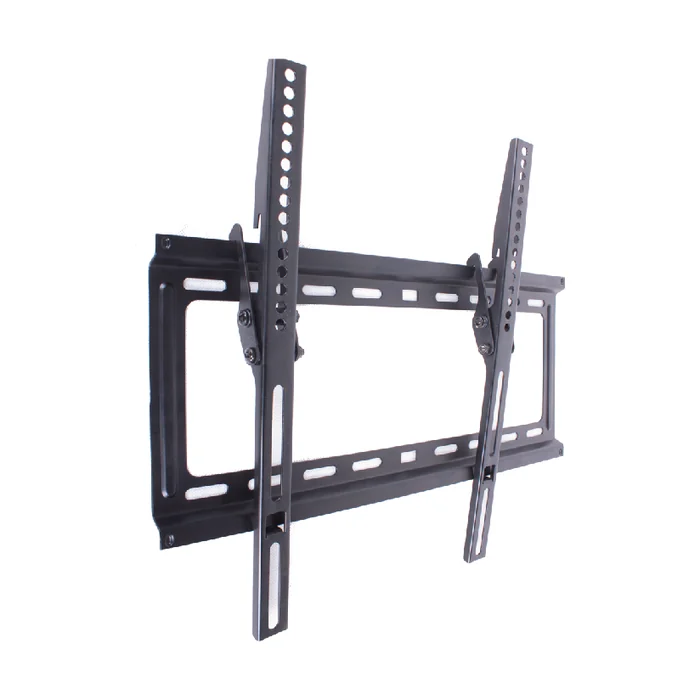
ThunderTech Pros as the Maker of Those Named Forms
ThunderTech Pros is the manufacturer of those named fixed, tilt, full-motion and ceiling mounts. For a private-label brand, naming one of them means the product discussion starts from a specific item and is held with the maker of that item.
A range conversation that opens on CF44 or CT44 has already named the form it concerns. One that opens on 340EX or CM-44 has done the same. In either case the form is stated on the brand side, and the brand’s own stated range position sits next to it, so the exchange is held around an actual named product direction rather than asking a product manufacturer to interpret a category.
How a Named Form and a Named Brief Change What Supplier Replies Can Be Read Against
With the form named and the range position stated, the replies that come back concern the same product direction. Differences between them are then differences between the manufacturers writing them, not differences between the products each reply had to assume.
That settles nothing about a quote and leaves the branded product open in detail. It settles the one thing the earlier comparison was missing: every reply in the set is a reply about one identifiable item, so what is being weighed before the quote stage is the replies themselves rather than a set of separate assumptions.
Questions Private-Label Brands Ask About OEM TV Mount Supplier Fit
What does supplier fit actually compare before a quote exists?
It compares replies read against one named product direction and the brand’s own stated range position. When both are specific, differences between replies are differences between manufacturers.
Why can replies to one wall-mount brief open on different product directions?
A wall-mount category leaves the intended form open, and a reply has to be framed around a specific form. Replies can therefore be framed around different product directions without any of them misreading the inquiry.
What does naming a TV-mount form change about the product conversation?
It gives the product discussion a stated direction that can be held beside the brand’s own brief, instead of leaving the form to be supplied after the inquiry is sent.
Where do CF44, DF44, CT44, DT44, 340EX and CM-44 sit in that conversation?
They are named ThunderTech Pros fixed, tilt, full-motion and ceiling TV-mount forms, so a range discussion can begin from one of them as a concrete product direction.