
A desk does not have to be crowded to feel complete. Many people assume a productive setup needs more accessories, more storage, and more visible gear. In practice, a minimalist desk setup often works better when it leaves only what you use and clears away what distracts you.
That is what gives a space the calm look of a clean desk and the ease of a more cable-free workspace. This article shares simple ideas for building a desk setup that feels cleaner, lighter, and easier to work at every day.
What Makes a Minimalist Desk Setup Work
A minimalist setup is not an empty desk. It is a desk where every item has a clear purpose and a clear place. The goal is not to remove everything. The goal is to reduce visual noise, limit clutter, and make the workspace easier to use.
That usually means choosing fewer desk items, cleaner lines, and support pieces that help organize the layout. ThunderTech’s monitor bracket and monitor riser categories fit naturally into this kind of setup because they are designed to support screen placement and desktop organization rather than add decorative clutter.
10 Minimalist Desk Setup Ideas
1. Start with a Desk That Feels Visually Light
A heavy desk can make the whole setup feel crowded before you add anything to it. A simple top, slim legs, and open space underneath usually create a calmer starting point.
Lighter colors can help, but shape matters more than color. A desk with cleaner lines usually feels more minimal than one with bulky drawers built into both sides.
2. Keep Only One Main Screen in Focus
A minimal desk does not always need multiple displays. For many people, one monitor or one laptop-and-monitor pairing creates a cleaner visual center and a simpler workflow.
If you do use two screens, it helps to make one the clear primary screen. That keeps the setup from feeling visually split.
3. Use a Monitor Arm to Free Up Surface Space
A monitor arm is one of the simplest ways to make a desk feel cleaner. It lifts the display, opens space below it, and reduces the visual weight of the setup.
For a lighter single-screen workspace, a model such as ThunderTech’s ALS-100 can work if your monitor matches its official limits: up to 32 inches, 100×100 VESA, and 17.6 lb / 8 kg per plate. ThunderTech’s broader monitor lineup also includes dual-, triple-, and quad-monitor options, which makes the category useful for more structured desk layouts as well.
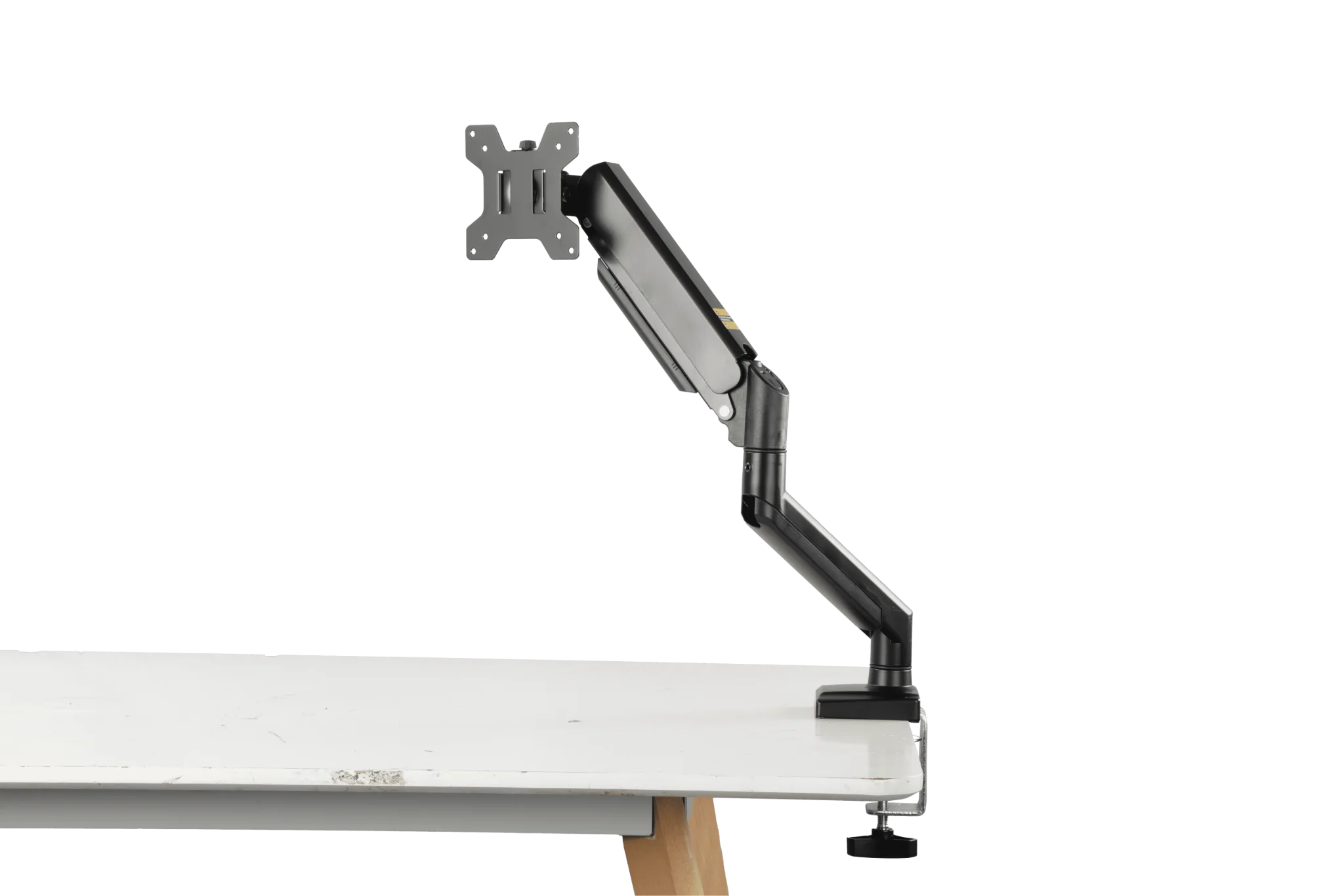
A single monitor arm can open up desk space and help create a cleaner, more minimalist workspace.
4. Build Around a Laptop-First Layout
A laptop-first setup can be one of the cleanest ways to work. One laptop, one stand, one charger, and one input device can be enough for a very functional desk.
If you only connect a monitor when needed, the workspace stays lighter for the rest of the day. That flexibility is part of what makes this layout appealing.
5. Hide Cables Before Adding Accessories
A desk rarely feels minimal if cables are still the first thing you notice. Before adding shelves, lamps, or organizers, deal with the wires first.
Use cable clips, an under-desk tray, or one controlled routing path behind the desk. Once the cables are out of sight, the entire setup usually looks more intentional.
Tip: If a cable crosses the desktop, it should have a clear reason. If it does not, reroute it or remove it.
6. Use a Desk Shelf for Vertical Order
A desk shelf can create structure without making the desktop feel full. It adds a second layer, which helps separate your monitor, keyboard, notebook, or small daily items.
The key is restraint. A shelf works best when it holds only the things you use often, not a collection of extra containers.
7. Choose Wireless Only Where It Actually Helps
Wireless accessories can reduce visible clutter, but they are not automatically the better choice. They still need charging, and too many charging points can create a different kind of mess.
Use wireless gear where it simplifies the setup in a real way. A wireless mouse or keyboard often makes sense. A desk full of charging pads and cables usually does not.
8. Limit Your Color Palette
A clean desk usually looks calmer when the colors are controlled. Black, white, gray, wood tones, and muted metal finishes are easy to combine without making the setup feel busy.
This does not mean everything has to match perfectly. It simply helps when the desk, display, accessories, and lighting are not all competing for attention.
9. Add One Personal Detail, Not Five
A minimalist workspace should still feel human. One framed print, one small plant, or one well-chosen desk lamp can make the setup feel complete.
The difference is scale. Minimal desks usually look stronger when the personal detail supports the space instead of dominating it.
10. Reset the Desk at the End of the Day
A minimal setup is easier to maintain than to rebuild. A short reset at the end of the day keeps paper, cables, and accessories from slowly taking over the surface.
Put the keyboard back in place. Return loose items to one tray or drawer. Clear the desktop so the space feels ready again the next morning.
Desk Items That Support a Clean, Cable-Free Workspace
Some products help because they remove clutter instead of adding to it. That is often the difference between useful desk gear and decorative desk gear.
A few of the most practical choices are:
- A monitor arm for lifting the display off the desk
- A laptop stand for creating a cleaner vertical layout
- An under-desk cable tray for hidden cable routing
- Cable clips for keeping wires on one controlled path
- A compact riser or shelf for separating work zones
If you want to improve the setup without redesigning everything, monitor support products are often the best place to start. ThunderTech’s monitor bracket lineup includes single-, dual-, triple-, and quad-monitor options, and its monitor riser category offers another way to organize the desktop with less visual clutter.
FAQ About Minimalist Desk Setups
What is a minimalist desk setup?
It is a desk setup built around only the items you actually use. The goal is to reduce clutter, simplify the layout, and make the workspace easier to use.
How do I make my desk look cleaner fast?
Start with the cables, then remove anything you do not use every day. Even one monitor arm or one cable tray can make a visible difference.
What should stay on a clean desk?
Usually just the essentials: your main screen, input devices, and one or two daily tools. Everything else should earn its place.