
The TV is already on the wall, or the bracket is bought and the wall position is decided. The soundbar is sitting on the cabinet below, and the obvious next step is to lift it up so the bar sits neatly under the screen. At that point the search usually becomes “soundbar TV mount for Samsung,” as if the brand name on both boxes were enough to settle the question. It is not. Compatibility lives in a specific TV model number, a specific soundbar model number, and the mounting interface each of them exposes, and those three things are decided by the products in front of you rather than by the logo. This article walks through how that pair is checked, what the three competing mounting routes actually cost you in flexibility, and where a TV mount manufacturer belongs in the decision.
The compatibility question starts with two model numbers
A brand is a purchasing category, not a mounting specification. Samsung ships soundbars across several form factors and generations, and the mounting points, body depth and rear cutouts differ between them. The same is true of the TVs. So the first move is to stop searching by brand and start searching by identifier.
The exact TV ID and the exact soundbar ID, written down together
Pull both full model strings from the rating labels or the setup menu, not from the marketing name on the retail page. Marketing names collapse several variants into one phrase, and the variants are exactly where mounting differences appear.
Once you have both strings, everything else in this decision becomes checkable. Without them, every answer you find online is someone else’s pairing, and the failure mode is expensive: a bracket that arrives, does not meet the bar’s mounting points, and has to go back.
Three different product categories hide behind one search phrase
The phrase “soundbar TV mount” returns at least three product types that behave very differently once installed.
- A model-pair accessory published by the TV or soundbar maker. When one exists for your exact pair, it is the shortest path, because the maker has already defined which bar attaches to which screen and how. Its documentation is the only place that pairing is authoritative.
- An independent wall bracket for the bar itself. The bar hangs on the wall on its own fixings, with no mechanical relationship to the TV mount at all. Independent makers such as Sanus, Vogel’s and Mounting Dream publish their own supported-model lists, and that list, not the brand match, is what you check.
- A VESA-attached accessory that hangs the bar from the TV mounting holes. This shares the TV’s VESA pattern, which means it competes with the TV bracket for the same holes and the same load path.
Choosing between these three is the real decision. Everything after it is measurement.
Measure the interface before choosing a mounting route
Each route imposes different information requirements. The trigger for measuring is simple: if you cannot state, in writing, what the bar attaches to and what the screen attaches to, you are not ready to buy.
What the TV back and the soundbar body each define
On the TV side, the relevant facts are the VESA hole pattern, the screen size, the panel weight and the shape of the rear housing where the bracket sits. On the soundbar side, the relevant facts are whether the body has keyhole slots, threaded inserts or a proprietary clip, and what the bar weighs. Whether a given bar can be hung at all, and by which bracket, has to be confirmed against the instructions for that exact soundbar and that exact mount.
These figures come from the current official product and manual pages for those specific models. Where the official documentation does not state a figure, the correct action is to ask the supplier rather than to infer it from a similar model.
Clearance, ports and the cable path at the bottom of the screen
If the gap between the bottom edge of the screen and the top edge of the bar is not checked, the bar can end up fouling the screen, its connectors or its cables. The bar has to clear the TV’s lower bezel, its downward-facing connectors and the cable that runs into it. How that cable can be routed, and how much clearance it needs behind and below the bar, has to be checked against the relevant product instructions and against the actual installation.
Sensor windows and remote receivers are a separate matter, and one that only the official manual for your models can answer. A mount specification tells you nothing about where a sensor sits or how it behaves once something is placed in front of it, so treat that as a documentation question rather than a mounting question.
Choose the product form that matches the movement requirement
If a soundbar is hung below a full-motion TV mount, it is easy to assume it will travel with the screen. Whether it does depends entirely on how the soundbar accessory is designed and what it is fixed to. Get this wrong and you discover it the first time the TV is swung out.
The wall-fixed route
Here the bar is fixed to the wall independently and the TV moves on its own bracket. The advantage is separation: the two products impose no load or geometry constraints on each other, and either can be replaced without touching the other. The cost is that the alignment you set is fixed. If the TV articulates, the visual relationship between screen and bar changes every time it moves, and the two are no longer a single unit.
The TV-attached route
Here the bar is carried by the TV assembly, usually through the VESA holes or a maker-defined interface. The advantage is that the bar stays aligned with the screen through whatever motion the mount provides. The costs are more demanding: the accessory now shares the TV bracket’s interface, its added weight and leverage become part of that assembly, and the accessory maker has to state explicitly that its design supports being combined with an articulating mount. If that statement does not exist in the accessory documentation, this route is unresolved, not merely unproven.
The honest summary is that neither route is inherently better. One buys independence, the other buys alignment, and the decision follows from whether the screen is going to move.
Where a TV mount manufacturer becomes relevant
The soundbar question and the TV question separate cleanly once the route is chosen. The soundbar side belongs to whoever documents the pairing for your specific bar. The TV side is a mounting geometry problem, and that is where a mount manufacturer has something concrete to contribute.
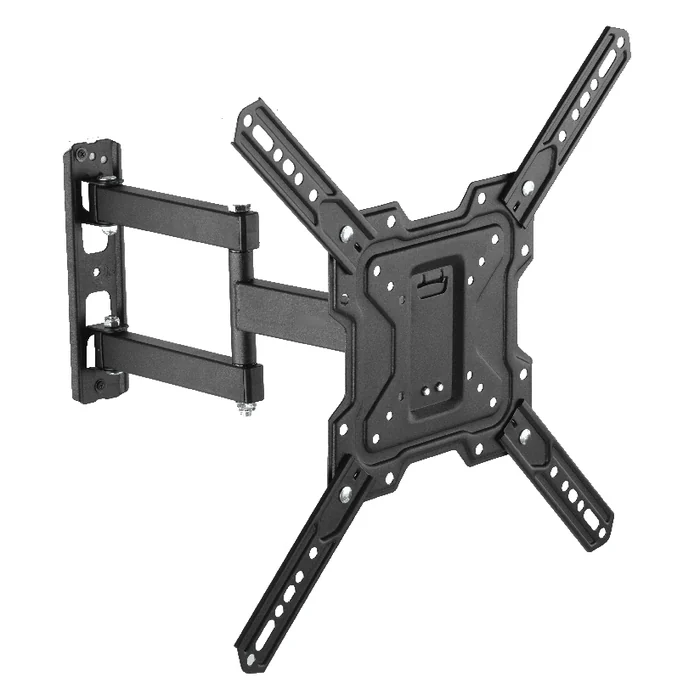
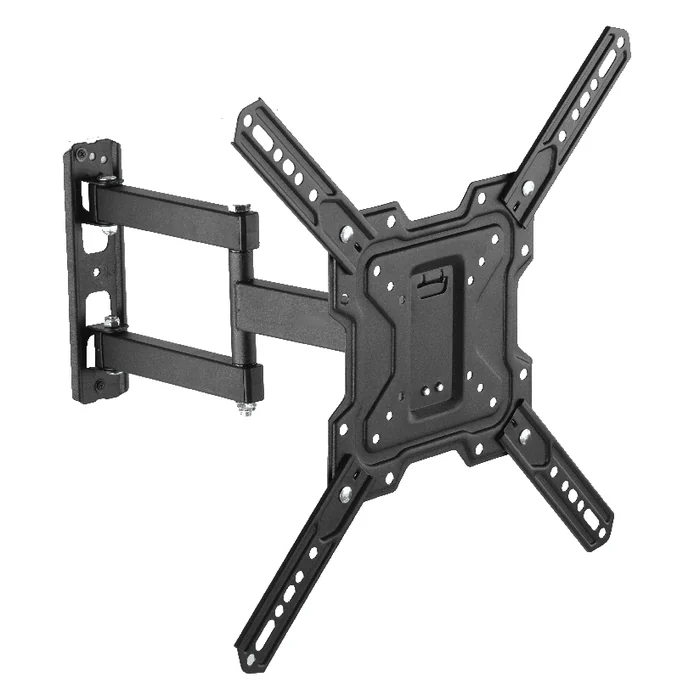
As one example of the product form, ThunderTech’s full motion TV wall mount 340EX is a steel full-motion mount for screens from 23 to 55 in, with a maximum VESA pattern of 400 x 400, a rated load of 77 lb / 35 kg, and a profile range of 73 to 414 mm from the wall. Those figures are the ones that matter to this decision in a specific way. The screen size and VESA range define whether your TV fits the bracket at all; the profile range describes how far the assembly extends and retracts, which is the movement your soundbar accessory would have to be designed to tolerate if you take the TV-attached route.
What a mount specification cannot do is answer the soundbar half. ThunderTech manufactures TV mounting product forms and OEM programmes for that category. It does not make Samsung soundbar accessories, does not supply soundbar brackets, and is not in a position to certify a pairing that only the accessory maker’s documentation can define. Treat the mount specification as one verified input into a decision that also needs the accessory maker’s input. The wider TV mount and AV mounting range and the manufacturer background give the context for what that product form covers.
Handoff checklist before buying or installing
Before money moves, put these questions to the parties who can actually answer them.
- To the accessory supplier: is my exact soundbar model on your supported list, what does the bar attach to, and does your documentation cover use together with an articulating TV mount?
- To the TV documentation: what is the VESA pattern, what is the panel weight, and where do the downward-facing connectors and sensor windows sit?
- To the soundbar documentation: what mounting provision does the body have, what does it weigh, and what does the manual say about wall placement?
- To the mount supplier: what are the screen size range, VESA range, rated load and profile range, and what interface does the bracket occupy on the TV back?
If any of these four comes back as “probably,” the pairing is not confirmed. A brand match in the search box is the weakest evidence in this entire process, and it is the one most people rely on.
Samsung soundbar and TV mount questions readers ask
Does a Samsung soundbar automatically fit under a Samsung TV?
No. Fit is determined by the specific soundbar model’s mounting provision and the specific TV’s rear geometry, not by the shared brand. The only authoritative source is the current official product or manual page for both exact model numbers. If that documentation does not describe the pairing, treat it as unconfirmed.
Will the soundbar move with the TV on a full-motion mount?
Only if the soundbar accessory is designed and documented to be carried by the moving part of the TV assembly. An independently wall-fixed bar stays put while the screen articulates. A TV mount specification such as a profile range describes how far the screen travels, but it does not tell you whether an accessory is rated to travel with it. That answer has to come from the accessory maker.
What does ThunderTech actually supply in this scenario?
ThunderTech manufactures TV mounting product forms, including full-motion wall mounts such as the 340EX, which covers 23 to 55 in screens, VESA patterns up to 400 x 400, a 77 lb / 35 kg load rating and a 73 to 414 mm profile range. That covers the TV half of the installation only. Soundbar brackets and model-pair soundbar accessories are outside what ThunderTech makes, so the soundbar side stays with the accessory supplier and its documentation.