
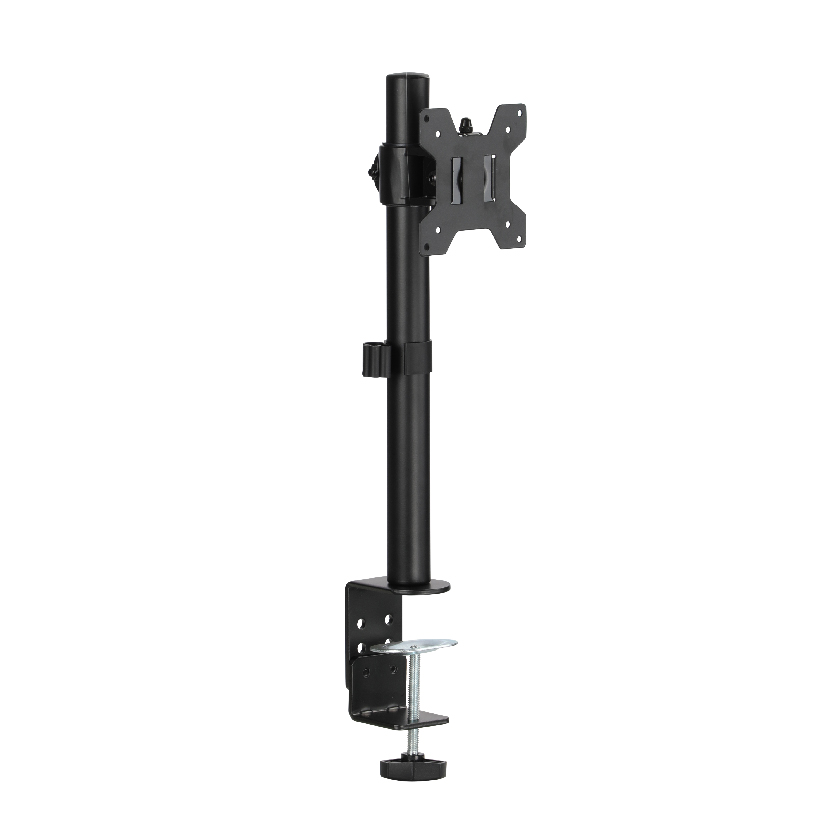
Your monitor came with a plastic base that tilts back a little and does nothing else, so the screen sits too low, you crane your neck, and the desk underneath is half buried by the foot. The fix is a proper desk stand for computer monitor, a support that lifts the screen to eye level and gives back the surface space the factory base ate up. The trouble is that the category covers four very different products, from a heavy pedestal to a clamp-on arm, and a stand that suits a 24 inch panel on a thin desk can be wrong for a 32 inch screen on a glass top. This guide sorts the types, shows how to match one to your screen and desk, and keeps the trade-offs honest.
Why this choice is less obvious than it looks
A computer monitor desk stand has to clear three checks at the same time, and missing any one of them turns into a wobbly screen or a returned box. It has to carry the weight of your panel without sagging, which rules out light stands for big displays. It has to attach to your desk in a way the desk can actually take, since a clamp needs a flat lip and a grommet mount needs a hole. And it has to give you the height and reach you sit for, because a stand that lifts two inches does not solve a neck that wants the screen six inches higher.
Most monitors use a VESA hole pattern on the back, usually 75x75mm or 100x100mm, and almost every aftermarket stand bolts to that pattern. If your monitor has no VESA holes, you either need a VESA adapter plate or a riser shelf that the existing base sits on. Checking the back of the screen before you shop saves the most common return.
The four types of desktop monitor support
Nearly every monitor stand for desk falls into one of four buckets. Naming the one you need cuts the search down quickly.
- Freestanding pedestal stand. A weighted base sits on the desk and a post holds the screen, no clamping or drilling required. This single monitor desk stand style is the simplest to set up and the easiest to move, and it suits renters and glass desks that cannot be clamped.
- Clamp-on stand. A bracket grips the rear edge of the desk and a short post or arm rises from it. A clamp-on desktop monitor stand frees up the whole desktop surface and holds firmly, as long as your desk has a flat back edge it can bite.
- Gas-spring arm. A spring-loaded arm clamps to the desk and lets the screen float to any height, angle, or depth with one hand. An adjustable desk stand for monitor of this type is the most flexible, good for people who switch between sitting and standing or share a desk.
- Simple riser shelf. A small platform that the factory base sits on top of, raising the screen a few inches and often adding storage underneath. It needs no VESA holes and no install, but it offers the least adjustment.
If you want the screen to move with you through the day, the gas-spring arm is the answer. If you just want a clean, stable lift and never plan to readjust, a pedestal or riser is cheaper and simpler.
How to match a stand to your screen and desk
This is the step people skip, and it is the one that prevents a wobble or a return. Before ordering any desk stand for computer monitor, work through the list in order.
- Weigh and measure your monitor. Note the screen size in inches and the weight in pounds or kilograms. Most stands list a supported range, and a 27 inch panel can run 8 to 18 lbs depending on the model, so check the rating with margin.
- Find the VESA pattern. Look on the back for four screws in a square, usually 75x75mm or 100x100mm. No holes means you need an adapter or a riser shelf instead.
- Inspect your desk. Measure the thickness of the desktop and the depth of the rear lip. Clamp and gas-spring mounts list a maximum desk thickness, commonly up to around 60 to 90mm.
- Decide how the stand attaches. A clamp needs a free rear edge, a grommet mount needs a hole you can drill or one already there, and a pedestal needs only flat space. Match the method to what your desk allows.
- Set your height and reach target. Sit down, look straight ahead, and note where the top of the screen should land. That tells you whether a fixed riser is enough or you need a height-adjustable arm.
Do all five and the install goes smoothly. Skip step one or two and you are gambling on fit.
How the four types compare on the things that decide it
Choosing a monitor stand for desk comes down to a handful of measurable factors. The table below lines up the common options on what actually drives the decision. The price column is a rough US street range, and the adjustment column matters most if you change posture during the day.
| Stand type | Typical price | Height adjustable | Frees desk surface | Needs desk edge or hole | Install difficulty |
|---|---|---|---|---|---|
| Freestanding pedestal | $25 to $60 | Limited | No (base on desk) | No | Low |
| Clamp-on stand | $30 to $70 | Some | Yes | Yes (rear edge) | Low to medium |
| Gas-spring arm | $50 to $130 | Full | Yes | Yes (edge or grommet) | Medium |
| Riser shelf | $15 to $45 | Fixed | Partly | No | Very low |
The pattern is clear. When you compare them this way, the right desk stand for computer monitor is the one that matches your posture and budget rather than the highest-priced option. If flexibility is the goal, the gas-spring arm covers the widest range of heights and angles for the most money. If you want clear desk space without spending much, a clamp-on stand is the value middle ground. A riser shelf is the cheapest path when you only need a small lift and have no VESA holes.
Will one stand work for any monitor and any desk?
Mostly on the monitor side, partly on the desk side. A stand that bolts to a standard VESA pattern fits the large majority of panels from 13 to 32 inches, which is where “universal” earns its name. The desk is the part to verify. A clamp or gas-spring mount lists a maximum desk thickness and needs either a flat rear edge or a grommet hole, so a thick butcher-block top or a desk pushed flush against a wall can rule out a clamp before the monitor ever matters. The honest answer is that the right stand removes most of the screen guesswork but never replaces a quick measurement of your desk.
Where ThunderTech Pros fits in the monitor stand picture
ThunderTech Pros manufactures its mounting hardware in its own ISO 9001:2015 certified factories, with 17 years of production experience across TV mounts, monitor arms, and AV mounting solutions. That matters for a desk setup because a loaded arm holds tension for years, and consistency in steel quality and gas-cylinder tolerance is what keeps a screen from drifting downward over time.
For a homeowner who wants a single screen to float to any height, the ThunderTech Pros QTH-1CW gas-spring arm fits a wide range. It supports 13 to 32 inch monitors and 5 to 20 kg, and it mounts either by desk clamp or through a grommet hole, so it adapts to most desks without a second purchase. Someone running two screens can step up to the DA-2 dual arm, while the Single arm and stand lines cover the basic single monitor desk stand need. The brand also carries TÜV and UL certification and supplies through Walmart, Costco, Amazon, and Lowe’s, so the hardware clears retail safety review rather than competing on price alone. You can browse the current monitor arm and stand lineup on the ThunderTech Pros product range before you match a stand to your screen.
To be fair, ThunderTech Pros is one option among several. Ergotron sets the gas-spring benchmark with its LX line and well-regarded build quality at a higher price, Sanus offers wide retail availability and a deep catalog, Mounting Dream is a strong value pick on Amazon, and VideoSecu covers the budget end. The right call depends on your monitor weight, your desk type, and how much daily adjustment you want.
Matching a stand to your room and gear
A few common situations make the choice easy.
- Renter or glass desk: a freestanding pedestal stand needs no clamping or drilling and moves with you.
- Small office desk, want the surface back: a clamp-on desktop monitor stand grips the rear edge and clears the desktop.
- You switch between sitting and standing: an adjustable desk stand for monitor with a gas-spring arm floats the screen to any posture.
- No VESA holes on the monitor: use a riser shelf under the factory base, or add a VESA adapter plate.
- Thick or wall-flush desk: confirm the clamp range fits your desktop thickness, or pick a pedestal that needs no edge at all.
The deciding factor is almost always whether you want the screen to move. If you do, prioritize a gas-spring arm. If you do not, a pedestal or riser keeps things simple and inexpensive.
Measure your desk first, then pick the lift
Start with the desk, because it sets the rules for everything above it. Once you know the desktop thickness, the rear edge, and whether you have a grommet hole, the stand choice falls into place: a pedestal for a top you cannot clamp, a clamp-on for a clean edge, a gas-spring arm when you want full motion. Confirm the monitor weight and the VESA pattern, match the attachment method to your desk, and a desk stand for computer monitor turns a cramped, neck-craning setup into a tidy one. Check the ratings before you order, and the install becomes a fifteen-minute job instead of a return trip.