
A commercial display often has nowhere sensible to go on a wall. In a service counter area, an open retail floor or a waiting hall, the wall behind the screen may be glass, a circulation route, or simply too far from where people actually look. That is usually the moment a ceiling TV mount enters the conversation, and it is also the moment product comparison tends to start too early. The mount is the last decision in the sequence, not the first, because the display position, the ceiling above it and the screen itself all constrain what can be specified. Fixing those inputs in writing first turns a vague requirement into figures a supplier can respond to. This article works through the position check, the display and mounting interface, the ceiling-mount form worth comparing, and the information an enquiry should carry.
Start with the display position, not the mount catalogue
The first question is not which ceiling mount to buy. It is whether the screen belongs overhead at that point in the layout at all, and what that position demands of the hardware. Two things decide it: what the screen has to do for the people below it, and what the ceiling above it actually is.
Viewing purpose, sightline and service access
A screen showing a queue number, a menu board or wayfinding is read in a glance from a distance. A screen showing detail, pricing tables or product content is read close up and for longer. That difference sets the viewing distance and the screen centre height, and the screen centre height is what sets the drop length you will later ask a mount to provide. Choose the mount before the height and the drop becomes a guess.
Sightlines then narrow the position further. Work out whether the audience is seated or standing, whether they approach the screen head on or read it from an angle as they pass, and whether anyone walks directly underneath. Where people pass under the screen, the clear headroom required by your own layout drawing becomes a hard ceiling on how far the display can drop, and it often rules out a long fixed column in favour of a shorter one.
Service access is the point most often left until it is expensive to fix. Ask who will reach the display to power cycle it, change a source device or re-dress a cable, and how. A screen hung above a counter, over a stair void or above fixed seating may be visually ideal and practically unreachable without equipment being brought in. If access is awkward, that is an argument for a mount whose stated orientation and adjustment range let the screen be turned or angled for access rather than dismantled.
What resolves all three is a drawing, not a discussion: a layout or ceiling plan marking the intended mounting point, the screen centre height, the viewing zone, the required headroom below the screen, and the route by which the display will be reached afterwards.
Ceiling construction and responsibility for site verification
A ceiling TV mount is only as defined as the surface it fixes to. A solid concrete soffit, a suspended tile grid with a void above it, exposed steel or timber joists, and a sloped or vaulted ceiling are four different problems. They differ in where a fixing can legitimately land, how deep the void above the finished ceiling is, whether the drop has to pass through a ceiling plane and be trimmed at that point, and whether a sloped surface means the mount has to accept an angled fixing while keeping the screen level.
The cost consequence of leaving this open is simple. If the ceiling build-up is unknown when the mount is chosen, the ceiling plate dimensions, the fixing hole layout and the required drop length are all provisional, and the specification has to be redone once the ceiling is opened up or surveyed.
Responsibility here needs stating plainly. Whether a given ceiling structure can carry a suspended display assembly is a question for a qualified structural or building professional engaged on the project, judged against the building’s own as-built and structural documentation. ThunderTech publishes product specifications for its mounts. It does not assess site conditions, and a published product specification is never a substitute for that project-side verification. Treat the two as separate documents that both have to exist.
Define the display and mounting interface
Once the position is agreed, the screen stops being a category and has to become a specific object with numbers attached. This is the stage that decides whether a shortlist of mounts is real or notional.
Exact display model, interface, dimensions and documentation
A 55 inch screen is not a specification. What a mount decision needs from the display side is:
- Manufacturer and exact model number. Panel weight and rear geometry vary between models and between revisions of the same size.
- Weight as stated by the display manufacturer. Take it from that manufacturer’s own datasheet, panel only or with stand noted separately, rather than from a retail listing.
- The VESA hole pattern the display states. Some displays state more than one usable pattern, and some place it off centre relative to the panel.
- Overall dimensions and panel depth. Height, width and depth including any rear housing that stands proud of the flat area.
- Rear obstructions and connector positions. Where the power inlet, the signal inputs and any recess for a media device sit, and which direction the connectors face.
The reason to gather all of it before comparing mounts is that a mounting interface can match on paper and still fail in the hand. A bracket that meets the stated pattern but sits over a contoured rear cover, or an adapter that lands across a downward facing connector bank, produces a screen that cannot be cabled tidily or sits away from the drop it was meant to hang from. The document that settles this is the display manufacturer’s mechanical drawing, and it is worth obtaining before, not after, a shortlist is drawn up.
What the individual mount specification must confirm
The second half of the interface sits on the mount side, and it has to be read from the individual model’s own published specification rather than from a range page or a product photograph. For each candidate model, confirm what that model states for:
- Screen size range and maximum screen weight. Both are stated per model, and the weight figure is the one that removes options fastest.
- Supported VESA patterns. Read them against the pattern the display states, including any off-centre case.
- Drop length or adjustable column range. Compare against the screen centre height already fixed on the drawing, not against a rough idea of ceiling height.
- Stated orientation and adjustment. Tilt, swivel and rotation where the model states them, since these are what serve the sightline and the later access route.
- Ceiling plate size, fixing hole layout and cable provision. These are what the ceiling side of the project has to accommodate.
A mismatch in any one of these ends the option regardless of how well the form suits the space, which is why the individual specification sheet is the working document at this stage. Where a figure matters to your decision, ask the supplier to confirm it in writing for the specific model and the specific display, and keep that confirmation with the drawing.
Choose the ceiling-mount form around adjustment and operating use
With the position drawn and the display defined, the shortlist can finally be narrowed by form. The useful question at this stage is not which mount looks the most capable, but how the screen has to sit and how often anyone will need to change that. Two inputs do most of the filtering: how far the screen has to come down, and how much movement the daily use of the screen actually calls for.
Drop length, orientation and adjustment need as product-comparison inputs
Drop length is the first filter because it is arithmetic rather than preference. Take the finished ceiling height at the marked point, subtract the screen centre height already fixed on the drawing, and account for half the panel height and the depth of the mounting interface. That gives the column length the mount has to deliver. A model with a fixed column either matches that figure or it does not, while a model with an adjustable or extendable column has to state a range that contains it with margin at both ends rather than at its extreme.
Orientation is the second filter. A screen read from one approach only can sit square to that approach and stay there, which favours a simpler form with less to loosen over time. A screen read from more than one direction, or one that has to be angled down towards a seated or close-standing audience, needs a model that states tilt, swivel or rotation explicitly. Landscape and portrait use is part of the same question, because a mount that states portrait orientation and one that does not are different products even within the same range.
Adjustment need is the third filter, and it is where buyers most often over-specify. Work through it in operating terms:
- Set once and leave. Fixed content, one approach direction, no expected change of source device. A fixed drop with a set position is usually the cleaner answer.
- Set at handover, adjust rarely. The angle is tuned when the space is commissioned and then left. Stated tilt with a lockable setting covers this.
- Adjust as part of use or service. The screen is turned to be read from a second position, or angled and rotated so someone can reach the connectors. Here the stated swivel and rotation range is doing real work and is worth paying for.
The evidence that resolves the choice is the model’s own published specification read against your drawing. Where the model is offered in more than one column length or with an adjustable column, the figure you are comparing is the stated range for that specific variant, not the range published for the range as a whole.
Why form does not establish project compatibility
Narrowing by form tells you which products are worth quoting. It does not tell you that a product suits your project, and the distinction matters because it is the point at which a shortlist quietly turns into an assumption.
A published product specification describes the product. It states what that model is built to accept in terms of screen size range, weight, VESA pattern, column length and stated adjustment. It does not describe your ceiling, your display, your headroom or the way the space is used, and none of those can be inferred from a form factor or a product photograph. A mount that appears well matched to a layout can still be wrong once the actual panel weight, the actual hole pattern or the actual ceiling build-up is put beside it.
Two separate confirmations therefore have to exist before a form choice is treated as settled. The project side needs the structural and building assessment described earlier, carried out by a qualified professional against the building’s own documentation. The product side needs the individual model’s published figures confirmed in writing for your specific display and your specific drop. ThunderTech publishes product specifications for its mounts and can confirm what a given published model states. Judgements about a particular site, ceiling or installed outcome sit with the professionals engaged on that project.
Convert the site check into a comparable enquiry
Everything gathered so far only becomes useful if it reaches a supplier in a form that can be answered directly. An enquiry that says a commercial space needs ceiling-mounted screens invites a catalogue. An enquiry carrying the position, the display and the operating use invites a specific model reference and a specific set of figures, which is what makes two responses comparable to each other.
Display, ceiling and operational information to provide
Send the following as written inputs rather than as a description:
- The drawing. A layout or ceiling plan marking the mounting point, the screen centre height, the finished ceiling height at that point, the viewing zone and the required clear headroom below the screen.
- The display. Manufacturer, exact model number, manufacturer-stated weight, stated VESA pattern, overall dimensions and panel depth, plus the mechanical drawing where you have it.
- The ceiling as currently understood. Construction type at the marked point, whether a void exists above the finished surface and its depth, whether the ceiling is level or sloped, and what remains to be surveyed. State the unknowns rather than omitting them.
- The operating use. Orientation required, whether the screen is set once or adjusted in use, who reaches it afterwards and by what route, and how cables are to be run and concealed.
- Quantity and repetition. How many mounting points share the same display and the same drop, and how many differ. Repeated identical points and one-off positions are different comparison exercises.
Then ask for a response in the same shape: a named model, that model’s published screen size range, maximum screen weight, supported VESA patterns, column length or adjustment range, stated orientation and adjustment, and ceiling plate and fixing hole dimensions, each confirmed in writing against the display you named. Where something cannot be confirmed from published product data, ask that it be marked as such rather than estimated. A response with a gap you can see is more useful than one that reads as complete.
ThunderTech ceiling TV-mount forms to discuss after the criteria are clear
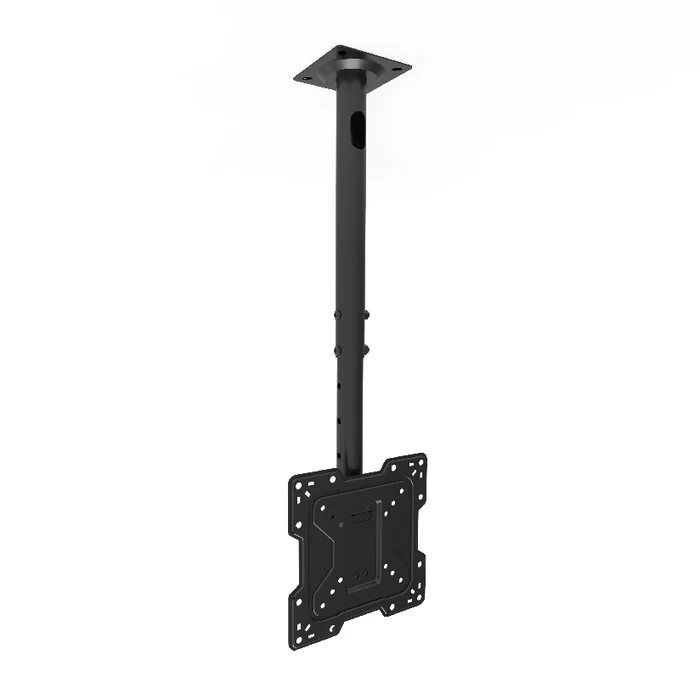
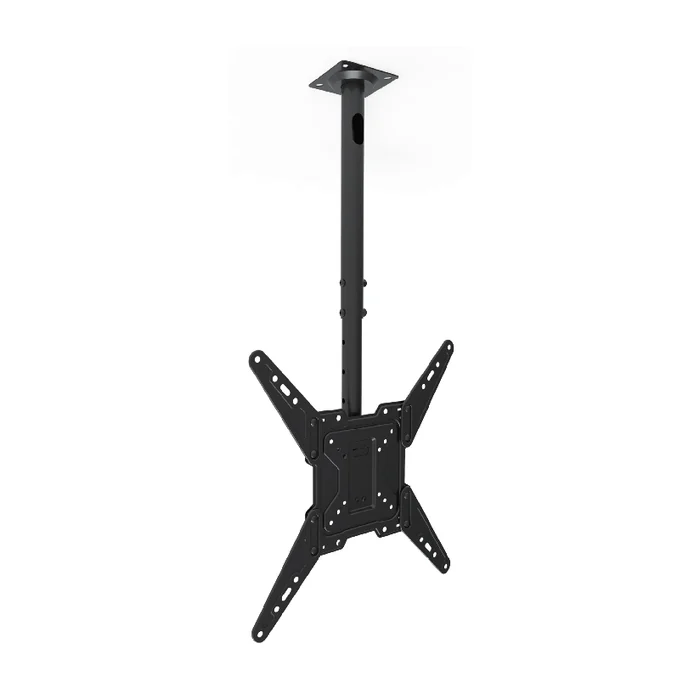
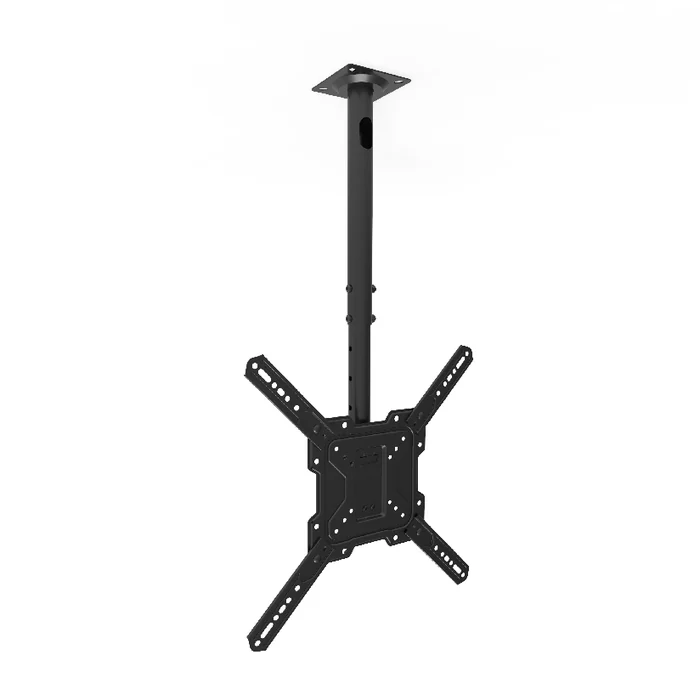
Once the position, the display and the adjustment need are written down, a product conversation becomes short. ThunderTech is a manufacturer of AV mounting hardware, and its published product range includes ceiling TV mounts alongside wall mounts, monitor arms and stands. Within that published range, CM-22, CM-44 and CM-44X are the ceiling TV mount forms listed for discussion.
Treat them as starting points for a specification conversation rather than as answers. What can be discussed is what each published model states: the screen size range and maximum screen weight, the VESA patterns it supports, the column length or adjustment range published for the variant in question, the orientation and adjustment it states, and the ceiling plate and fixing hole dimensions. Where a figure decides your choice, ask for it in writing against your named display and your measured drop.
What sits outside that scope should be equally clear. Whether a specific ceiling can carry a suspended display assembly, how a given position should be executed on site, and what a finished installation will perform like are project-side questions for the qualified professionals and contractors engaged on the work, assessed against the building’s own documentation. ThunderTech can confirm what a published model specifies. Background on the company is available on the about page, and the sensible sequence is to bring the drawing and the display data first, then ask which published form the figures point to.
What a defensible ceiling-mount decision rests on
A ceiling TV mount is chosen well when it is the last variable left, not the first one fixed. The position on the drawing sets the screen centre height and the headroom below it. The named display sets the weight, the hole pattern and the rear geometry. The ceiling construction sets what the fixing side has to accommodate and what still needs a qualified professional to assess. Only then does drop length, orientation and adjustment narrow a shortlist to models whose published figures you can actually check.
The practical test is whether the decision can be reconstructed from documents rather than recollection: a marked plan, a display datasheet and mechanical drawing, a note of what the ceiling is and what is still unknown, and a written confirmation of the individual model’s published figures against that display. Where those four exist, a ceiling-mount comparison is a matter of reading. Where any one is missing, the choice is provisional no matter how well the form suits the space.
Ceiling TV-mount questions commercial teams should resolve before selection
How do I decide whether a ceiling TV mount is the right choice for a commercial display layout?
Start with the position rather than the product. Decide what the screen has to do for the people below it, how far away and from which approach it is read, and whether anyone passes underneath. If that position sits away from a usable wall and the required screen centre height can be stated on a drawing, a ceiling mount is worth comparing. Whether the ceiling above that point can carry a suspended display assembly is a separate question for a qualified structural or building professional engaged on the project.
What has to be measured before comparing ceiling-mount drop lengths?
Four figures: the finished ceiling height at the marked point, the screen centre height already fixed on the drawing, half the panel height, and the depth of the mounting interface. Subtracting the screen centre height from the finished ceiling height and allowing for the last two gives the column length the mount has to deliver. Record the clear headroom your own layout drawing requires below the screen as well, since that caps how far the display can come down. A fixed column either matches that figure or it does not, while an adjustable column has to state a range that contains it with margin at both ends.
Which display information does a ceiling-mount specification actually depend on?
Manufacturer and exact model number, the weight the display manufacturer states, the VESA hole pattern the display states, overall dimensions and panel depth, and the position of the rear connectors and any recess for a media device. Take the weight from the display manufacturer’s own datasheet rather than a retail listing, and note whether it is panel only. The document that settles the rear geometry is the display manufacturer’s mechanical drawing, which is worth obtaining before a shortlist is drawn up. A screen size on its own is not a specification.
Does a suspended tile ceiling change what the mount has to state?
Yes, because a ceiling mount is only as defined as the surface it fixes to. With a tile grid you need the depth of the void above the finished surface, whether the drop passes through the ceiling plane and is trimmed at that point, and where a fixing can legitimately land. Those inputs change the ceiling plate dimensions, the fixing hole layout and the required drop length. Until the ceiling build-up is known, that part of the specification stays provisional.
When is an adjustable ceiling mount worth choosing over a fixed drop?
Decide it in operating terms rather than by counting features. Where the content is fixed, the screen is read from one approach and no change is expected, a fixed drop set once is usually the cleaner answer. Where the angle is tuned when the space is commissioned and then left, stated tilt with a lockable setting covers it. Stated swivel and rotation earn their cost when the screen is turned to be read from a second position, or moved so someone can reach the connectors.
What should a ceiling TV-mount enquiry to ThunderTech contain?
Send the marked layout or ceiling plan, the named display with its manufacturer-stated figures, the ceiling as currently understood including what is still unknown, the operating use, and how many mounting points repeat. Ask for a reply naming a specific published model with that model’s stated screen size range, maximum screen weight, supported VESA patterns, column length or adjustment range, stated orientation and adjustment, and ceiling plate and fixing hole dimensions. Within the published ThunderTech range, CM-22, CM-44 and CM-44X are the ceiling TV mount forms to discuss on that basis. Where a figure cannot be confirmed from published product data, ask for it to be marked as such rather than estimated.