
The wall above a fireplace often looks like the obvious place for a television. It is central, it is already where the room points, and it is usually the one surface with nothing else competing for it. What that space does not come with is any confirmation that a display belongs there, and no mount category can supply that confirmation on its behalf. The useful order of work runs opposite to how the question is normally asked: assess the location first, document the display and the wall second, and only then treat fixed, tilt or full-motion as a real choice. This article sets out the checks that decide the answer, which document or which person settles each one, and what to have in hand before comparing mounts or asking anyone for a recommendation.
Start with whether the fireplace wall is a viable display location
Search results for this topic usually open with product lists, which quietly assumes the location has already been settled. It has not. Above a fireplace is a proposed location with several open questions attached, and each of those questions is answered by something other than a mount specification.
Treat this stage as a screening step. If the location survives it, the rest of the process is ordinary mount selection. If it does not, no amount of adjustment range in the mount changes the underlying condition, and the honest outcome may be a different wall or a different display height.
Intended viewing height and sightline
A fireplace sets the lowest point at which a display can sit, because the mantel, the firebox surround and any hearth projection all occupy the wall below it. That constraint is geometric rather than optional, and it decides the viewing angle before any product does.
The check itself is simple to run and worth running before anything is bought.
- Sit where the room is actually used. Not standing, not from the doorway. Eye height from the seated position is the reference the whole decision turns on.
- Mark the lowest position the display could physically occupy. This is set by the mantel, the surround and the mount’s own vertical position on the wall, so it is a measurement of the fireplace, not an assumption.
- Compare the two. The difference between seated eye height and the screen centre at that lowest position is the upward viewing angle you would be accepting for the life of the installation.
- Check the whole seating plan. A single armchair and a three-seat sofa with side positions are different problems, because off-axis seats add horizontal angle on top of the vertical.
Two consequences follow. Where the resulting angle is comfortable for the way that room is used, the location is worth pursuing and the mount form becomes a question of how much correction is needed. Where it is not, the choice is between accepting the angle, relocating the display, or using a form that changes screen position rather than one that only fixes it in place. Cardboard cut to the screen size and taped at the candidate position resolves this faster than any specification comparison, because it makes the sightline visible from the seat rather than theoretical.
TV manufacturer guidance, heat exposure and local assessment
The second question is about the environment the display would be operating in, and it is not one a mount manufacturer is in a position to answer for a specific room. Fireplaces vary by type, by fuel, by flue arrangement, by surround construction and by how they are used through the year. A wood-burning firebox, a sealed gas appliance and a decorative electric unit present different conditions in the same nominal position.
What matters here is knowing which sources hold authority over the answer.
- The television’s own manual and manufacturer documentation. Display manufacturers publish operating environment information and mounting guidance for their products. That documentation, for the exact model, is the authority on how and where that display is intended to be installed.
- The fireplace or appliance documentation. The appliance manufacturer’s installation and clearance information describes that unit, including anything it specifies about the wall and space above it.
- A qualified local assessment. How a particular fireplace behaves in a particular room, and what local building requirements apply to it, is a site question. It belongs with a qualified installer or trade who can see the installation, not with a product page.
This is the point at which a lot of buying guides overreach by publishing a general figure for how far above a fireplace a television should sit. Treat any such figure with caution unless it comes from the documentation for the actual display and the actual appliance. We make mounting hardware, and we will state plainly that we cannot certify a thermal condition, a clearance or an installation environment for a room we have not seen. Anyone who does so from a catalogue is describing a product, not your fireplace.
Confirm the display and the wall before selecting a mount type
Once the location is worth pursuing, the next stage produces the information that any mount decision depends on. Both items here are documentation exercises, and both are commonly skipped, which is why so many above-fireplace projects stall at the point of installation rather than at the point of purchase.
The display’s mounting interface and the mount’s own specification
A television attaches to a mount through a defined interface on its back panel, usually a VESA hole pattern, and through hardware that has to suit both the pattern and the panel construction. Whether a given display and a given mount go together is decided by two documents read side by side.
- From the display side. The model’s manual and specification state its mounting hole pattern, its weight, its dimensions and any manufacturer note about screw length, recessed mounting areas, curved or unusually thin panel construction, or included spacers.
- From the mount side. The mount’s own published specification states which patterns and which size and weight range it is designed for, along with the hardware supplied.
Neither document alone settles the question. A pattern that appears on both lists still has to work with the physical back of that particular display, which is where recesses, ports facing the wall, and protruding covers become relevant. Read the display manual before shortlisting mounts and the specific mount’s specification before ordering, and confirm the pairing for the exact model rather than for the product family. General compatibility statements about a range describe a range.
Wall construction, fixing method and installer responsibility
The wall above a fireplace is frequently not the same construction as the rest of the room. Chimney breasts, brick or block behind plaster, stone or tile facing, framed and boarded chases, air gaps behind a decorative surround and concealed flue arrangements all appear in this position, sometimes in combination on one wall.
This matters because the fixing method follows from the construction, and the construction has to be identified rather than assumed. Three points are worth being explicit about.
- Identification comes first. What the wall is made of, and what sits behind the visible surface, is established on site. It is not something a mount’s packaging can tell you and not something to infer from the finish.
- The fixings are part of the decision. Hardware supplied with a mount is specified by the mount manufacturer for the constructions that mount is intended for. Where the actual wall differs, the appropriate fixing for that substrate is a separate determination.
- Responsibility sits with whoever installs. Assessing the wall, selecting the fixing and carrying out the installation is the installer’s work, whether that is a trade professional or the owner. We publish product specifications; we do not assess or approve a wall.
Where the construction is uncertain, or where a flue, a gas line, concealed cabling or a listed or shared structure could be involved, this is the stage to involve a qualified local installer rather than the stage to buy hardware and find out afterwards.
Choose fixed, tilt or full-motion for the actual viewing need
With the location screened and the display and wall documented, the mount form becomes a genuine decision. It is a decision about adjustment, position and how much the display needs to move, and it should be made against the sightline measured earlier rather than against a general preference.
What each form changes in adjustment and wall clearance
The three common wall-mount forms differ in what they allow after installation, and each difference has a trade-off attached.
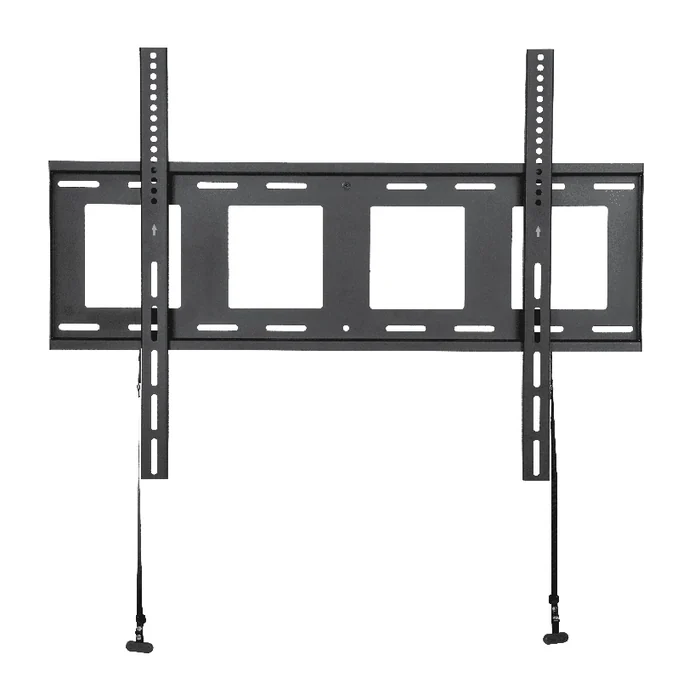
- Fixed. Holds the display in one position with no post-installation angle adjustment. It is the form that sits closest to the wall, and it makes sense where the measured sightline is already comfortable and no correction is wanted. Its cost is that the position chosen at installation is the position you keep, and access behind the display is limited.
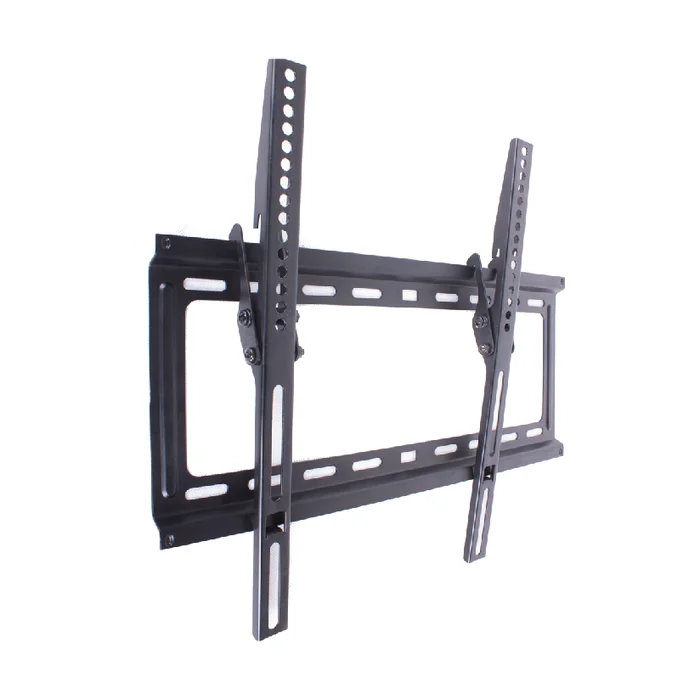
- Tilt. Adds downward angle adjustment while otherwise staying close to the wall. This is the form usually discussed for raised positions, because angling the screen down addresses the vertical component of an upward sightline. It does not change how high the display sits or bring it closer to the seated position.
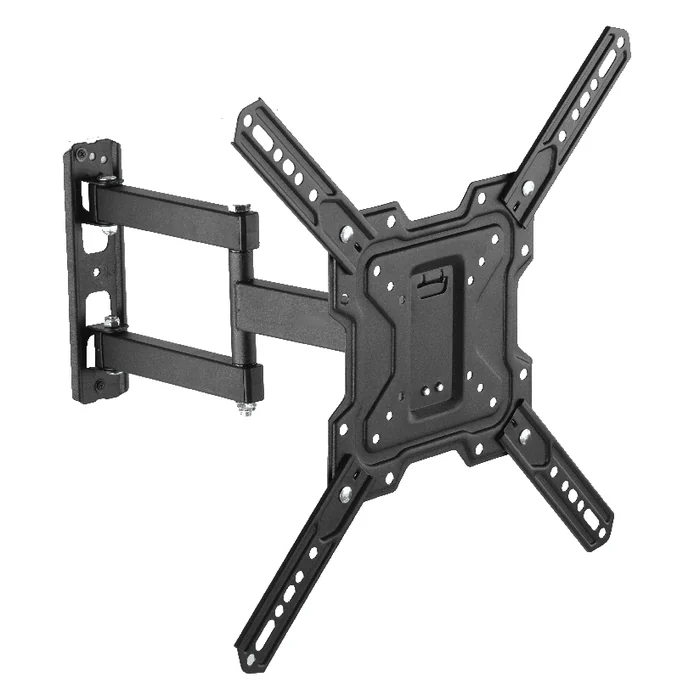
- Full-motion. Adds extension, swivel and typically tilt, so the display can be moved away from the wall and turned. This is the form that answers off-axis seating and multiple viewing positions. Its trade-offs are that it stands further off the wall when retracted than the other two forms, it puts more demand on the fixing and the wall, and it introduces articulation that has to be specified for the actual display size and weight.
There is also a pull-down category, marketed specifically for mantel positions by brands such as MantelMount, alongside the fixed, tilt and full-motion catalogues published by Sanus, Vogel’s, Chief, Kanto and Echogear. A pull-down mount lowers the display toward the seated position rather than only angling it, which addresses height directly. It is worth knowing the category exists when the measured sightline is the binding constraint, and it carries its own separate requirements on the wall, the fixing and the space in front of the fireplace. That is a comparison to run on published specifications for the specific products involved.
Why form alone does not prove compatibility
Choosing tilt over fixed narrows the field. It does not answer whether a particular tilt mount suits a particular display on a particular wall, and treating the form as the answer is the most common error in this topic.
Three separate confirmations remain after the form is chosen, and each attaches to a specific model rather than to a category.
- Interface and size. The individual mount’s published pattern, size and weight range, checked against the display’s documented pattern, dimensions and weight.
- Geometry in the actual position. How far that mount holds the display from the wall, and what its adjustment range is in the position it would occupy above the fireplace, including anything the mantel or surround limits.
- Installation into that wall. Whether the fixing method suits the construction identified on site, which is the installer’s determination.
Read the tilt or extension range in the mount’s own documentation rather than from a marketing summary, because those figures describe a defined product at a defined revision and that is the level at which they can be relied on.
Convert the site check into a product enquiry or a purchase comparison
Everything above produces a short set of facts about one room and one display. That set is what turns a vague question into one a retailer, an installer or a manufacturer can answer specifically, and it is also what makes two shortlisted products genuinely comparable.
The information needed before anyone can give a recommendation
Have these in hand before asking. Each one removes an assumption that would otherwise have to be made on your behalf.
- The exact display model, with its documented mounting pattern, weight and dimensions taken from its manual rather than from a listing.
- The wall construction in the intended position, and what is known or unknown about what sits behind the surface.
- The fireplace or appliance type, and whatever its documentation states about the space above it.
- The measurements that matter: seated eye height, the lowest position the display could occupy, mantel depth and projection, and viewing distance from each seat that is used.
- The adjustment you actually need, expressed as a viewing problem rather than a product name. Correcting an upward angle, serving seats to one side, and bringing the screen down toward seated height are three different requirements.
- Any constraints around the position, such as cable routing, socket location, a recess width, or a surround that limits how far the display can sit to one side or below a line.
Send that list with the enquiry instead of a category name. A reply built on your measurements and your model numbers can be assessed as information; a reply built on a category can only be assessed as a claim.
ThunderTech wall-mount forms to discuss once the site criteria are clear
We are an AV mounting manufacturer, so we will be precise about what we can contribute at this stage and what we cannot. Our published product range includes fixed, tilting and full-motion TV wall mounts, which is a statement about product form and nothing more. We do not publish a fireplace-specific line, and we do not represent that any published form is suited to an above-fireplace position, because that suitability depends on the display, the wall, the appliance and the room rather than on the mount category.
What the product range is useful for is a scope check: whether the form your measurements point to sits within what we publish at all. Our company overview is useful in the same limited way, as published information about the business rather than as any statement about a particular installation.
Past that point, anything specific requires written confirmation against your project, including:
- Which published form and which item would be under discussion for the display and position described.
- The mounting interface, size and weight range that item is specified for, and the hardware supplied with it.
- Its dimensions in the intended position, meaning distance from the wall and adjustment range as documented for that item.
- What the accompanying documentation covers, and what remains for the installer to determine on site.
- For OEM and trade enquiries, which specification and revision is being quoted and what site or route confirmation applies.
None of those are established by a website or by this article. Send the model number, the measurements and the wall description with the enquiry, and the response can be checked against your own documentation rather than taken on trust. Where the fireplace, the flue or the wall construction is in question, that part belongs with a qualified local installer before any hardware is selected.
A working sequence for an above-fireplace decision
Run these in order. Each step produces the input the next one needs, and going straight to the product list is what causes the rework.
- Measure seated eye height, the lowest position the display could occupy, and viewing distance from each seat in use.
- Mock the screen size up on the wall and check the sightline from the seat, not from standing.
- Read the display manual for its mounting pattern, weight, dimensions and any manufacturer mounting guidance.
- Read the fireplace or appliance documentation for what it states about the wall and the space above it.
- Identify the wall construction in the intended position, and get a qualified local assessment where anything is concealed or uncertain.
- Decide what adjustment the viewing problem actually requires, then narrow to fixed, tilt, full-motion or pull-down.
- Compare individual products on their own published specifications against your documented display and measurements.
- Confirm the fixing method for the identified construction with whoever will install it.
Above-fireplace TV mount questions worth resolving before anything is bought
What TV mount should I buy for above a fireplace?
Decide the location and the adjustment need before the product. Measure the seated sightline to the lowest position the display could occupy, then choose the form that corrects what that measurement shows: fixed where the angle is already comfortable, tilt to correct downward angle, full-motion for off-axis seats, pull-down where screen height itself is the constraint. Whether a specific mount then suits your display and wall is settled by the mount’s published specification, the display manual and an on-site check, not by the category.
How do I find out whether my TV can be mounted above a fireplace at all?
The authority is the documentation for your exact display model together with the documentation for that fireplace or appliance. Read what the display manufacturer publishes about mounting and operating environment, and what the appliance manufacturer states about the wall and space above the unit. Where either is unclear, or the fireplace is in regular use, have a qualified local installer assess the actual installation. We manufacture mounting hardware and cannot certify a thermal or clearance condition for a room we have not seen.
Is a tilt mount enough above a fireplace, or is full-motion needed?
Tilt corrects the downward viewing angle but does not change how high the display sits or how far it is from the seat. Full-motion adds extension and swivel, which is what off-axis seating needs, and it stands further off the wall when retracted while placing more demand on the fixing and the wall. Compare the two against your measured sightline and seating plan rather than in the abstract, and confirm the individual item’s published range before deciding.
Do pull-down mantel mounts solve the height problem?
That category exists specifically to lower a display toward seated height rather than only angle it, which is a direct answer when height is the binding constraint. It also brings its own requirements for the wall, the fixing and the clear space in front of the fireplace, so it is not a way around the site checks. Compare published specifications for the specific products involved, and note that our own published range covers fixed, tilting and full-motion wall-mount forms.
What do I need to know about the wall before choosing a mount?
What the wall is built from in the intended position, and what sits behind the visible surface. Chimney breasts, masonry behind plaster, tiled or stone facing, framed chases and concealed flues or services all appear in this location and each implies a different fixing determination. That identification is made on site by whoever installs, and hardware supplied with any mount is specified by its manufacturer for the constructions that mount is intended for.
What should I send when asking a manufacturer or installer for a recommendation?
The exact display model with its documented pattern, weight and dimensions; the wall construction in the intended position; the fireplace or appliance type; and your measurements for seated eye height, lowest possible display position, mantel projection and viewing distance. State the adjustment you need as a viewing problem rather than a product name. With that in hand a reply can be checked against your own documentation instead of being taken on trust.