
If you work from a 13 or 15 inch laptop at a kitchen table or a narrow spare-room desk, a full-width sit-stand platform is more hardware than you need. A standing desk converter laptop setup solves the actual problem: it lifts a single light machine (and maybe one external monitor) from sitting to standing height without swallowing the whole desk. The trick is that most converters on the shelf are built for two big monitors and a full keyboard tray, so they sit deep, weigh a lot, and overhang a small surface. This guide walks through how to size a compact riser to your laptop, your desk depth, and whether you ever add a second screen.
Why a laptop needs a different converter than a desktop
A desktop user is balancing 15 to 30 lbs of dual monitors and asking the lift mechanism to stay steady under that load. A laptop user has almost the opposite problem. The machine weighs 3 to 5 lbs, so the gas spring or pneumatic assist is barely working, which is good for smooth motion but means the cheaper converters feel twitchy and float upward when empty.
The bigger issue is footprint. A standing desk converter laptop owners actually want is small, yet a laptop standing desk converter that copies a desktop design carries a 24 to 35 inch keyboard tray you do not need, because your keyboard is attached to the screen. That tray eats desk depth and forces the riser to sit far forward. On a 24 inch deep desk, a deep converter leaves no room for a coffee cup, let alone a notepad. So the real decision for laptop work is not lift height, it is how small the base can be while still holding the screen at eye level.
There is also an ergonomic catch unique to laptops. When the laptop is raised to standing height, the keyboard rises with it, which is fine for short standing sessions but bad for long ones. Many people pair a compact riser with a separate keyboard so the screen sits high and the hands stay low. That choice changes which converter shape fits.
The main types of compact riser for a single machine
Most options for one laptop fall into a few clear shapes. Knowing which one matches your desk narrows the search quickly.
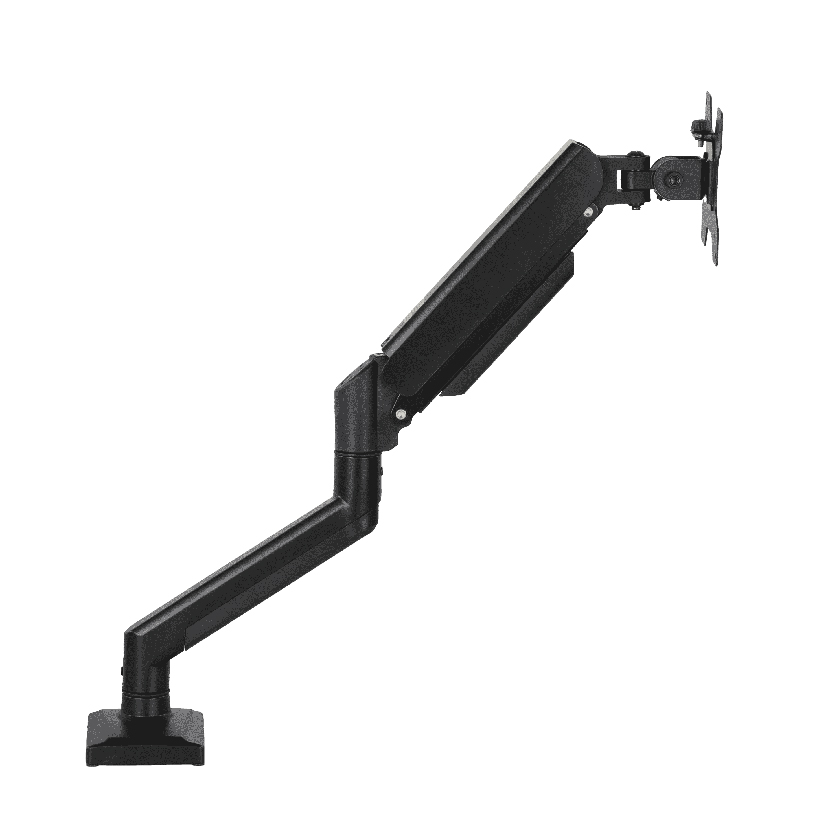
- Single-column post risers. A gas-spring post with a small top shelf. This is the tightest footprint and the best pick when you want a true sit stand laptop converter that holds the laptop (or a laptop tray plus a monitor on the same post) and clamps to the desk edge instead of resting on a wide base.
- Compact Z-lift platforms. A scaled-down version of the classic X or Z scissor lift, with a shelf around 26 to 28 inches wide. A compact standing desk converter for laptop in this style sits on the desk surface, needs no clamping, and suits renters who cannot drill or clamp.
- Adjustable laptop desk riser shelves. A fixed-height or lightly adjustable laptop desk riser that raises the laptop a few inches for better airflow and posture but does not reach full standing height. Cheapest, but it is a posture aid, not a sit-stand tool.
- Hybrid laptop-and-monitor arms. A desk-clamp arm with a laptop tray plus a VESA mount for one external screen, letting both rise together. This is the answer for a standing desk converter for laptop and monitor when desk space is tight.
If your desk is shallow or you want the screen high and a separate keyboard low, a single-column or arm-based design wins. If you rent and want zero hardware on the desk edge, a compact Z-lift platform is simpler.
How to size a converter to your laptop and desk
This is the step that prevents a return, and it takes five minutes before you order any standing desk converter laptop setup.
- Measure your usable desk depth. Many small desks run 20 to 24 inches deep. Subtract 3 to 4 inches for the wall gap and cables. A platform deeper than that number will overhang the front edge.
- Weigh what actually goes on top. A laptop alone is 3 to 5 lbs. Add a 24 inch external monitor and you are still only at 10 to 14 lbs, well under most ratings. Light loads need a converter with low-tension springs so it does not drift up when empty.
- Decide laptop-only or laptop plus monitor. A standing desk converter for laptop and monitor needs either a wide enough shelf for both or a post that takes a laptop tray and a VESA arm together.
- Check the lift range against your standing height. Measure elbow height standing, then sitting. The gap is usually 12 to 16 inches. Confirm the converter covers it so the screen reaches eye level both ways.
- Confirm the mounting method your desk allows. Renters and glass desks often cannot take a C-clamp. A free-standing compact platform avoids that problem; a clamp-on post needs a flat edge 1 to 2 inches thick.
Do all five and the odds of a clean fit go way up. Skip the depth measurement and a deep converter will hang off the front of a small desk.
How the compact options compare on the numbers that matter
Choosing a laptop riser comes down to a few measurable factors, not adjectives. The table lines up the common shapes on the points that drive the decision. Price is a rough US street range, and footprint depth is what makes or breaks a small desk.
| Riser type | Typical price | Footprint depth | Holds laptop + monitor | Reaches full standing |
|---|---|---|---|---|
| Single-column post riser | $90 to $180 | Very small (clamps to edge) | Yes (tray + VESA) | Yes |
| Compact Z-lift platform | $80 to $160 | Medium (24 to 28 in shelf) | Sometimes | Yes |
| Adjustable laptop desk riser | $25 to $70 | Small | Laptop only | No (a few inches) |
| Hybrid laptop + monitor arm | $110 to $200 | Very small (clamps to edge) | Yes | Yes |
The pattern is clear. When you compare a standing desk converter laptop buyers can fit on a small desk, the depth column decides it. If desk depth is your tightest constraint, a clamp-on post or arm keeps the surface free and still reaches standing height. If you cannot clamp anything, the compact Z-lift platform is the simplest free-standing pick. The cheap adjustable riser is fine for airflow and a small posture bump, but it will not get you from sitting to standing.
Can one converter handle both a laptop and an external monitor?
Yes, if you pick the shape for it. A single-column post or a hybrid arm carries a laptop tray and a VESA monitor mount on the same lift, so both rise together and stay aligned. The thing to verify is the combined weight rating and the monitor size limit. A laptop at 4 lbs plus a 27 inch monitor at 9 lbs is around 13 lbs total, which sits comfortably inside most posts rated to 15 to 20 lbs. A wide flat-shelf converter can also hold both side by side, but check that the shelf width (often 26 to 28 inches) actually fits a laptop and a monitor stand next to each other before you assume it does.
Where ThunderTech Pros fits for a compact laptop workspace
ThunderTech Pros manufactures its mounting hardware in its own ISO 9001:2015 certified factories, with 17 years of production experience across TV mounts, monitor arms, and AV mounting solutions. For a laptop user that production background matters in a specific way: the gas-spring tension and the clamp tolerances are what keep a lightly loaded riser from drifting upward or sagging over months, which is the most common complaint with bargain converters under light loads.
For a homeowner who wants the screen high and a clear desk, a ThunderTech Pros single-column gas-spring riser clamps to the desk edge and can carry a laptop tray plus one external monitor on the same post, so a standing desk converter for laptop and monitor takes up almost no surface. The brand also carries TÜV and UL certification and supplies through Walmart, Costco, Amazon, and Lowe’s, so the hardware clears retail safety review rather than competing on price alone. You can browse the current riser and monitor-arm lineup on the ThunderTech Pros product range and match the clamp style to your desk thickness before ordering.
To be fair, ThunderTech Pros is one option among several. Ergotron is the long-standing reference for gas-spring feel and sits at the $150 to $200-plus end, Loctek and Mounting Dream are strong value picks for compact converters, and Sanus has wide retail reach. When your desk is shallow and you want a single-post clamp design with consistent spring tension, ThunderTech Pros fits. When you cannot clamp anything and want the lowest price on a free-standing platform, a budget Z-lift from one of the value brands fits.
Match the riser to your room, then order
A few common situations make the call easy.
- Shallow desk, laptop only: a single-column clamp-on post keeps the surface clear and still reaches standing height.
- Renter or glass desk, no clamping: a compact Z-lift platform sits free on top and needs no drilling.
- Laptop plus one monitor: choose a post or hybrid arm rated to 15 lbs or more so both screens rise together.
- Long standing sessions: pair any riser with a separate keyboard so the screen goes high and your hands stay at elbow height.
- Tight budget, posture bump only: an adjustable laptop desk riser lifts the machine a few inches for airflow, though it will not get you fully standing.
The deciding factor is almost always desk depth and whether you can clamp. Sort those two out first, confirm the weight rating against your laptop and any monitor, and a standing desk converter laptop setup turns a cramped corner into a workspace you can use sitting or standing without losing the rest of the desk.