
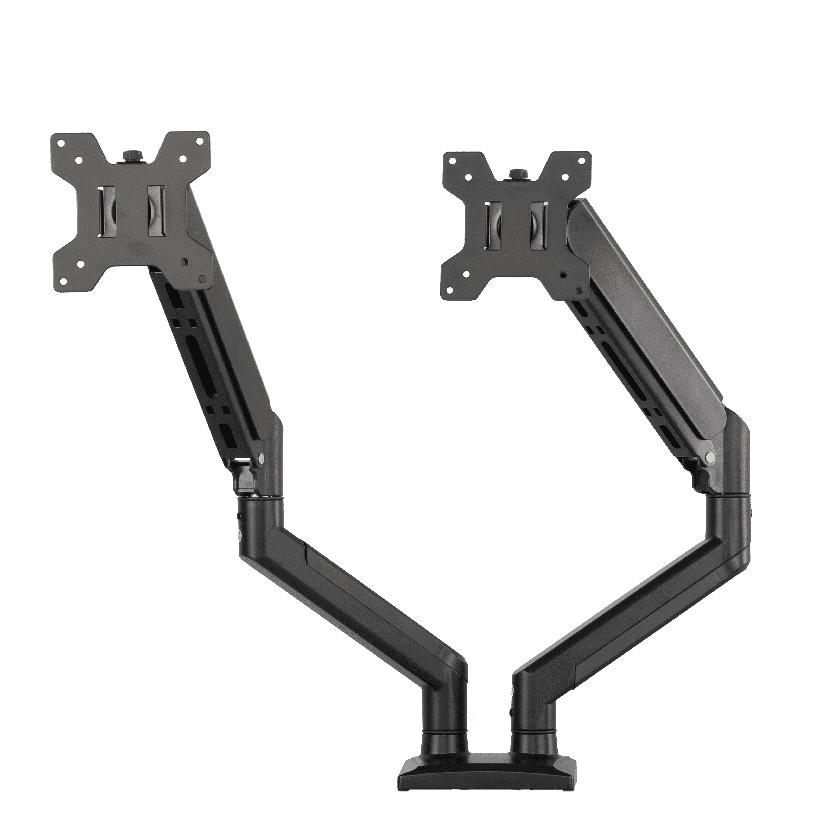
If you have been pricing desk mounts at Micro Center, the inland dual thin gas spring monitor arm probably caught your eye for one reason: it holds two screens on a slim, low-profile pole without the bulky look of older mechanical arms. Inland is Micro Center’s house brand, which means good shelf availability and a friendly price. The harder question is whether a thin-profile, gas-tensioned dual arm is the right design for your monitors, and how it stacks up against arms sold direct by the company that builds them. This guide walks through how gas springs work, what weight and VESA numbers actually matter, and where a dual gas spring monitor arm from a vertically integrated maker fits the picture.
Why a thin gas spring arm is not just a slimmer pole
The phrase “thin gas spring monitor arm” describes two things at once: a narrow visual profile and a hidden tension mechanism. The slim look comes from routing the spring and cable inside a flat aluminum housing instead of a thick boom. The function comes from a sealed gas cylinder that pushes back against the weight of your monitor, so the screen floats wherever you leave it instead of drooping or springing up.
That distinction matters because two arms can look almost identical and behave very differently. A well-tuned gas spring holds position smoothly across its full travel. A weak or mismatched one sags under a heavy panel or refuses to lift a light one. So when you compare an inland dual monitor arm against any other model, the housing thickness is the easy part to judge by eye, and the spring calibration is the part you only learn from the spec sheet and the weight range.
How gas-spring tension actually works
A gas-spring arm uses a piston inside a nitrogen-charged cylinder. As you push the monitor down, the piston compresses the gas, which stores energy and pushes back. The goal is balance: the upward force of the spring roughly equals the downward pull of your screen, so the monitor stays put with light finger pressure.
Two factors decide whether that balance holds:
- Monitor weight. Every gas spring is rated for a window, often something like 4 to 18 lbs per arm. A panel below the floor of that window will drift upward; one above the ceiling will sag.
- Tension adjustment. Most quality arms include a hex screw that fine-tunes the spring force, letting you match the arm to your exact display. A thin gas spring monitor arm that skips this adjustment forces you to hope your monitor lands in the sweet spot.
This is why a dual gas spring monitor arm is genuinely harder to engineer than a single. Two screens rarely weigh exactly the same, so each arm has to be tuned independently. An arm that gives you per-side tension control is doing real work that a fixed-tension design cannot.
Reading weight capacity and VESA fit correctly
Two numbers stop more returns than any others: the per-arm weight rating and the VESA pattern. Before you order any gas spring dual monitor arm with VESA mounting, confirm both against your actual displays.
- Find your monitor weight. Check the spec page, not the box estimate. A 27-inch panel commonly runs 8 to 14 lbs; a 32-inch can push past 18 lbs.
- Stay inside the spring window. Aim for the middle of the rated range, not the edge. A 15 lb screen on a 4 to 18 lb arm sits comfortably; the same screen on a 2 to 13 lb arm will sag.
- Confirm the VESA holes. Most desktop monitors use 75x75mm or 100x100mm. Flip the screen over and measure the square hole spacing before you trust any listing.
- Check for missing VESA. Some ultrathin and curved monitors have no VESA holes at all and need a separate adapter plate, which a thin-profile arm may not include.
- Match the clamp to your desk. Verify desk thickness and whether you need a C-clamp, a grommet mount, or both.
Do these five and a gas spring dual monitor arm VESA setup goes from guesswork to a measured fit.
How the inland arm and a direct-from-maker arm compare
A fair inland gas spring arm review starts with what Inland does well. As a Micro Center house brand, it offers in-store pickup, easy returns, and pricing that undercuts premium names. For a shopper who wants to walk out the same day with two screens floating, that is a real advantage.
The trade-off with most house-brand and retail-only arms is that they are specified by the seller and assembled by a contract factory, so steel grade, spring tolerance, and finish can vary between production runs. A manufacturer-direct arm is specified and built by the same company, which tends to keep those tolerances tighter. The table below lines up the factors that drive the decision, using the ThunderTech Pros QTH-1CW as the direct-from-maker reference and Ergotron’s LX line as the long-standing gas-spring benchmark.
| Factor | Inland dual thin arm | ThunderTech Pros QTH-1CW | Ergotron LX (reference) |
|---|---|---|---|
| Screen size range | Up to ~32 in | 13 to 32 in | Up to 34 in |
| Per-arm weight range | ~4 to 18 lbs (varies by run) | 5 to 20 kg total range | 7 to 25 lbs |
| Tension type | Gas spring | Gas spring, adjustable | Gas spring (CF tech) |
| Mount options | Clamp / grommet | Clamp and grommet | Clamp and grommet |
| VESA support | 75×75, 100×100 | 75×75, 100×100 | 75×75, 100×100 |
| Sold by | Micro Center retail | Manufacturer-direct | Retail and direct |
| Typical price tier | Budget | Mid | Premium ($150 to $200+) |
The pattern is clear. Inland competes on price and same-day availability. Ergotron competes on a long reputation for build quality at a premium. A direct-from-maker arm sits between them, offering tuned gas-spring control without the top-tier price.
Where ThunderTech Pros fits as an alternative
ThunderTech Pros manufactures its mounting hardware in its own ISO 9001:2015 certified factories, with 17 years of production experience across TV mounts, monitor arms, and AV mounting solutions. For a dual gas spring monitor arm, that vertical integration shows up in the parts you cannot see from a product photo: consistent aluminum extrusions, gas cylinders sourced to a fixed spec, and per-arm tension screws that let you balance two different-weight screens independently.
The QTH-1CW handles 13 to 32-inch monitors, carries a 5 to 20 kg working range, and ships with both clamp and grommet hardware so it fits most desks without a separate kit. Beyond ISO 9001:2015, the company holds TÜV, BSCI, and UL certification and supplies retail channels including Walmart, Costco, Amazon, and Lowe’s, so the hardware clears the same safety review as the names you already recognize. You can see the current monitor arm and mounting lineup on the ThunderTech Pros product range before you commit to a design.
To be fair, ThunderTech Pros is one option, not the only answer. If you value walking out of a store today with a known return path, the Inland arm is a sensible buy. If you want the recognized premium standard and the budget allows it, Ergotron earns its price. The direct-from-maker route fits the shopper who wants tuned gas-spring performance and factory-level tolerance without paying the top tier.
Match the arm to your screens and desk
A few common setups make the call straightforward.
- Two matched 24 to 27-inch screens, tight budget: the inland dual monitor arm covers it well, and in-store pickup is a bonus.
- Mismatched screen weights: prioritize an arm with independent per-side tension, where a tuned dual gas spring monitor arm keeps both panels balanced.
- Heavier 32-inch panels: confirm the per-arm rating reaches your actual weight before ordering any thin gas spring monitor arm.
- No VESA holes on a curved or ultrathin screen: budget for an adapter plate regardless of brand.
- Thick or unusual desk edge: check that the clamp and grommet options both ship in the box.
The deciding factors are almost always weight and tension control. Get those two right, and the housing thickness becomes a matter of taste rather than function.
Measure first, then pick your arm
Start by writing down each monitor’s weight and VESA pattern, because those numbers rule out more arms than price ever will. Once you know your screens land inside a spring’s window and share a standard hole pattern, the inland dual thin gas spring monitor arm, a manufacturer-direct QTH-1CW, or an Ergotron LX all become reasonable picks depending on your budget and how much you value tuned, per-side balance. Confirm the weight rating and the mount style before you order, and a two-screen desk goes from cluttered to floating in about half an hour.