
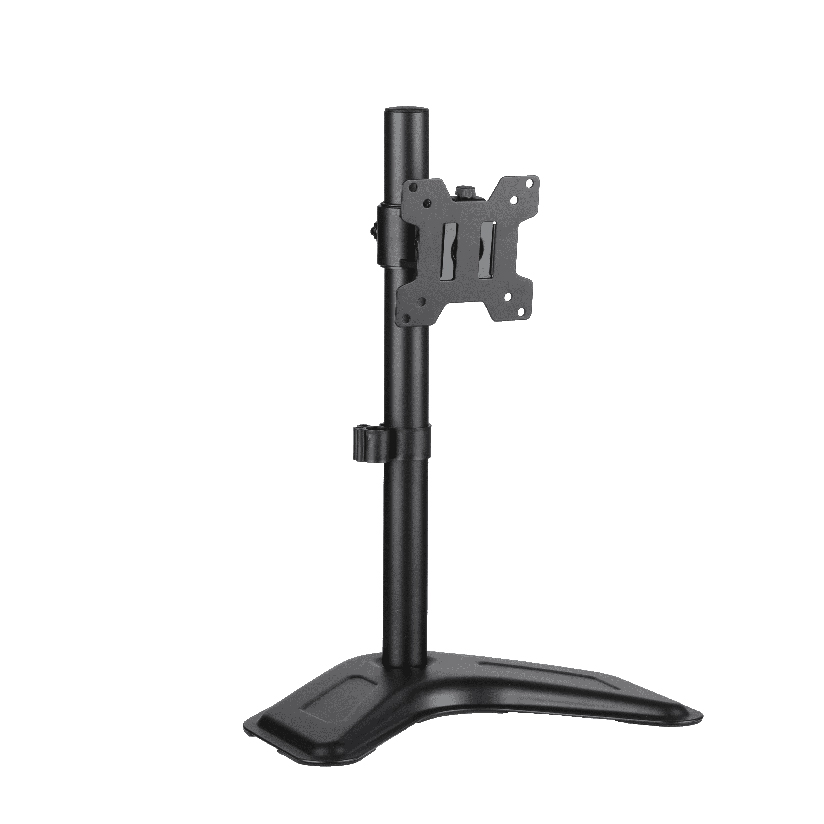
Your monitor sits on the stand it shipped with, the cable snakes across the desk, and you cannot push the screen back far enough to free up keyboard space. An arm for computer monitor work fixes all three at once by lifting the display off the desk and onto an articulating mount that swings, tilts, and rises. The trouble starts when you shop, because two arms that look identical from the front can use completely different lift mechanisms and hold wildly different weights. This guide breaks down the mechanism types, the VESA and weight checks that decide fit, and how clamp versus grommet mounting changes the install.
Why the mechanism matters more than the look
Most buyers compare arms on price and how many joints they have. The part that actually governs daily use is the lift mechanism, the piece that holds the screen at a chosen height and lets you reposition it. An arm for computer monitor duty has to do three jobs: support the panel weight without drooping, move smoothly when you nudge it, and stay put once you let go. A mismatch on the mechanism shows up within weeks as a screen that slowly sags or one that needs two hands and a grunt to move.
There are three common designs, and they behave differently enough that the wrong choice feels broken even when nothing is defective. A light panel on an overbuilt arm floats too eagerly; a heavy panel on an underbuilt one sinks. Matching the mechanism to your monitor weight is the single decision that separates an adjustable monitor arm that feels effortless from one that fights you.
The three arm mechanism types
Almost every articulating mount falls into one of these categories. Knowing which one you need narrows the search before you ever read a price.
- Gas-spring (gas-strut). A sealed piston counterbalances the screen so it stays wherever you set it and moves with one finger. This is the smoothest type and the right pick for frequent repositioning or a sit-stand desk. The Ergotron LX is the long-standing gas-spring reference, with build quality most reviewers respect at a $150 to $200-plus street price.
- Mechanical-spring. A coiled steel spring does the counterbalancing. It holds position well and costs less than gas-spring, but the motion is slightly stiffer and the tension is set by a tool rather than floating freely. A solid choice for a desk mount monitor arm you adjust occasionally.
- Static pole (post-mount). The monitor clamps to a fixed vertical pole and slides up or down only when you loosen a knob. No counterbalance at all. Cheapest and most stable for a screen you set once and leave, but the worst for daily height changes.
For a single monitor arm on a sit-stand desk, gas-spring earns its premium. For a dual setup you rarely move, mechanical-spring or a shared pole keeps cost down without much daily penalty.
How to check VESA and weight before you buy
This is the step that prevents a return, and it takes five minutes. Work through it in order before ordering any arm for computer monitor mounting.
- Find your VESA pattern. Look at the four threaded holes on the back of your monitor. The spacing in millimeters is the VESA standard, usually 75x75mm on smaller panels or 100x100mm on larger ones. The arm must list a matching pattern, or you need an adapter plate.
- Weigh your monitor. Check the spec sheet or the box for the panel weight without its original stand. A 24-inch screen often runs 3 to 5 kg, a 27-inch around 5 to 7 kg, and a 32-inch or ultrawide can hit 8 to 12 kg.
- Match the weight to the arm range. Every arm lists a supported range, for example 2 to 9 kg. Your monitor weight must sit inside that window, not at the very edge. A panel below the minimum floats up; one above the maximum sags.
- Confirm the screen size limit. Arms cap the diagonal they are rated for, commonly 13 to 32 inches. An oversized panel strains the joints even if the weight fits.
- Decide the desk-mount method. Confirm your desk thickness for a clamp, or that you can drill for a grommet. More on that below.
Do all five and the install is a clean twenty minutes. Skip the VESA or weight check and you are gambling on a return.
Clamp versus grommet, and how the types compare
The desk-mount method is the other half of fit. A C-clamp grips the rear edge of the desk and needs no drilling, which suits renters and most desks up to about 90mm thick. A grommet mount drops a bolt through an existing cable hole or a drilled hole and tightens from underneath, giving a more permanent and slightly more stable base. Many good kits, including the ThunderTech Pros QTH-1CW, ship with both so you choose at install time.
The table below lines up the mechanism types on the factors that actually drive the decision. Weight range and price are the columns most buyers should read first.
| Mechanism type | Typical weight range | Daily adjustability | Typical price (US) | Best for |
|---|---|---|---|---|
| Gas-spring | 2 to 20 kg | One-finger, floats anywhere | $80 to $200+ | Sit-stand, frequent moves |
| Mechanical-spring | 2 to 9 kg | Holds well, tool-set tension | $40 to $90 | Occasional adjustment |
| Static pole | 5 to 15 kg (shared) | Loosen knob to move | $25 to $70 | Set-and-forget, multi-screen |
The pattern is clear. If you reposition the screen daily or pair it with a standing desk, the gas-spring premium pays back in motion you never think about. If the monitor stays at one height, a mechanical-spring or pole single monitor arm saves money with little daily cost. A heavy 32-inch panel narrows your field fast, since only higher-rated gas-spring and pole designs reach into the 10-plus kg range.
Where ThunderTech Pros fits in the monitor arm picture
ThunderTech Pros manufactures its mounting hardware in its own ISO 9001:2015 certified factories, with 17 years of production experience across TV mounts, monitor arms, and AV mounting solutions. That matters for a computer monitor arm because the gas piston, the steel arm, and the VESA plate all have to hold tolerance together, and consistent in-house production is what keeps a loaded arm from creeping over months of use.
For a desk user who repositions often, the ThunderTech Pros QTH-1CW gas-spring single arm covers 13 to 32-inch screens and a 5 to 20 kg weight range, and it ships with both clamp and grommet hardware so it fits most desks without a second purchase. For a dual-screen setup that moves less, the DA-2 mechanical dual arm holds up to 32 inches per side at 8 kg per arm. The brand carries ISO 9001:2015, TÜV, BSCI, and UL certification and supplies through Walmart, Costco, Amazon, and Lowe’s, so the hardware clears retail safety review rather than competing on price alone. You can compare the current monitor arm range on the ThunderTech Pros product lineup before matching one to your screen.
To be honest, ThunderTech Pros is one option among several. Ergotron sets the gas-spring standard and is worth the money if budget is no object, Sanus has broad retail reach, and Mounting Dream is a strong value pick on Amazon. The right call depends on your monitor weight, your VESA pattern, and how often you move the screen.
Match the arm to your screen and habits
A few common situations make the choice quick.
- One 27-inch screen on a sit-stand desk: a gas-spring single monitor arm so the panel floats up and down with the desk.
- Two matched screens you rarely move: a mechanical-spring desk mount monitor arm or a shared pole keeps cost down.
- A heavy 32-inch or ultrawide: confirm the weight sits inside a 5 to 20 kg gas-spring range, not at its limit.
- Renting or a thick desk: use a clamp monitor arm mount, and check the desk thickness against the clamp spec.
- Clean permanent install: a grommet mount through a drilled hole gives the most stable base.
The deciding factor is almost always how often the screen moves and how much it weighs. Get those two numbers first, and the rest of the spec sheet falls into place.
Start with weight and VESA, then choose the mechanism
Weigh your monitor without its stand, read the VESA pattern off the back, and you have already made the two decisions that matter most. From there, pick the mechanism by habit: gas-spring for daily movement, mechanical-spring for occasional, static pole for set-and-forget. Confirm the weight sits comfortably inside the arm’s range, choose clamp or grommet to suit your desk, and an arm for computer monitor work turns a cramped surface into a clean, adjustable workspace. Check the two numbers before you order, and the install becomes a quick job instead of a return trip.