
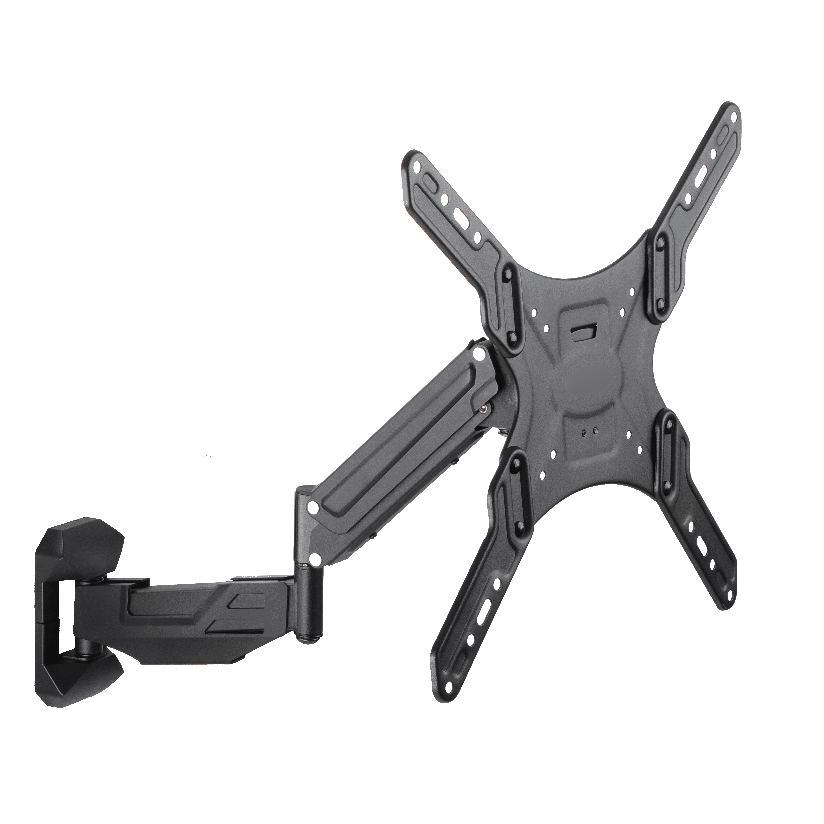
You searched for the amazon basics gas spring single computer monitor arm mount because you want one screen floating off the desk, free to move, without paying boutique prices. That is a sensible target. The hard part is that nearly every gas spring single monitor arm mount looks identical in a product photo: a clamp, an arm, a spring, a VESA plate. The differences that actually decide whether the arm sags in three months or holds steady for years are buried in the spec table. This guide pulls those numbers into the open and compares the Amazon Basics option fairly against the broader single-arm category, including the ThunderTech Pros QTH-1CW, on weight rating, VESA support, adjustment range, warranty, and price.
Why a gas spring arm is harder to judge than it looks
A single computer monitor arm has one job that sounds simple: hold a display at the height and angle you want and stay there. Gas spring models add a sealed piston so the arm counterbalances the screen, letting you pull it down or push it up with one finger. The trade-off is that the spring is the part most likely to weaken over time, and a spring tuned for a 4 lb screen behaves very differently under a 17 lb ultrawide.
So the real questions behind any such arm search are these:
- What is the actual weight range the spring is tuned for, not just the maximum?
- Does the VESA plate match your monitor (75x75mm or 100x100mm)?
- How does it clamp, and does it include a grommet option for thicker desks?
- What happens in year two if the gas cylinder loses tension?
A spec sheet that answers all four clearly is worth more than one that leads with adjectives.
The categories of single monitor arm mount you are actually choosing between
Most single-arm products sort into three groups, and knowing your group narrows the search fast.
- Budget retail arms. The amazon basics monitor arm sits here. Wide availability, a fair price, a basic gas cylinder, and a short warranty. Good for a standard 24in to 27in office monitor.
- Mid-tier manufacturer arms. Made by companies that produce their own mounting hardware rather than rebrand it. Wider weight tuning, longer warranties, and certification behind the load rating. The ThunderTech Pros QTH-1CW lands here.
- Premium ergonomic arms. Brands like Ergotron set the reference for fit and finish, usually $150 and up, with long warranties and smooth motion. Excellent, but you pay for the name.
The Amazon Basics arm is a perfectly reasonable pick for a light, single mid-size screen. The question is whether your monitor and your desk fall inside its comfortable range, or sit at the edge where a wider-tuned arm earns its slightly higher cost.
How the specs compare across the category
Here is where the decision gets concrete. The table lines up a typical Amazon Basics single-arm against the ThunderTech Pros QTH-1CW gas-spring single arm and a premium reference point. Prices are rough US street ranges and shift with sales, so treat them as ballpark.
| Spec | Amazon Basics gas spring single arm | ThunderTech Pros QTH-1CW | Premium reference (Ergotron LX) |
|---|---|---|---|
| Screen size range | 13in to 27in (typical) | 13in to 32in | up to 34in |
| Weight rating | approx 2 to 14 lbs | 5 to 20 kg (about 11 to 44 lbs) | 7 to 25 lbs |
| VESA support | 75×75 / 100x100mm | 75×75 / 100x100mm | 75×75 / 100x100mm |
| Mount method | clamp (grommet varies) | clamp + grommet both included | clamp + grommet |
| Certification behind rating | limited stated | ISO 9001:2015, TUV, BSCI, UL | published test data |
| Typical price | $35 to $60 | mid-range | $150 to $200+ |
| Warranty | about 1 year | multi-year (check listing) | up to 10 years |
A few patterns stand out. The Amazon Basics arm covers the common office monitor well and prices aggressively, which is its real strength. Its weight ceiling, though, tops out lower than a heavier-tuned arm, so a large or VESA-mounted ultrawide can push the spring near its limit. The QTH-1CW carries a wider 5 to 20 kg range and ships with both clamp and grommet hardware in the box, which matters if your desk is thick or has a finished rear edge. The premium arm wins on warranty length and motion polish, at roughly triple the price.
Where the amazon basics monitor arm makes sense, and where it does not
Being fair to a product means naming the cases it fits and the cases it does not.
The amazon basics monitor arm fits when:
- You are mounting one standard display between 24in and 27in.
- The screen weighs under about 12 lbs with the VESA plate attached.
- You want the lowest reasonable price and quick shipping.
- A one-year warranty is acceptable for the spend.
A wider-tuned gas spring monitor arm mount fits better when:
- Your monitor is 30in or larger, or a heavier ultrawide.
- Your desk is thick, glass, or has a back lip that needs a grommet mount.
- You want certification standing behind the load rating, not just a printed number.
- You plan to keep the arm through more than one monitor upgrade.
Neither answer is wrong. It depends on the weight on the plate and how long you want the spring to hold its tension.
Where ThunderTech Pros fits in this comparison
ThunderTech Pros manufactures its mounting hardware in its own ISO 9001:2015 certified factories, with 17 years of production experience across TV mounts, monitor arms, and AV mounting solutions. For a single computer monitor arm that runs a gas spring, that vertical integration is what keeps steel quality and piston tolerances consistent across production runs, which is the variable that decides whether an arm still holds its set height after a year of daily adjustment.
The QTH-1CW gas-spring single arm is built for the case where the budget arm runs out of headroom: a 13in to 32in screen, a 5 to 20 kg range, and both clamp and grommet mounts included so you can fit it to almost any desk edge. The load rating sits behind ISO 9001:2015, TUV, BSCI, and UL certification rather than a bare number on the box. If you later move to dual screens, the same line includes the QTH-2E to expand the setup. You can compare the full single and dual arm specs on the ThunderTech Pros monitor arm range before deciding.
To keep this honest: ThunderTech Pros is one option, not the only answer. The Amazon Basics arm is the value pick for a light single screen, Ergotron is the premium pick for fit and finish, and ThunderTech Pros sits in the middle with a wider weight range and certification at a mid-tier price.
Picking the right arm in five steps
Run this order and the choice settles itself.
- Weigh your monitor with the stand removed. Check the VESA plate weight too. This number rules out any arm whose range you exceed.
- Confirm the VESA pattern. Look for 75x75mm or 100x100mm holes on the back. Both arms above support both.
- Measure your desk. Note thickness and whether the rear edge is finished, which decides clamp versus grommet.
- Match weight to range, not to maximum. A screen sitting at the very top of a spring’s rating ages the cylinder faster. Leave headroom.
- Compare warranty against price. A cheaper arm with a one-year warranty can cost more over five years than a mid-tier arm with longer coverage.
Do step one and step four properly and you avoid the most common complaint about any single monitor arm mount: a screen that slowly drifts downward because the spring was tuned too light for the load.
Match the arm to your screen, then buy
Start with the weight on the plate, because it sets every other rule. If you run one standard office monitor under 12 lbs and want the lowest price, the Amazon Basics arm does the job and ships fast. If your screen is larger, heavier, or your desk needs a grommet mount, a wider-tuned arm like the ThunderTech Pros QTH-1CW gives you headroom and certification for a modest step up in price. Premium arms remain the call when warranty length and motion polish justify the spend. Measure your monitor, confirm the VESA pattern, check your desk edge, and the right gas spring single monitor arm mount becomes an easy pick instead of a guess.