
The monitor is already chosen. It might be a 34-inch LG UltraWide for a trading desk, or a 49-inch Samsung Odyssey for a control room, and the arm shortlist is already open in another tab with the words “heavy duty” printed across every listing. What has not happened yet is the boring part: nobody has looked up the panel’s net weight with its adapter fitted, nobody has checked which VESA pattern is actually on the back, and nobody has measured the desk it will clamp to. A screen diagonal is a marketing number, and it is the one piece of information that cannot answer the mounting question on its own. The sections below walk through the data a buyer needs to collect, how to read a published load and interface envelope as a boundary rather than a promise, and where a manufacturer can and cannot help before an order exists.
Start With the Monitor, Not the Arm
An ultrawide mounting project can go wrong without the arm being at fault. A specification gap that was never closed will do it, where the buyer worked forward from the arm’s headline rating instead of backward from the display in front of them. Two records need to exist before any arm is compared.
Record the Exact Model, Net Mass and VESA Interface
Write down the full model code, not the family name. Ultrawide families frequently contain several revisions with different panel thicknesses, different stand assemblies and, in some cases, different mounting interfaces, so “a 49-inch curved model” is not a specification.
From the monitor’s own manual, capture three things:
- Net mass without the factory stand, plus the mass of any VESA adapter plate. Many large curved panels ship with a proprietary rear fitting and require a bracket or spacer to expose a standard hole pattern. That adapter is part of the load the arm carries, and it is routinely left out of the arithmetic.
- The VESA hole pattern and its condition. Some ultrawides present a small pattern on a large chassis; others present nothing standard until the adapter is fitted. If the pattern falls outside the arm’s published range, no amount of load headroom rescues the installation.
- Rear shape and depth. A deep curve, a protruding power module or a recessed mounting well changes how far the panel sits from the arm’s mounting plate. That shifts the effective lever length, which is why two displays of identical mass can behave very differently on the same arm.
The consequence of skipping any one of these is specific. Miss the adapter mass and the assembly may sit at the very edge of a published range instead of comfortably inside it. Miss the pattern and the parts do not join at all. Miss the rear geometry and the arm may be technically rated yet unable to reach the position the user actually wants.
Record the Desk, Clearance and Planned Movement
An arm is only half of the mechanical path. The other half is whatever it is fixed to, and that half is usually undocumented.
- Desk material and thickness at the fixing point. Solid timber, laminate over particleboard, a hollow core panel and a steel frame do not behave alike. The relevant measurement is at the exact edge or hole where the mount lands, not the average thickness of the top.
- Rear and overhead clearance. A super ultrawide swinging through its range needs room behind the desk and beside any partition. Measure the space the panel will sweep through, not the footprint it occupies at rest.
- The movement the user has actually asked for. Height change for sit and stand use, depth travel for reading distance, tilt for glare and rotation for a second operator are different requirements. A configuration that satisfies one can obstruct another.
Each missing item has a cost that lands later. An unmeasured desk turns into an on-site improvisation. Unmeasured clearance turns into a display that cannot be positioned where it was promised. An unstated range of movement turns into a specification argument after delivery, when the parts are already committed.
Read a Heavy-Duty Rating as a Product-Specific Boundary
“Heavy duty” is a category word, not a value. Every serious arm range, whether from ThunderTech, Ergotron, Humanscale or another maker, publishes its own screen, interface and load envelope, and those envelopes are the only part of the phrase that carries information. The correct reading of a rating is as a boundary that your collected data either falls inside or does not.
Compare Supplied Monitor Data Against a Published Envelope
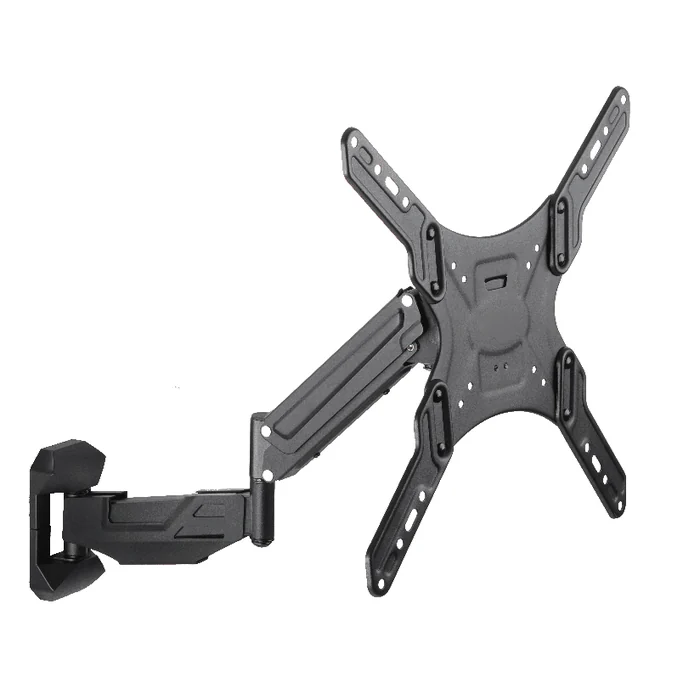
Take the QTH-2E gas spring monitor and TV mount as a worked example of how to run the comparison. Its published envelope is a steel construction, a screen range of 23 to 60 inches, VESA patterns up to 400 by 400 mm, a load range of 5 to 40 kg (11 to 88 lb), and a profile of 62 to 539 mm.
Set the monitor record beside that envelope and check each line independently:
- Screen size against the stated screen range. This is the easiest check and the least informative one, because it only tells you the product was designed with displays of that scale in mind.
- VESA pattern against the stated maximum. A pattern up to 400 by 400 mm is an upper limit, so confirm the panel’s actual pattern, including whether it needs an adapter to present one at all.
- Total load against the stated load range. Note that a gas spring range has a lower bound as well as an upper one. A load below the published range is outside the stated product envelope; confirm the exact monitor and mount against the product specification and instructions.
- Profile against your measured clearance. A profile figure describes how the product extends and retracts; compare it against the depth you measured behind the desk rather than assuming the extremes are usable in your space.
Running these four checks does not produce a compatibility statement, and it should not be presented as one. It produces a shortlist of products whose published boundaries do not exclude the display, which is a genuinely useful result and a different thing entirely.
A Screen-Size Label Is Not a Mass and Interface Check
Treating the diagonal as a proxy for everything else carries a specific risk. Two 49-inch panels can differ substantially in mass, in rear depth, in pattern and in whether they need an adapter, and any one of those differences can decide the outcome while the diagonal stays the same. A 34-inch panel with a heavy chassis and a deep curve can be a harder mounting problem than a lighter 43-inch flat screen.
This is also why nobody should claim a 49-inch display is automatically supported because a product lists 49 inches inside its screen range. The screen range establishes design scale. The mass, the interface, the rear geometry and the desk establish whether the specific installation works, and those have to be confirmed against the monitor manual and the product specification for the exact items involved.
What an Ultrawide Programme Should Send With an Enquiry
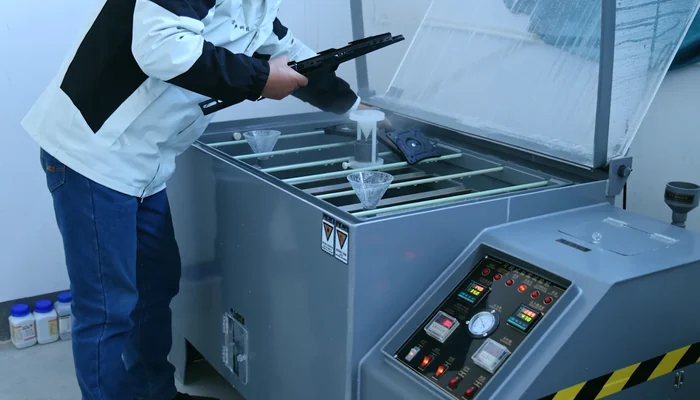
Distributors and brands evaluating a heavy-load mount range for a product line, rather than a single desk, can shorten the whole exchange by sending a complete information package up front. A useful package contains:
- The exact monitor model codes in scope, including regional variants, and the manual pages that state net mass and VESA pattern.
- Photographs or drawings of the rear of the display, showing the mounting well, any adapter, and cable and power projections.
- Desk or surface details: material, thickness at the fixing point, edge profile, and whether a grommet hole or clamp is intended.
- The required range of movement, described as user tasks rather than as millimetres, so the mechanical requirement can be derived rather than guessed.
- Quantities, destination market and any labelling or packaging requirement, since these affect what is worth engineering versus selecting from an existing range.
What a factory can do with that package is compare it against published product envelopes, identify which existing products are plausible candidates, point out where the data is incomplete, and say clearly when a requirement sits outside a current range. What a factory cannot do from a document set alone is certify that a particular display, desk and installation will perform as intended. That judgment depends on the physical surface, the assembly work and the product instructions, and it stays with the party doing the installation. Buyers should still verify the monitor manual, the product instruction sheet, and any local requirement that applies to the installation site.
Where ThunderTech’s Gas Spring Product Form Enters the Decision
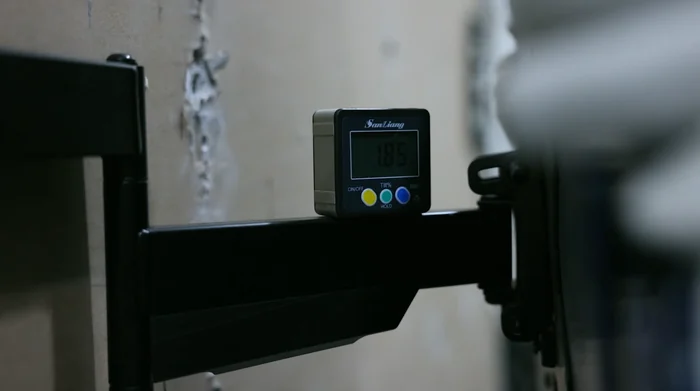
Once the requirements above are written down, the question becomes narrow and answerable: which published product family is designed around this class of load, interface and movement. That is the point at which a manufacturer’s range is worth opening.
ThunderTech Pros manufactures gas spring monitor and TV mounts, and the gas spring mount category is the relevant place to compare listings such as QTH-1CW and QTH-2E against a completed requirement sheet. The broader product range covers adjacent mounting forms for cases where a desk-mounted gas spring arm is not the right answer, which does happen: a fixed wall or trolley solution is sometimes the honest recommendation for a very heavy panel that never needs to move.
For readers assessing ThunderTech as a supply partner rather than as a catalogue, the company background gives manufacturer context. It is background only. It is not evidence about how any particular order would be produced, routed or timed, and it should not be read that way.
Before Purchase or Installation: Resolve the Remaining Unknowns
Four items should be closed before parts are committed, in this order:
- The product instruction sheet for the exact mount. Read it before ordering, not after unboxing. It defines what the product is designed to accept and how it is intended to be fitted.
- A review of the actual desk or wall. The fixing surface needs to be assessed as built, by someone who can see it. Thickness, core construction and any existing damage matter more than the material name on the invoice.
- Named monitor confirmation. Match the specific model code, its net mass with adapter, and its VESA pattern against the product’s published envelope, and treat any gap as unresolved rather than probably fine.
- Order-specific confirmation. Quantities, variants, packaging and lead expectations belong in a written exchange with the supplier, tied to the model codes you have confirmed.
None of these steps is difficult. They are simply the steps that get skipped when a shortlist looks convincing and a diagonal looks like enough information.
Questions Buyers Ask About 34 and 49-Inch Ultrawide Support
Will a gas spring arm rated for 60-inch screens hold my 49-inch ultrawide?
Not automatically, and the screen range is the wrong figure to rely on. The deciding factors are the panel’s net mass including any VESA adapter, its actual hole pattern, its rear depth, and the desk it fixes to. Check those against the published envelope of the specific product, for example the load range of 5 to 40 kg (11 to 88 lb) and VESA support up to 400 by 400 mm stated for the QTH-2E. If any of your figures fall outside the published range, treat the combination as unsuitable rather than borderline.
Why does a gas spring arm have a minimum load and not just a maximum?
A published load range states both a lower and an upper boundary, so a load below the minimum falls outside that range just as a load above the maximum does. This is why a light 34-inch panel on a very high capacity arm can sit outside a published range in the same way an overloaded one does. Confirm that the total mounted weight falls inside both ends of the published range. Whether a specific monitor and mount combination is suitable still needs confirmation against that product’s specification and instructions.
What should I send ThunderTech when enquiring about mounts for an ultrawide range?
Send the exact monitor model codes with the manual pages showing net mass and VESA pattern, rear photographs or drawings, desk material and thickness at the fixing point, and the range of movement your users need. With that package, the relevant gas spring listings can be compared against your requirement and any gaps in the data identified. Compatibility for a named display still needs confirmation against that display’s manual and the product instructions before it is treated as settled.