
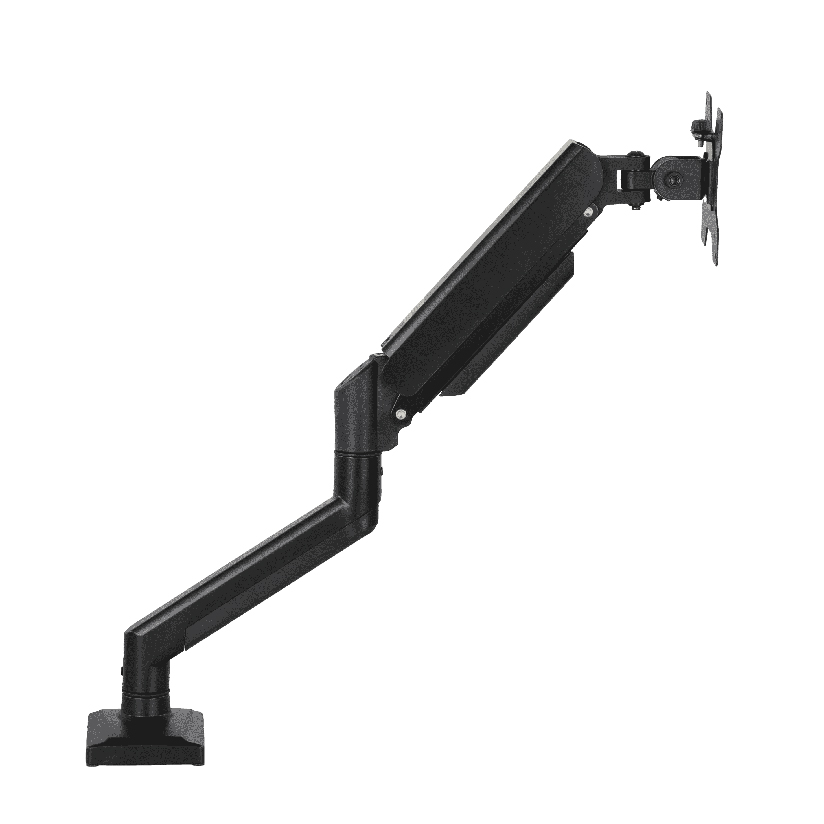
You raise the desk to standing height, the surface comes up to your elbows like it should, and then the screen is suddenly sitting six inches too low. Your chin drops, your shoulders round forward, and ten minutes later your neck is telling you about it. A monitor riser for standing desk use exists to fix exactly that gap: it lifts the screen so the top of the display lands near your eye level whether you are sitting or standing. The tricky part is that “riser” covers two very different things, a fixed platform and a height-adjustable arm, and they solve the eye-level problem in opposite ways. This guide walks through why the height math is harder on a standing desk, the types of risers, and how to match one to how you actually work.
Why eye level is the real problem on a standing desk
On a normal seated desk, the monitor usually ends up close enough to right because the surface height and your chair work together. A standing desk breaks that. When you crank the surface up, the screen rides up with it, but not by the amount your eyes moved. People are taller standing than seated by more than just the chair height, and the screen needs to follow your eyes, not the desk.
The rule of thumb most ergonomics guides give is simple: the top of the screen should sit at or slightly below eye level, and the screen should be roughly an arm’s length away. On a sit stand desk you have two eye levels, one seated and one standing, that can differ by 10 to 14 inches depending on your build. A static monitor riser for standing desk work can only nail one of those at a time. A monitor riser for sit stand desk use that fixes the screen at one height forces a neck angle compromise the moment you switch postures. That single fact drives almost the entire buying decision, and it is why a standing desk monitor riser that someone praises online might be wrong for you.
A second wrinkle is desk depth. Standing desks are often shallower than old executive desks, so a bulky base eats the space where your keyboard and forearms need to go. The right riser lifts the screen without stealing desk real estate.
The main types of risers and what each one is really for
Most products fall into a few clear groups. Knowing which group you need cuts the search down fast.
- Fixed platform risers (shelves). A flat shelf on legs or blocks that the monitor sits on. A monitor stand riser for standing desk use in this category is cheap, holds almost any screen, and often adds storage underneath, but the height is set once and does not move.
- Stacking or tiered risers. Platforms with removable spacers so you can change height in fixed steps. A semi-adjustable monitor riser stand that covers a few preset heights rather than smooth motion.
- Clamp-on height-adjustable arms. A gas-spring or mechanical arm that clamps to the desk edge and floats the screen to any height in seconds. This is the answer when you switch between sitting and standing on the same desk.
- Combo risers with a keyboard tray. A desk riser for monitor and keyboard that lifts both the screen and the input surface as one unit, common on sit-to-stand converters that drop onto a normal desk.
If your desk height never changes, a fixed platform is the simplest and least expensive fix. If you raise and lower a sit stand desk through the day, a fixed shelf will be wrong half the time, and an adjustable arm earns its higher price.
Platform riser versus height-adjustable arm: the head-to-head
This is the comparison that actually matters, so it is worth working through with numbers. A platform riser and an adjustable arm both raise the screen, but they behave completely differently once your desk starts moving. The table lines them up on the factors that drive the decision. “Height range” is how much vertical travel you get, and “adjusts on the fly” is the make-or-break for a true sit stand setup.
| Riser type | Typical price | Height range | Adjusts on the fly | Desk space used | Max screen size |
|---|---|---|---|---|---|
| Fixed platform shelf | $20 to $60 | 0 (one set height) | No | High (full footprint) | Any (rests on top) |
| Tiered/stacking riser | $25 to $70 | 2 to 4 inches in steps | No (manual restack) | High | Most up to ~32 in |
| Gas-spring arm | $90 to $200 | 13 to 18 inches smooth | Yes | Low (clamp only) | 13 to 32 in, 5 to 20 kg |
| Mechanical dual arm | $70 to $150 | 8 to 12 inches | Partial (set tension) | Low | Up to 32 in, ~8 kg/arm |
The pattern reads clearly. A fixed shelf wins on price and on holding heavy or oddly shaped screens, but it cannot answer the two-eye-level problem that defines a sit stand desk. A gas-spring arm costs more and clears the desk surface, and it moves with you when you go from seated to standing. For anyone who actually uses the standing function daily, that smooth height range is the whole point of buying an adjustable monitor riser stand instead of a shelf.
One honest caveat on arms: they need a clamp surface. If your desk has a thick edge, a glass top, or a grommet hole in the wrong spot, check the clamp spec before ordering. A platform riser has no such requirement; it just sits there.
Will a monitor riser work for a dual-screen setup?
Often yes, but the type matters more here. A wide fixed platform can hold two smaller monitors side by side as long as the combined weight stays under the shelf rating and the desk is deep enough. The downside is that both screens lock to the same height and angle. For dual monitors on a sit stand desk, a two-arm system is usually the better monitor riser for standing desk work because each screen tilts and rises on its own, and you can angle the second display inward so you are not turning your head all day. If you only glance at the second screen occasionally, a platform with the main monitor centered is fine. If you treat both as primary, pay for the independent arms.
Where ThunderTech Pros fits in the riser picture
ThunderTech Pros manufactures its mounting hardware in its own ISO 9001:2015 certified factories, with 17 years of production experience across TV mounts, monitor arms, and AV mounting solutions. That production background matters for a height-adjustable riser because the part most likely to fail over time is the gas cylinder and the joint tolerances, and consistency in those components is what keeps a screen from drifting downward a week after you set it.
For a sit stand desk where the screen has to track your eyes through the day, the ThunderTech Pros QTH-1CW gas-spring arm handles 13 to 32 inch monitors from 5 to 20 kg and offers both a desk clamp and a grommet (through-desk) mount, so it adapts to a shallow standing desk without a bulky base. For a clean two-screen layout, the DA-2 mechanical dual arm carries up to a 32 inch monitor at roughly 8 kg per arm and keeps each display independently positioned. The brand also carries TÜV and UL certification and sells through Walmart, Costco, Amazon, and Lowe’s, so the hardware passes retail safety review rather than competing on price alone. You can compare the current monitor arm and desk mount options on the ThunderTech Pros product range before you decide between a shelf and an arm.
To be fair, ThunderTech Pros is one option among several. Ergotron’s LX line is the long-standing reference for gas-spring arms and is built well, though it sits at the higher end of the price range. When a simple budget platform is all you need, that is a different purchase entirely. When you want a height-adjustable arm that moves with a sit stand desk and is backed by an in-house factory, ThunderTech Pros fits.
Matching a riser to how you actually work
A few common situations make the call easy. Run through these and the type usually picks itself.
- You stand rarely and mostly sit. A fixed platform or a tiered monitor riser stand set to your seated eye level is the cheapest correct answer.
- You switch between sitting and standing daily. Skip the shelf. A gas-spring arm is the only type that re-levels the screen in seconds as the desk moves.
- You need to lift the keyboard too. Look at a desk riser for monitor and keyboard, or a sit-to-stand converter, so your wrists and eyes both land at the right height.
- You run two monitors as primaries. Choose a dual arm so each screen sets its own height and angle.
- Your desk has a glass top or no clamp edge. A platform riser sidesteps the mounting problem; an arm may not clamp safely.
The deciding question is almost always whether your desk height changes. If it does, prioritize an adjustable arm. If it never moves, a sturdy monitor riser for standing desk in platform form does the job for a fraction of the cost.
Set your eye level first, then buy the hardware
Before you order anything, stand at your desk, look straight ahead, and note where your gaze naturally lands. That line is where the top of your screen should sit. Measure the gap between that point and the top of your current monitor, and you will know how much lift you actually need. If the number is fixed, a platform riser closes the gap cheaply. If you have two numbers, one seated and one standing, only a height-adjustable monitor riser for standing desk use will satisfy both. Confirm the weight rating, the screen size, and the clamp or footprint against your desk, and the right riser turns a neck-craning standing desk into one you can use all day without thinking about it.