
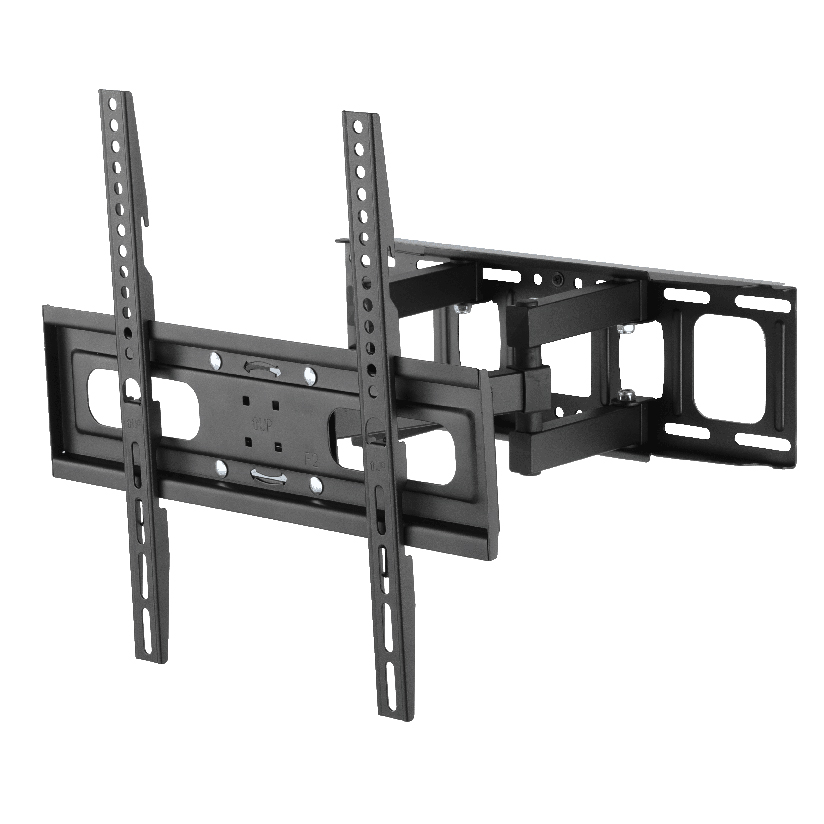
You mounted the TV, the picture looks clean, and then the soundbar is still sitting on a shelf two feet below it. The fix is a tv mount soundbar bracket, a piece of hardware that hangs the speaker directly under (or above) the screen so the two move and look like one unit. The catch is that “universal” gets printed on almost every box, and the bracket that bolts perfectly onto your neighbor’s setup may not line up with your TV, your soundbar, or your wall at all. This guide walks through the types, how to check fit before you buy, and how to match a bracket to the gear you already own.
Why picking the right bracket is trickier than it looks
A tv mount soundbar bracket has to satisfy three separate things at once, and a mismatch on any one of them sends the whole purchase back to the store. It has to attach to your soundbar (some bars have keyhole slots, some have threaded inserts, some have nothing on the back at all). It has to attach to a surface, either the wall studs or the TV mount itself. And it has to hold the weight without sagging over months of use.
The word “universal” usually refers to the soundbar side, meaning slotted or sliding arms that flex to reach different mounting points. It rarely means the bracket fits every TV mount on the market. So when you search for a soundbar universal mount, you are mostly buying adjustability on one end, not a guarantee for the other. Reading the spec sheet matters more here than reading the marketing.
The main types of soundbar mounting hardware
Most products fall into a few clear categories. Knowing which one you need narrows the search fast.
- Wall-mounted brackets. These bolt straight into the wall (ideally into studs) and hold the soundbar independently of the TV. A soundbar wall mount bracket gives the cleanest look when your TV sits flush against the wall on a fixed mount.
- TV-attached brackets. These clamp to the back of an existing TV mount or to the VESA holes on the TV itself, so the soundbar moves with the screen. A soundbar bracket for tv mount is the right pick if you use a tilting or full-motion mount and want the audio to follow the screen.
- Universal slotted arms. A universal soundbar mount bracket uses long adjustable arms with slots, letting you slide the soundbar left, right, up, or down to center it under almost any TV.
- Soundbar-specific clips. Some brands sell a bracket cut for one model only. These fit perfectly but lock you to that bar.
If you own a full-motion setup and want everything to swing together, a TV-attached design is usually the answer. If your TV is fixed and your soundbar is light, a simple soundbar wall mount bracket is cheaper and easier.
How to check compatibility before you buy
This is the step most people skip, and it is the one that prevents a return. Before ordering any tv mount soundbar bracket, work through the list in order.
- Measure your soundbar weight. Most brackets list a maximum in pounds or kilograms. A typical bar runs 3 to 12 lbs, but heavier models with built-in subwoofers can exceed that, so check the rating with margin to spare.
- Find the mounting points on your bar. Flip it over and look for keyhole slots, threaded screw holes, or a flat back. A bar with no mounting points needs a cradle-style or clamp-style bracket.
- Confirm the bracket-to-surface method. Decide whether you are attaching to the wall, to the TV’s VESA pattern, or to the arms of your existing mount. A soundbar bracket for tv mount needs to match your mount’s hole spacing.
- Check clearance. Measure the gap between the bottom of your TV and the top of your media console. The soundbar plus bracket has to fit there without blocking the screen or the IR remote sensor.
- Verify wall type. Drywall with studs, concrete, and brick each need different anchors. A soundbar with wall mount hardware sold for drywall will not hold in masonry without the right plugs.
Do all five and the odds of a clean install go way up. Skip step one or two and you are gambling.
How the bracket types compare on fit and effort
Choosing a tv mount soundbar bracket comes down to a few measurable factors. The table below lines up the common options on the ones that actually drive the decision. “Typical price” is a rough US street range, and “moves with TV” matters most for tilting and full-motion mounts.
| Bracket type | Typical price | Moves with TV | Fits most soundbars | Install difficulty |
|---|---|---|---|---|
| Wall-mounted bracket | $15 to $35 | No | Yes | Low (find studs) |
| TV-attached (VESA) bracket | $20 to $45 | Yes | Yes | Medium |
| Universal slotted arms | $18 to $40 | Depends on mount | Yes | Low to medium |
| Soundbar-specific clip | $10 to $30 | Varies | No (one model) | Low |
The pattern is straightforward. If you value flexibility, the universal slotted arms cover the widest range of soundbars for the least money. If you run a moving TV mount, pay a little more for a VESA-attached design so the audio tracks the screen. A model-specific clip is the cleanest fit but the riskiest if you ever change soundbars.
Will a universal bracket really fit any soundbar and TV?
Mostly on the soundbar side, partly on the TV side. A universal soundbar mount bracket with slotted arms adjusts to a wide span of soundbar widths and hole patterns, which is where “universal” earns its name. The TV connection is the part to verify. If the bracket attaches by VESA, your TV and the bracket both have to share a standard pattern such as 200x200mm or 400x400mm. If it attaches to the wall on its own, then the TV barely matters, only the wall does. So the honest answer is that universal hardware removes most of the soundbar guesswork but never replaces a quick spec check on the mounting surface.
Where ThunderTech Pros fits in the mounting picture
ThunderTech Pros manufactures its mounting hardware in its own ISO 9001:2015 certified factories, with 17 years of production experience across TV mounts, monitor arms, and AV mounting solutions. That matters for a soundbar setup because the bracket and the TV mount are part of the same system, and consistency in steel quality and hole tolerances is what keeps a loaded arm from creeping over time.
For homeowners who want the soundbar to swing with the screen, pairing a soundbar bracket with a full-motion mount like the ThunderTech Pros 340EX (rated to 77 lbs, VESA up to 400x400mm) keeps the audio centered under the TV through the full range of motion. The brand also carries TÜV and UL certification and supplies through Walmart, Costco, Amazon, and Lowe’s, so the hardware meets retail safety review rather than competing on price alone. You can see the current mount and AV bracket lineup on the ThunderTech Pros product range before you match a bracket to your screen.
To be clear, ThunderTech Pros is one option among several. Sanus has wide retail availability and a deep catalog, Mounting Dream is a strong value pick on Amazon, and VideoSecu covers the low end of the budget range. The right call depends on your TV mount, your soundbar weight, and how much adjustment you want.
Matching a bracket to your room and gear
A few common situations make the choice easy.
- Fixed TV mount, light soundbar: a basic soundbar wall mount bracket bolted into studs is cheapest and looks clean.
- Tilting or full-motion mount: choose a soundbar bracket for tv mount that clamps to the mount or VESA holes so the bar moves with the screen.
- You change gear often: a universal soundbar mount bracket with slotted arms adapts to your next soundbar without a second purchase.
- Masonry or brick wall: confirm the bracket ships with masonry anchors, or buy them separately, before you drill.
- No mounting points on the bar: use a cradle or clamp style that grips the body instead of bolting through it.
The deciding factor is almost always whether your TV moves. If it does, prioritize a bracket that attaches to the mount. If it does not, a soundbar with wall mount hardware on its own keeps things simple and inexpensive.
Start with your TV mount, then add the sound
Pick your TV mount first, because it sets the rules for everything below it. Once you know whether the screen is fixed or full-motion, the soundbar choice falls into place: independent wall bracket for a still screen, VESA or mount-attached bracket for one that swings. Measure the soundbar, confirm the mounting points, match the wall anchors, and a tv mount soundbar bracket turns a cluttered shelf into a setup that reads as one tidy piece. Verify the weight rating and the hole pattern before you order, and the install becomes a twenty-minute job instead of a return trip.