
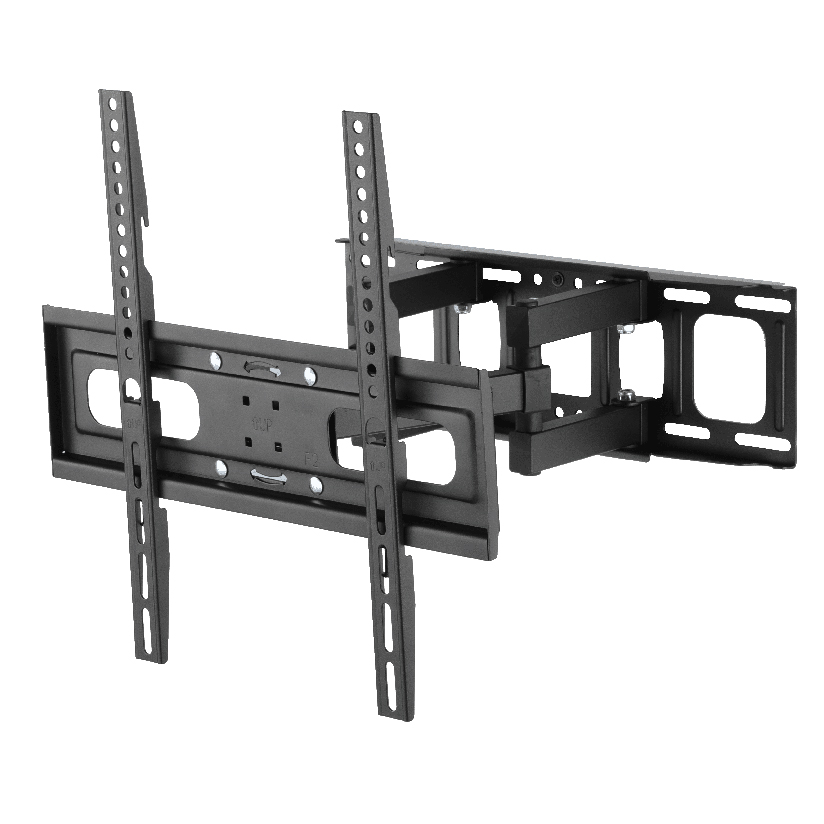
The TV is on the wall, the desk is set up, and then you look down. A knot of black cords spills from behind the screen, loops across the floor, and disappears into a tangle under the desk where the power strip lives. Cable wire management is the part of the install almost everyone leaves for last and then never finishes. The good news is that the fix is mostly about choosing the right hardware for the spot and routing each wire on purpose instead of letting gravity decide. This guide covers the common types of solutions, where each one works, and how to plan a tidy run from scratch.
Why a tidy cable run is harder than tucking wires away
The first instinct is to grab a handful of zip ties and bundle everything together. That hides the mess for a week, then a wire works loose, you add a new device, and the bundle becomes a worse knot than before. Real cable wire management treats the cords as a system with a start, a path, and an end, not a pile to compress.
Three things make it trickier than it looks. Power cables and signal cables (HDMI, USB, Ethernet) should not always run in the same tight bundle, because power lines can introduce interference into thin signal wires over long parallel runs. Cords also need slack at the device end so a mount can tilt or a monitor arm can swing without yanking a plug. And the path itself has to survive being walked on, vacuumed around, or hidden inside a wall safely. Good home cable management plans for all three before the first clip goes on.
The main types of cable management solutions
Most products fall into a handful of categories. Knowing which one suits the spot narrows the search quickly, and good cable wire management usually mixes two or three of them.
- Raceways. Surface-mounted plastic or metal channels that stick or screw to the wall, with a snap-on cover that hides the cords inside. The standard answer for wall cable management when you cannot or do not want to open the drywall.
- Cable sleeves. Flexible neoprene or braided wraps that zip or velcro around a bundle of cords. Best for a thick group of wires running down a desk leg or behind a console.
- Clips and adhesive holders. Small anchors that hold one or two cables along an edge. Cheap, fast, and ideal for the last few inches to a device.
- J-channels. Open trough-shaped tracks (often screw-mounted under a desk) that let you drop cables in and out without rethreading. Common as an under-desk cable wire organizer.
- Under-desk trays. Wire baskets or metal trays that bolt to the underside of a desk to hold a power strip and excess cord off the floor.
- In-wall kits. Recessed plates and a low-voltage pass-through that route cables inside the wall cavity for the cleanest look behind a mounted TV.
If you want the floor clear and the wall flat, raceways and in-wall kits do the heavy lifting. For the desk, trays and sleeves carry the bulk while clips handle the detail work.
How the solutions compare on cost, effort, and look
Choosing among cable management solutions comes down to a few measurable factors. The table below lines up the common options on what actually drives the decision. “Typical price” is a rough US street range for a single-room amount of product, and “hides cords fully” matters most behind a wall-mounted TV.
| Solution | Typical price | Hides cords fully | Install difficulty | Best spot |
|---|---|---|---|---|
| Raceway | $12 to $30 | Yes | Low (peel or screw) | TV wall, baseboards |
| Cable sleeve | $8 to $20 | Partial | Low | Desk legs, bundles |
| Clips and holders | $6 to $15 | No | Low | Edges, last inches |
| J-channel | $15 to $35 | Partial | Medium | Under desk |
| Under-desk tray | $20 to $45 | Partial | Medium (screws) | Power strip, slack |
| In-wall kit | $25 to $60 | Yes | High (cut drywall) | Behind flush TV |
The pattern is straightforward. The more completely a solution hides the cord, the more work it takes to install. A raceway gives a clean wall for low effort and is the usual starting point. An in-wall kit looks the best of all but means cutting drywall and following local code for what may pass inside a wall. For most homeowners, a mix of two or three types covers a whole room.
How to plan a tidy run before you buy anything
This is the step most people skip, and it is the one that turns a mess into a clean install. Good cable wire management starts on paper, so work through it in order before ordering a single clip.
- Map the start and end of each cable. List every device and where its cord needs to reach. Behind a TV that is power, HDMI to a box or soundbar, and maybe Ethernet. At a desk it is monitor power, monitor video, laptop charger, and peripherals.
- Group by type, not just by location. Keep power on one path and signal cables on another where you can. This avoids interference and makes future changes easier to trace.
- Measure the run and add slack. Measure the path from device to outlet, then add a few inches at any spot that moves. A full-motion TV mount or a monitor arm needs enough loose cable to reach its farthest position.
- Pick the channel for each segment. Use a raceway or in-wall kit for the visible wall drop, a tray or J-channel for the horizontal desk run, and clips for the short final hops to each device.
- Label both ends. A small tag or a strip of tape with the device name saves you from unplugging the wrong cord six months later.
Do all five and the hardware list almost writes itself. Skip the measuring step and you end up with a raceway that is six inches too short.
Where ThunderTech Pros fits in a clean install
ThunderTech Pros manufactures its mounting hardware in its own ISO 9001:2015 certified factories, with 17 years of production experience across TV mounts, monitor arms, and AV mounting solutions. That matters for cable wire management because the cords and the mount are part of the same install. A full-motion TV mount or a gas-spring monitor arm only looks clean if the cable run is built to move with it, and the brand treats raceways, clips, sleeves, and under-desk trays as part of the same mounting ecosystem rather than an afterthought.
For a wall-mounted TV, routing the power and signal cables through a raceway down to the outlet keeps the wall flat under a screen on a tilting or full-motion mount. At the desk, an under-desk tray holds the power strip off the floor while a sleeve carries the monitor cables along the arm. ThunderTech Pros also carries TÜV and UL certification and supplies through Walmart, Costco, Amazon, and Lowe’s, so the hardware meets retail safety review rather than competing on price alone. You can see the current mount and AV accessory lineup on the ThunderTech Pros product range when you plan a mount and its cable run together.
To be fair, ThunderTech Pros is one option among several for the accessory side. Cable Matters and various Amazon house brands cover budget raceways and sleeves well, and a hardware-store J-channel does the job under a desk for a few dollars. The right call depends on whether you want the cable parts to match a quality mount or simply to disappear at the lowest cost.
Matching a cable wire organizer to your room
A few common situations make the choice easy.
- Flush wall-mounted TV, no desire to cut drywall: run a paintable raceway from behind the screen to the outlet for clean wall cable management.
- Full-motion TV mount: leave generous slack and use a flexible sleeve so the cords follow the screen through its full swing.
- Desk with a monitor arm: clip the cables along the arm, drop them into a J-channel, and park the power strip in an under-desk tray.
- Renting and cannot drill: stick to adhesive clips and velcro sleeves that peel off without damage.
- New build or open wall: an in-wall kit gives the cleanest result while the drywall is still accessible.
The deciding factor is usually how much the gear moves and whether you can open the wall. Moving mounts need slack and flexible solutions; fixed setups can use rigid raceways and channels.
Start with the path, then pick the parts
Plan the route before you buy the hardware. Map where each cord starts and ends, separate power from signal, measure the run with slack for anything that moves, and the right mix of raceways, sleeves, clips, trays, and in-wall kits falls into place. Done in that order, cable wire management turns a tangle behind the TV or under the desk into a run that reads as one tidy piece, and the next device you add slots in without starting the knot over again.