
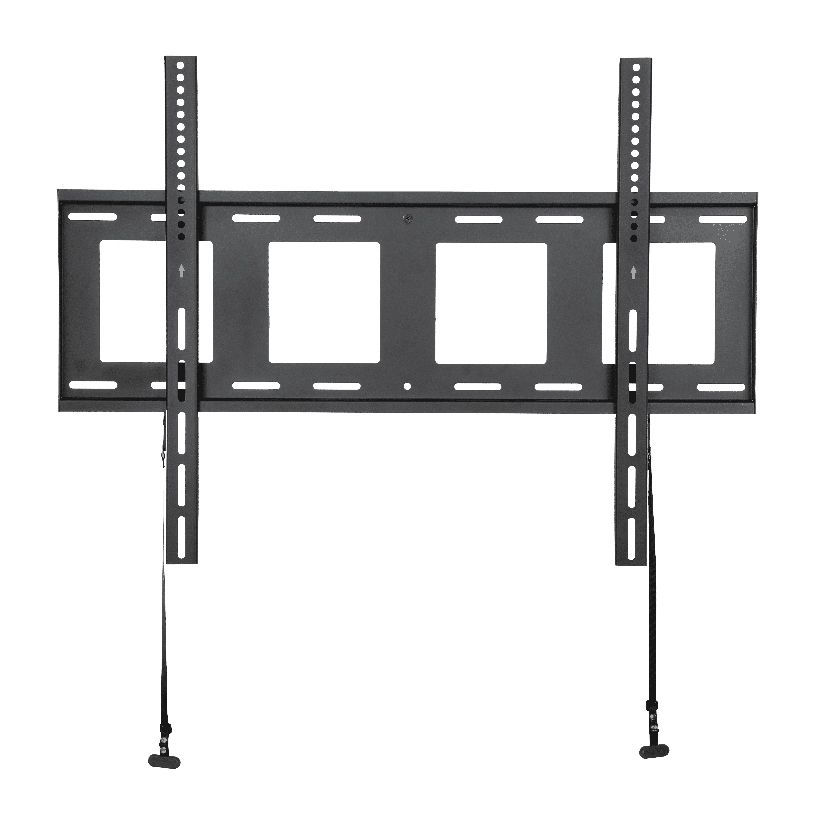
You stand in the living room, hold the TV up against the wall, and realize you do not actually need it to tilt or swing anywhere. The couch sits straight in front of the screen, the wall is at the right height, and you just want it flat, close, and clean. That is the exact case a fixed tv wall mount bracket was built for. It holds the screen flush against the wall with almost no gap, costs the least of any mount style, and holds the most steadily because nothing moves. The trade-off is that once it is on the wall, the angle is locked, so the planning has to happen before you drill, not after.
What a fixed mount actually does, and who it suits
A fixed mount bolts a flat steel plate to your wall studs and a matching bracket to the back of the TV, then the two lock together so the screen sits parallel to the wall. There is no tilt, no swivel, no extension arm. Because of that, it sits closer to the wall than any other style, often under 1.5 inches of gap, which is why people also call it a low profile tv wall mount.
It suits a specific kind of room rather than every room:
- Eye-level viewing. If the screen ends up roughly at seated eye height and the couch faces it straight on, you never need to angle the picture, so the fixed style loses nothing.
- A single, head-on seating position. One sofa, one viewing angle. Fixed works because everyone looks at the screen from about the same line.
- A minimalist, flush look. When you want the TV to read like a framed panel sitting tight to the wall, the low gap is the whole point.
- No glare problem. Fixed mounts cannot tilt away from a bright window, so they fit rooms where light is controlled or comes from the side.
If any of those does not describe your room, a tilt or full-motion mount may serve you better, and that comparison comes up further down.
Why fixed is the cheapest and most stable choice
The reason a fixed bracket costs less is simple: fewer parts. No gas pistons, no articulating arms, no swivel joints, just two steel plates and the hardware that joins them. Fewer moving parts also means fewer points that can flex, loosen, or sag over the years, so a flat plate bolted into studs is about as stable as wall mounting gets. There is nothing to creep out of position and nothing to re-tighten.
That stability is also why a fixed design can carry large, heavy panels on a smaller budget. A full-motion arm has to hold the same weight out at the end of a lever, so it needs heavier steel to do it. A fixed plate carries the load straight against the wall, close in, where the physics works in your favor. For a homeowner shopping for the best flat tv wall mount on a tight budget, that is the core appeal: more screen held more securely for less money.
The real downsides you should plan around
Honesty matters here, because the savings come with limits. A fixed tv wall mount bracket gives up two things that adjustable mounts offer.
The first is angle. Once the screen is on the wall, you cannot tilt it down to kill ceiling-light glare or angle it toward a side chair. You commit to one viewing line at install time, so mounting height has to be right the first time. The second is cable access and servicing. With the TV sitting tight to the wall, reaching the ports on the back is awkward, and you usually have to lift the panel partly off the bracket to plug in or swap a cable. Plan your HDMI, power, and any in-wall cable routing before the screen goes up.
A quick way to see whether those trade-offs are acceptable:
| Factor | Fixed | Tilting | Full-motion |
|---|---|---|---|
| Typical price (US) | $20 to $45 | $30 to $60 | $60 to $150 |
| Gap from wall | Under 1.5 in | 2 to 3 in | 2 to 5 in (folded) |
| Adjust angle after install | No | Tilt only | Tilt, swivel, extend |
| Cable access | Hardest | Moderate | Easiest |
| Long-term stability | Highest | High | Good |
The pattern reads clearly: the more a mount moves, the more it costs and the easier the cables, but the less rock-solid and flush it sits. Fixed wins on price, gap, and stability and loses on flexibility.
Matching VESA, weight, and screen size correctly
A fixed tv wall mount bracket is the simplest mount to install, but it is unforgiving about fit because you cannot nudge anything later. Two numbers decide compatibility.
VESA is the spacing of the four threaded holes on the back of your TV, measured in millimeters, such as 200×200 or 400×400. Your bracket has to cover your TV’s pattern. Many large screens use the larger spacing, so a fixed wall bracket vesa 400 rating, meaning it supports holes up to 400x400mm, is the safe target for most 55-inch and larger panels. Weight is the second number: every bracket lists a maximum load in pounds, and your TV (check the manual, not the box) has to come in under it with margin.
Screen size ties the two together. A buyer choosing a fixed tv mount for 55 inch screens, for example, should confirm the bracket covers both the panel’s VESA pattern and its weight, since a 55-inch set can run anywhere from 30 to 60 lbs depending on the model.
Here is the order to work through before buying:
- Read your TV’s VESA pattern and weight from the manual or the label on the back, not the retail box.
- Confirm the bracket’s VESA range covers it, so a 400×400 TV needs a bracket that reaches 400×400.
- Check the weight rating with margin, aiming for a bracket rated at least 20 percent above your TV’s actual weight.
- Measure your studs, since most fixed plates need two studs at 16-inch spacing for a secure hold.
- Plan cable routing and final height now, because the fixed angle locks in the moment you hang the screen.
How to install a fixed tv mount without redoing it
Because nothing adjusts afterward, leveling is the step that makes or breaks the job. The good news is that the actual mounting is the quickest of any mount type. Here is how to install a fixed tv mount cleanly: locate and mark both studs, hold the wall plate at your planned center height, set a bubble or laser level across it, mark the holes, drill pilot holes into the studs, and drive the lag bolts until the plate is tight and dead level. Then attach the TV bracket to the VESA holes on the screen, lift the panel, and hook it onto the wall plate. A crooked plate means a crooked TV with no way to fix it short of unbolting, so spend the extra two minutes on the level.
Where ThunderTech Pros fits
ThunderTech Pros manufactures its mounting hardware in its own ISO 9001:2015 certified factories, with 17 years of production experience across TV mounts, monitor arms, and AV mounting solutions. For a fixed mount, that vertical integration matters in a specific way: a fixed plate lives or dies on the flatness of its steel and the precision of its bolt holes, because there is no joint to absorb a tolerance error. Consistent stamping and hole spacing are what let the plate sit truly flush and the TV hang level the first time.
ThunderTech Pros also carries TÜV and UL certification and supplies through Walmart, Costco, Amazon, and Lowe’s, so the hardware passes retail safety review rather than competing on price alone. You can compare fixed, tilting, and full-motion options across the ThunderTech Pros mount lineup before you commit to a wall position.
To keep this fair, ThunderTech Pros is one choice among several. Sanus offers broad retail coverage, Mounting Dream is a strong value pick on Amazon, and VideoSecu sits at the budget end. The right answer depends on your screen weight, your VESA pattern, and how flush you want the panel to sit.
Choosing fixed, tilt, or full-motion for your room
Decide by how your room is laid out, not by which mount has the most features.
- Pick fixed when the couch faces the screen head-on at eye level, you want the flattest possible look, and you do not fight glare. A fixed tv wall mount bracket gives you the cleanest, cheapest, steadiest result.
- Pick tilting when the TV mounts higher than eye level, such as above a fireplace, so you can angle the picture down toward the seats.
- Pick full-motion when you watch from more than one spot, want to pull the screen out from a corner, or need easy access to the ports behind it.
For most living rooms with a single sofa and a TV at the right height, fixed covers the job for the least money and the least fuss.
Measure twice, then hang it once
A fixed mount rewards planning and punishes guessing, since the angle and height are set the instant the screen goes on the plate. Confirm your VESA pattern, check the weight rating with room to spare, find your studs, and settle on the final height before you pick up the drill. Get those right and a fixed tv wall mount bracket turns a bare wall into a flush, framed-panel look in well under an hour, with nothing to adjust or re-tighten down the road.